PROCEDURE General guide for submitting a support case for WP’s Bluebeam PBA.
REQUIREMENTS
· As best effort please attempt basic or common troubleshooting steps (See References)
· Obtain Version and Serial Number for submitting the case (See References)
STEPS
1. Go to Contact Us | Bluebeam Technical Support
2. Scroll down, fill out information with end-user details (See example screenshot below) 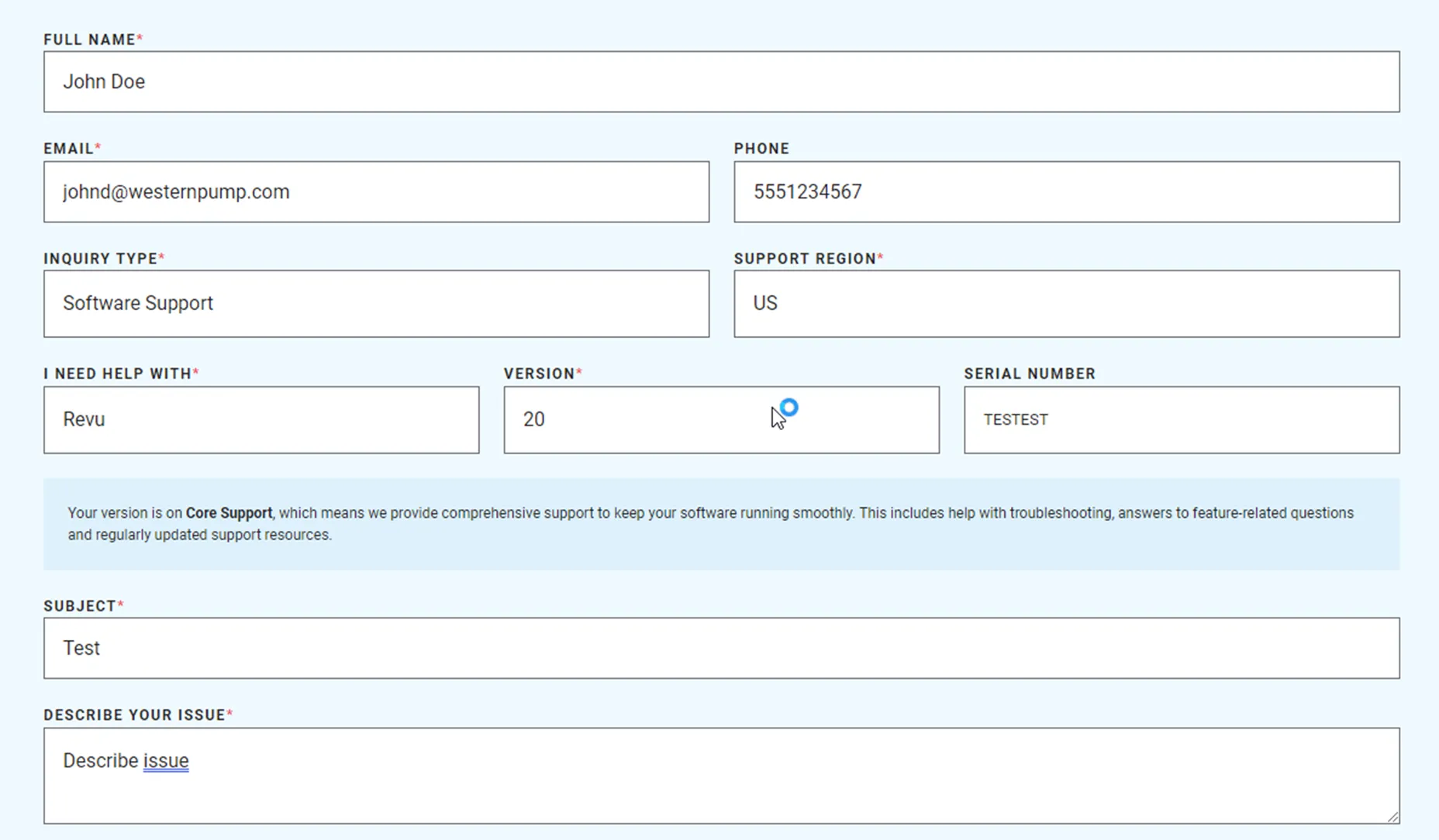
3. Check the reCAPTCHA
4. Click Submit
5. Close your Halo ticket and let the end-user know that Bluebeam will work with them directly to resolve their issue
REFERENCES
-
KB00010324 [retired] - Western Pump - PBA - Bluebeam Troubleshooting
-
KB00010332 - Western Pump - PBA - Bluebeam Obtain Version & Serial Number
-
KB00001907 - Western Pump - PBA - Bluebeam Install Requests