Before you start: Make sure the Medical computer closest to the outside door is on or the label printer will not work.
Click the Windows key, search printers, and click on the top result.
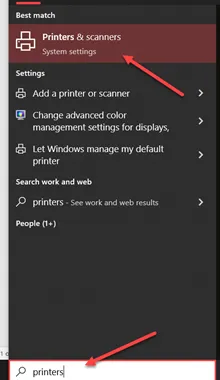
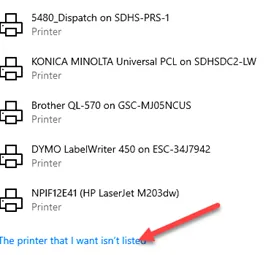
Click on Add Printer and scroll down until you find “The printer that I want isn’t listed” link and click on it.
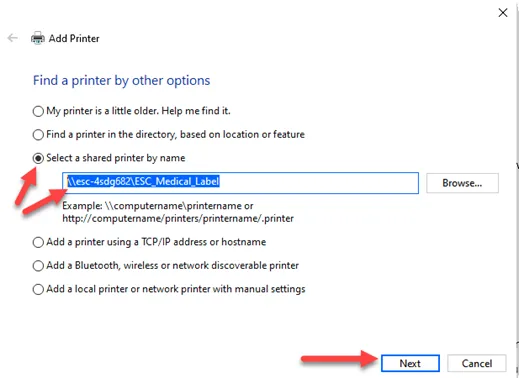
Click on “Select a Shared Printer by name” option and type in \\esc-4sdg682\ESC_Medical_Label and click Next
Click on Next and click Finish
Launch the DYMO Label v.8 Application on the desktop
When the application is launched, click on register later on the window. When using the label maker, make sure that the correct label maker is selected.
You are now ready to print. If you need any further assistance, please email us at sr@sdhumane.org or call our desk line at x2261.