Note: Users will need to be connected to the SDHS network to access Visual Voicemail. If the user is not on campus, VPN (Cisco AnyConnect) connection is required.
Visual Voicemail URL = https://10.20.55.12/inbox
Open a web browser and enter the URL address above. Enter in your username and password (provided by management). Click “Sign In”.
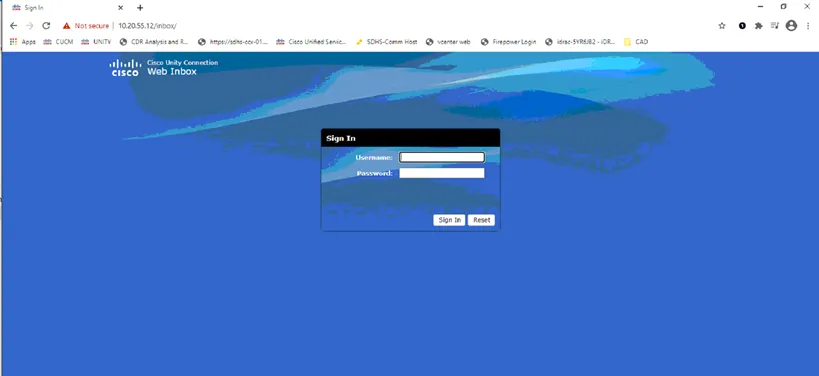
When logging in for the first time, users will be prompted to change their password.
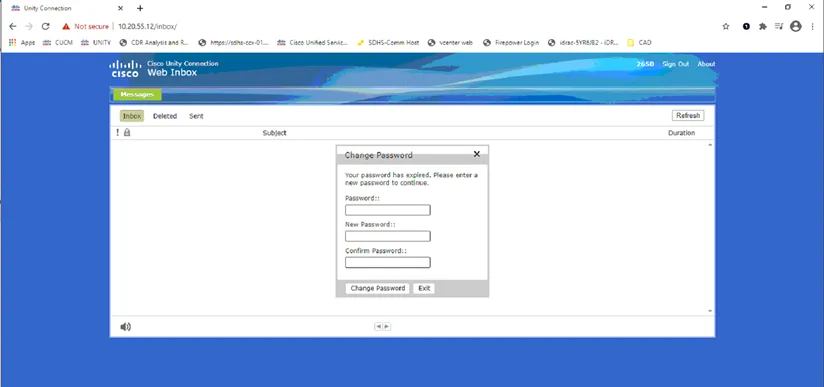
After updating your password, access to your Inbox will be available. Click on the Play button to listen to the messages.
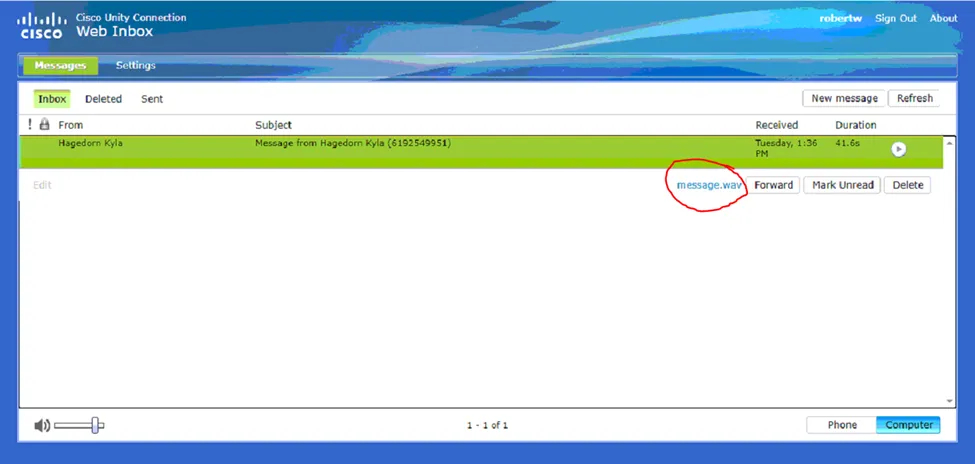
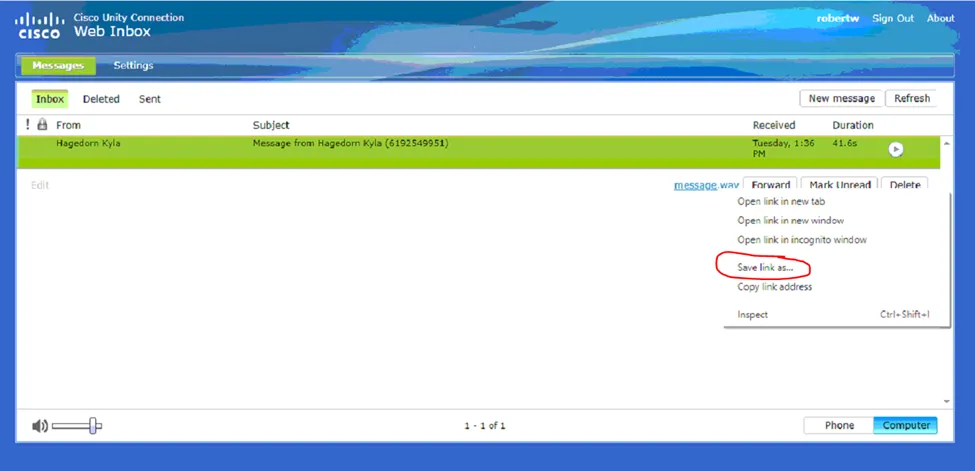
Select “Save link as”. Name file and Save to desired folder.