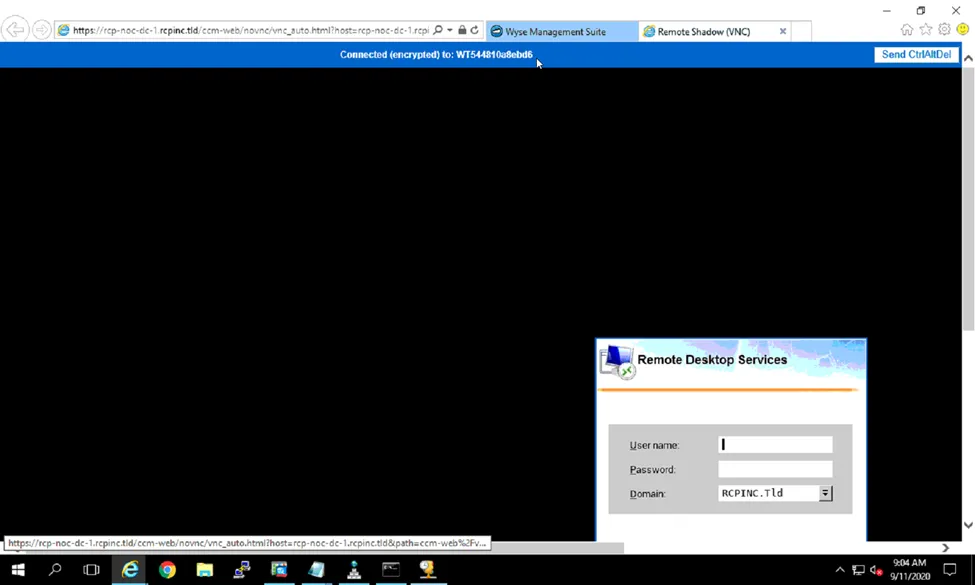
VNC to Thin Client
- Logon to RCP-NOC-DC-1
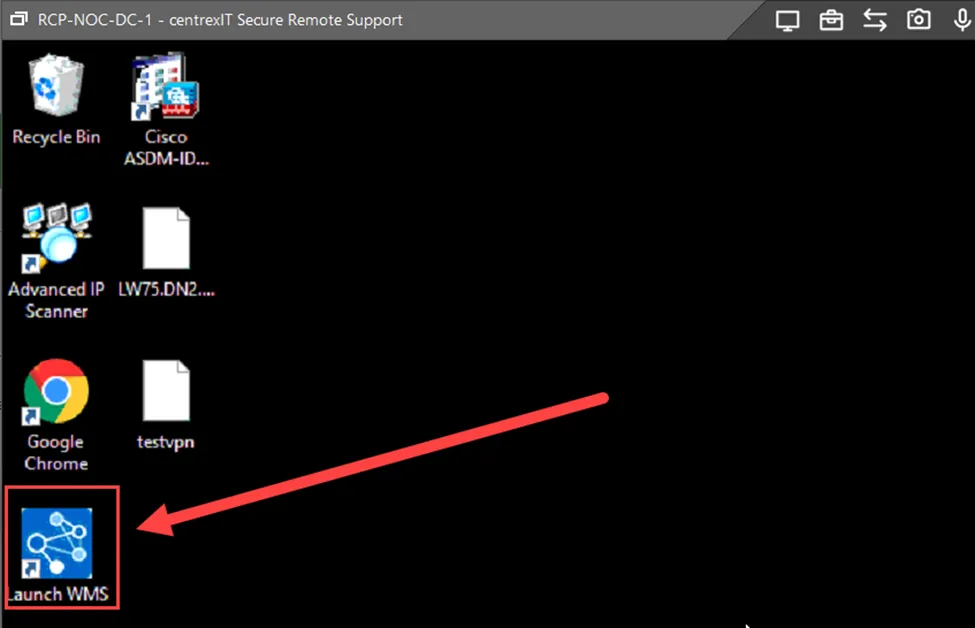
- Lunch the Wyse Management Suite
- Login to the console
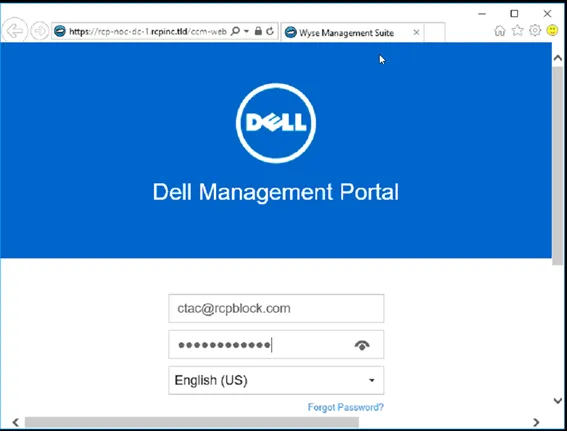
- Username and password can be found in Password State
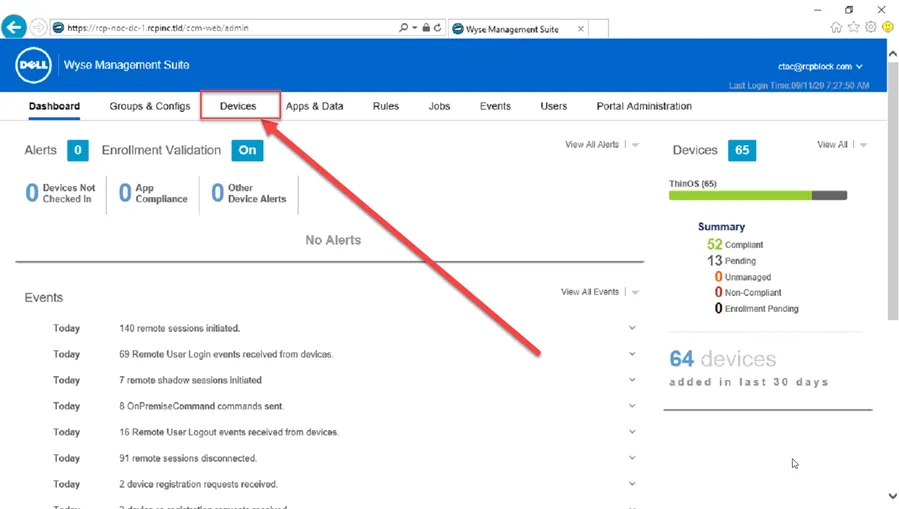
- Click on Devices
- Once on the Devices page find the terminal both either the ServiceTag, or Username
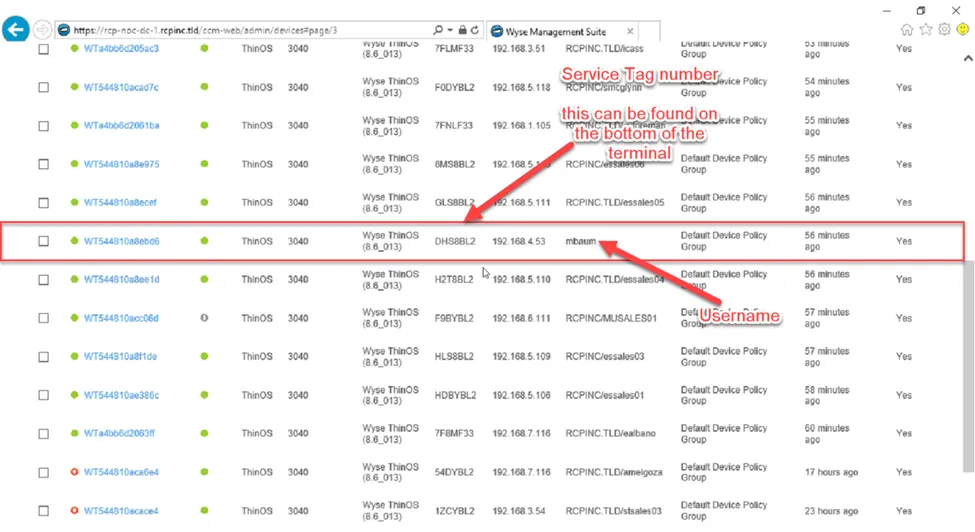
- Click on the name of the terminal

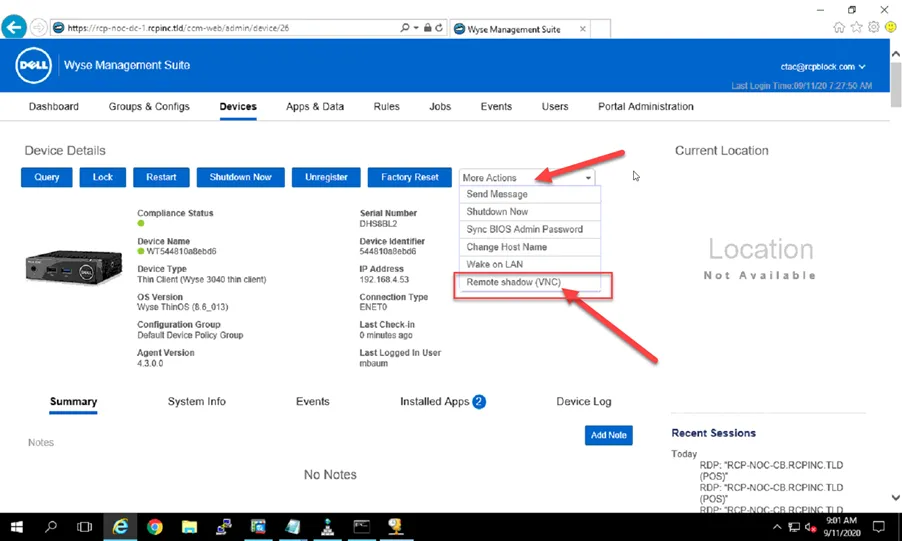
- Once on the properties page click more actions. Then select Remote Shadow (VNC)
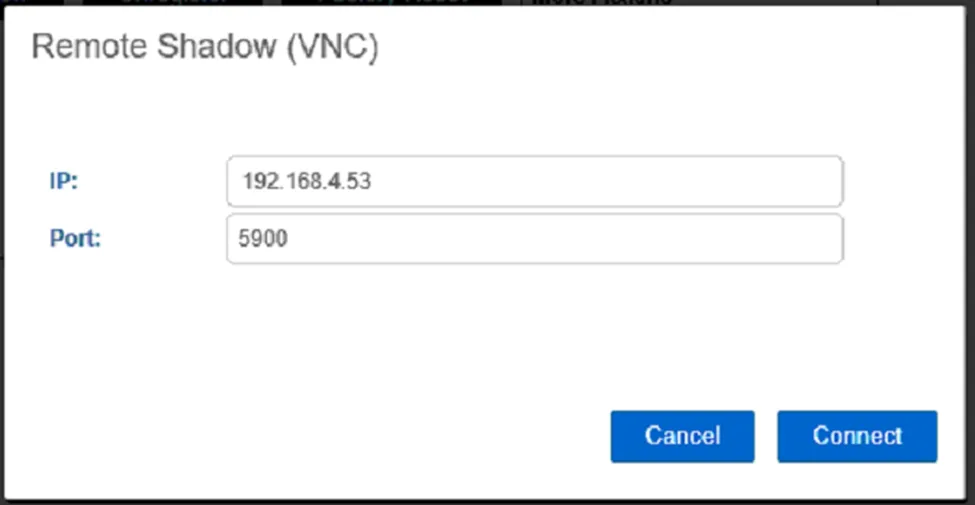
- Click connect:
- Put in the password (Same as the Wyse Management Console
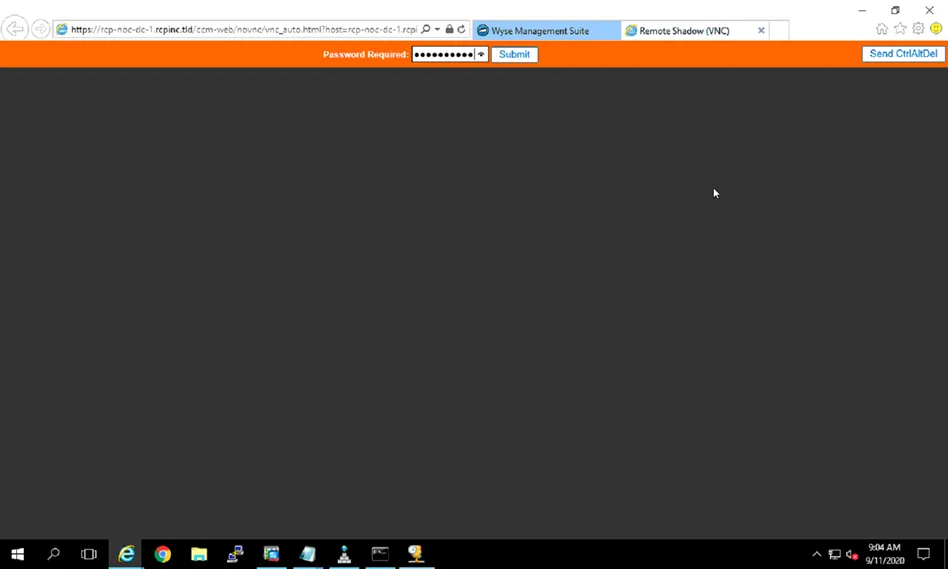
- Once connected you should see something like the following: