NAMG – WI – User Offboarding
- Log onto NAMGS1
- Log onto M365
- Remove the user from all groups from the User’s properties in M365 (that you can. The exception is All Users group in M365)
- please note in ticket groups removed
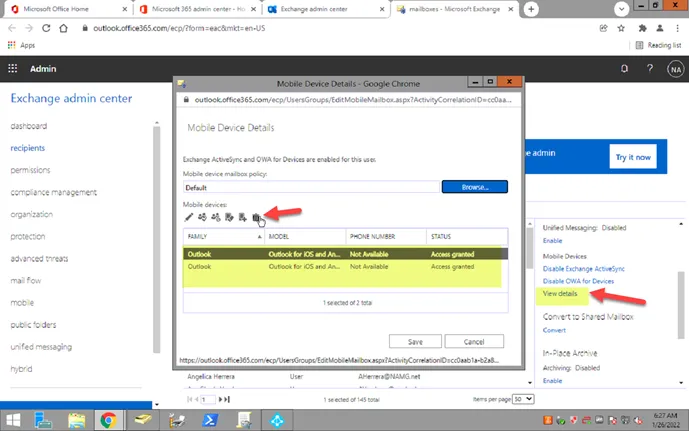
- Go into EAC and remove / disassociate mobile phone access
- Force log out on all sessions in M365
- Blocked sign in to M365
- From AD, disable the user account
- Move disabled account to disabled users OU.
- Removed from all the groups
- *Please note in your ticket notes what groups are removed
- Change password
- From Attribute Editor, set the MsExchHiddenFromAddressBook flag to TRUE
- From EAC, convert the mailbox to a shared mailbox and grant full access to whoever needs the access
- After converted to shared, remove M365 licenses.
- If there are more than 2 licenses available in the subscriptions, please have someone with PAX8 access reclaim the surplus until only 2 remain.
- Update requestor