MAIA Biotechnology User Offboarding Guide
Section titled “MAIA Biotechnology User Offboarding Guide”***Always check in with Radu V. prior to completing/closing request***
-
Login into M365 admin center: https://admin.microsoft.com/Adminportal/Home#/homepage
-
Search for the terminated user
-
Remove user from all security groups & distribution lists
-

-
Block user sign in
-
Reset password to service desk terminated user standard
-

-
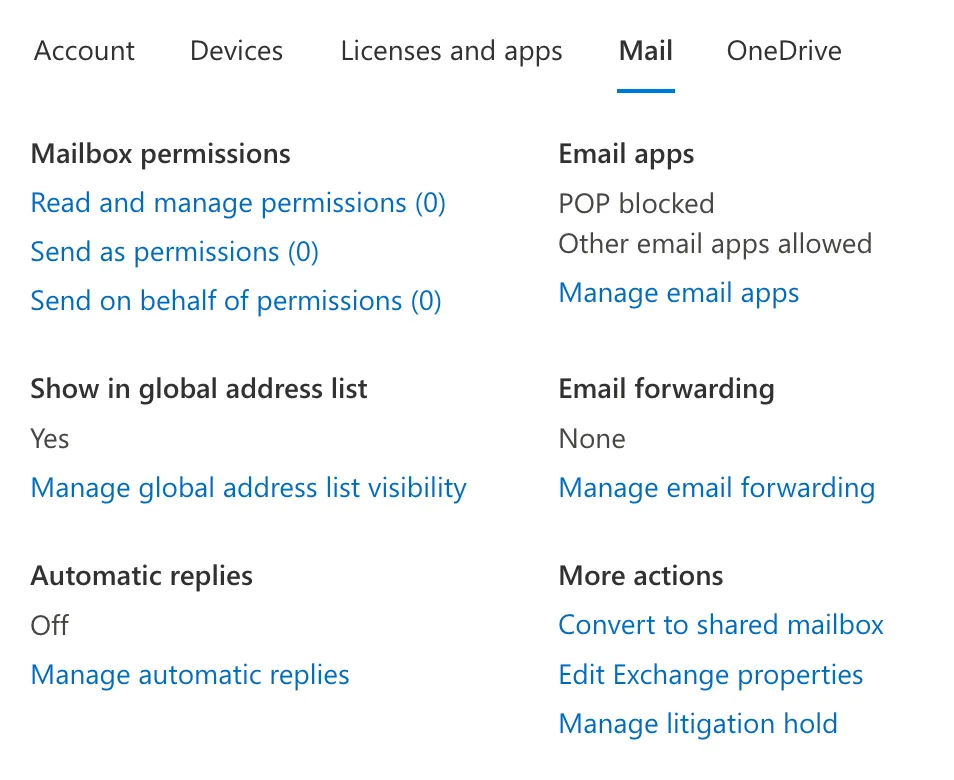
In the Mail Tab Convert to shared mailbox
-
-
After Converting to Shared Mailbox, unassign license.
-
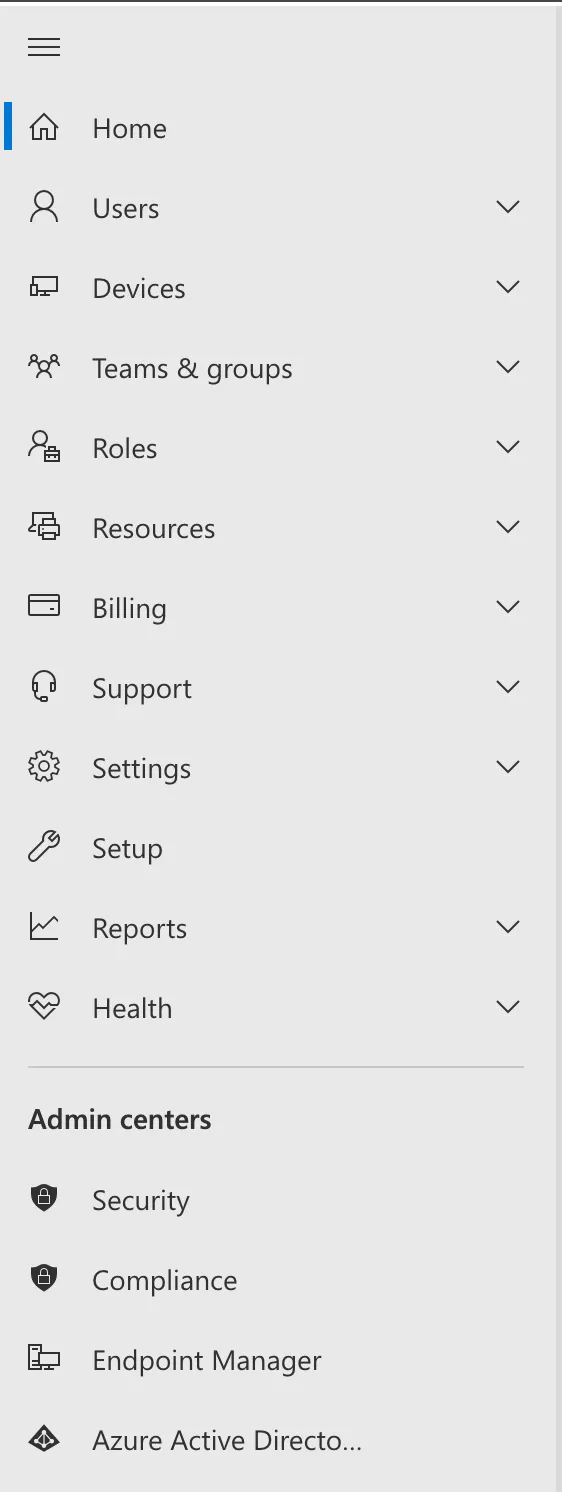
Access Azure Active Driecy Admin Center from the list on the left
-
-
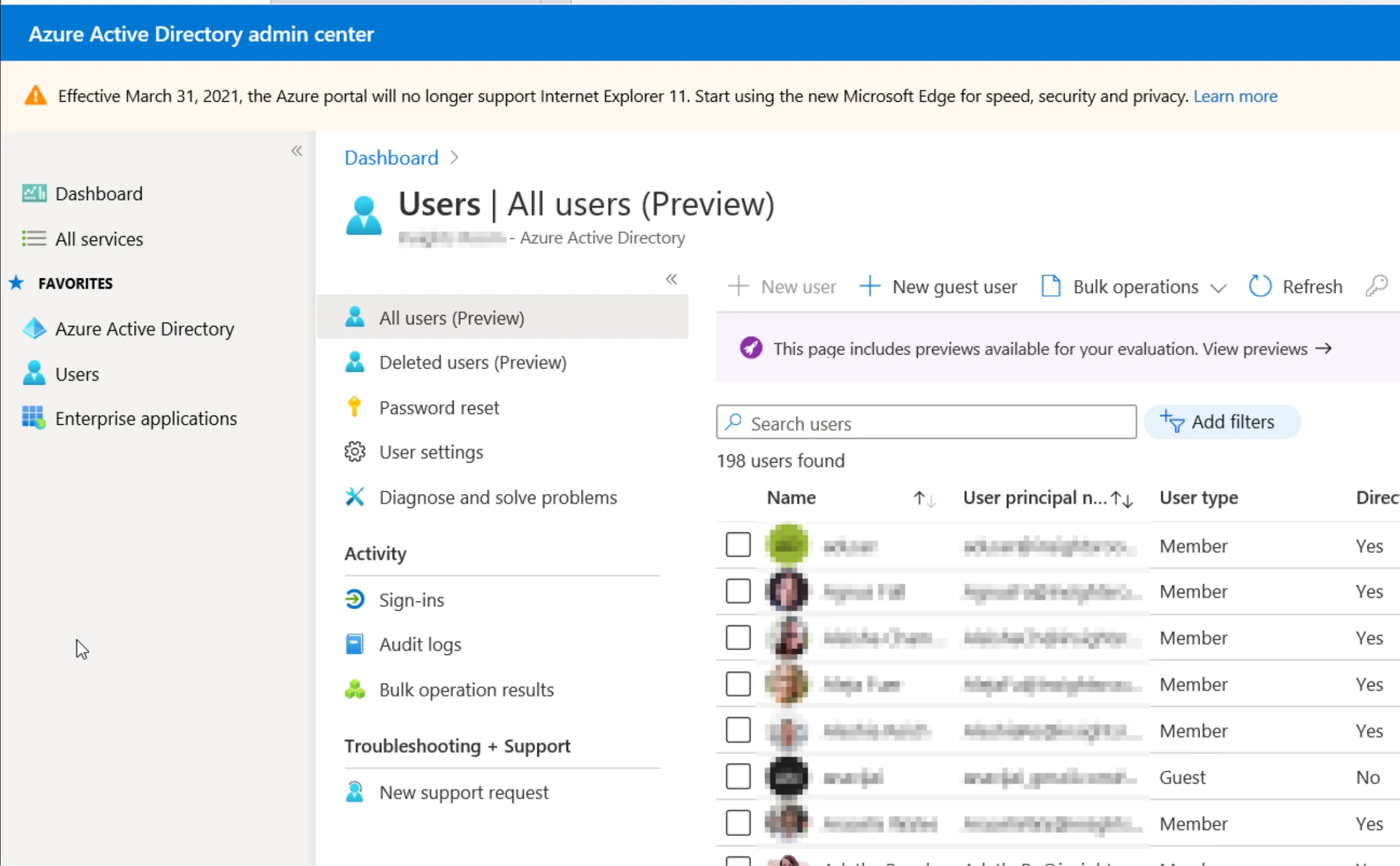
Access Users tab under Favorites
-
-
locate terminated user
-
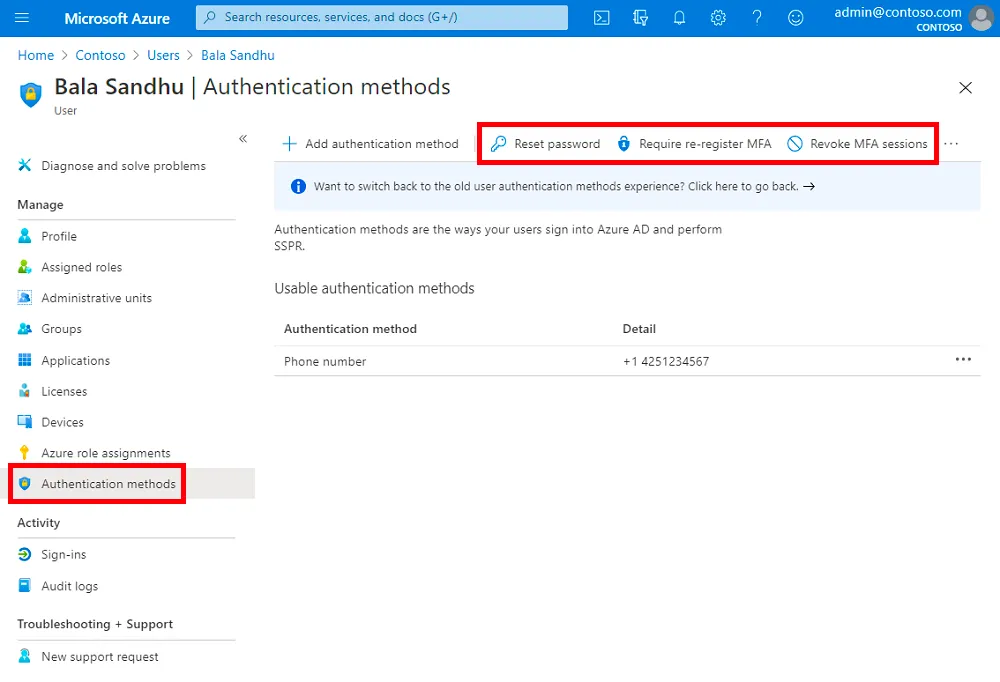
scroll down to authentication methods
-
remove all authentication methods, revoke MFA sessions, and require MFA Verification
-
-
Do not delete the user account
-
Check with POC whether or not device should be removed from Intune
-
Confirm with POC before closing