MAIA Biotechnology New User Onboarding Guide
Section titled “MAIA Biotechnology New User Onboarding Guide”MAIA Is full M365
-
Access the MAIA Microsoft 365 Admin portal to create the new user: https://admin.microsoft.com/Adminportal/Home#/homepage
-
Go to the admin center and select active users then “Add a user”
-
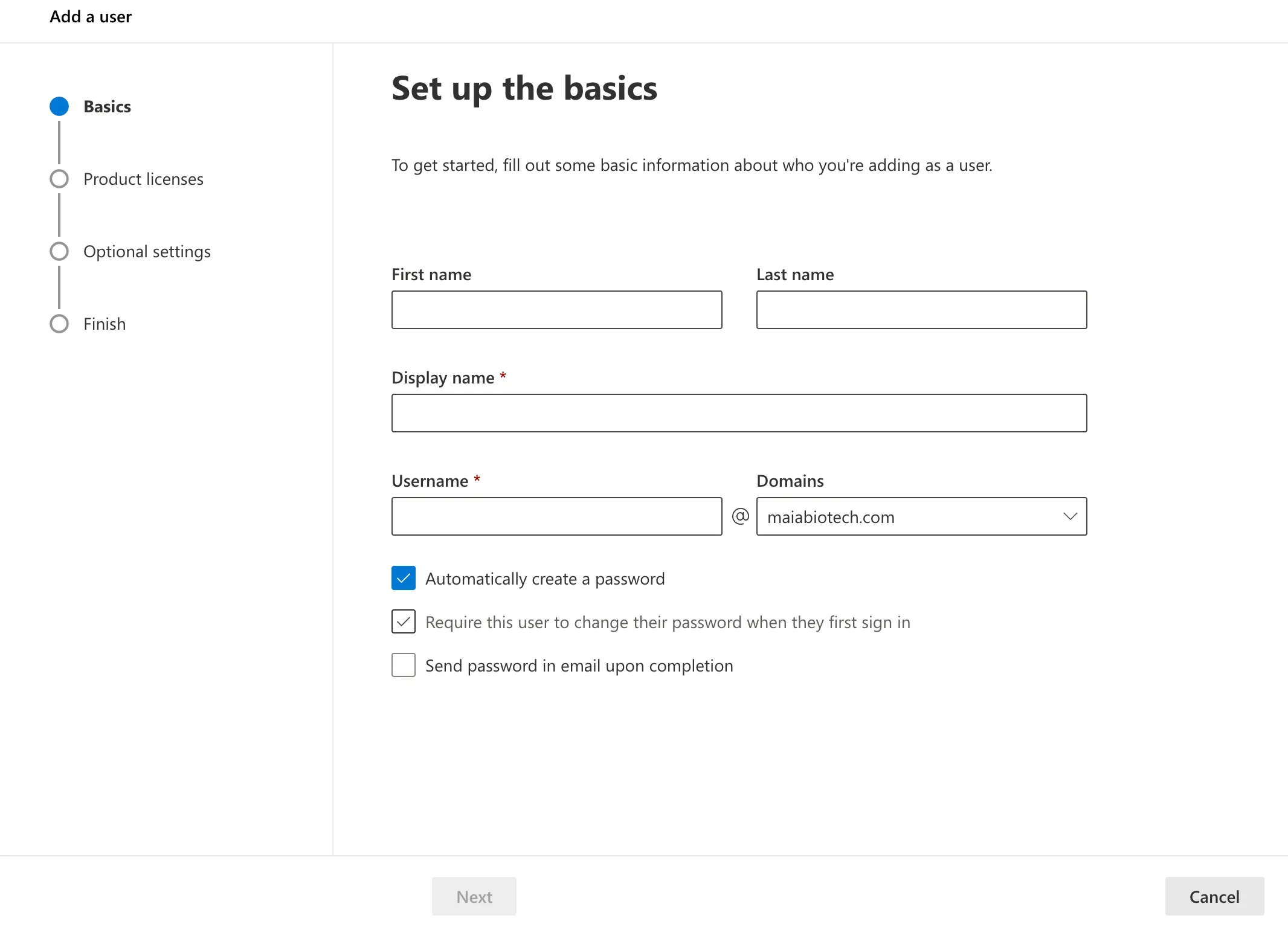
Create the new user with the specified display name and username
-
Username will be first initial last name ex: tuser
-
Either generate an automatic password and record it or use the Service Desk Standard, MAIA2022(lower case initials)! Example for test user MAIA2023tu!
-
-
In “Product Licenses,” Assign a Business Premium license.
-
In “Optional Settings,” Fill in Profile Info with Employee title and location. If provided.
-
Please update the user to reflect their current Manager and Phone Number, if provided
-
Set manager to the person designated ‘Dept. Mgr. Approval’ on the IT onboarding form.
-
Set the contact information fields (City, State, and Country) based on the ‘Location’ specified on the IT onboarding form.
-
Add user to any requested distribution lists.
-
Add the user to Bullphish security group in M365 (Full-time employees only)