CIC Research - User Creation Steps
Section titled “CIC Research - User Creation Steps”Review and use the submitted new user specification form.
Section titled “Review and use the submitted new user specification form.”Active Directory
Section titled “Active Directory”-
Login to the domain controller and create the user in Active Directory user and computers.
-
Create the user in the CIC.local>Users
-
User first initial last name for the username.
-
Set the domain to @cicresearch.com
-
Set a generic password.
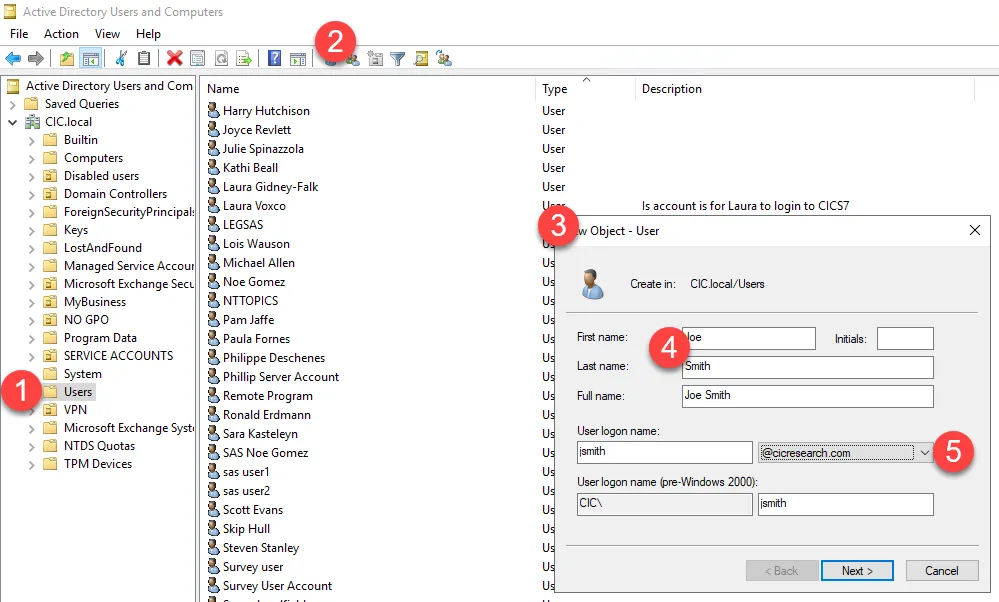
-Use the Job title and add the user description under the general tab
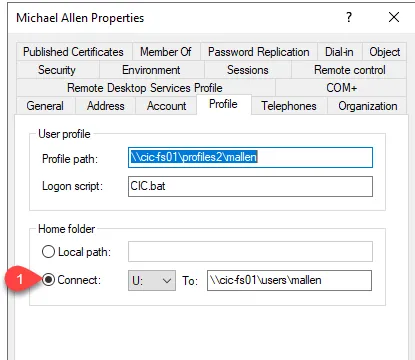
- Under the profile tab create the Home Folder to bethe U-drive, setting the path to \\CIC-FS01\Users\USERNAME
M365 Admin Center
Section titled “M365 Admin Center”-
If email is selected go to the Microsoft 365 portal for CIC (credentials in 1Password)
-
Log in and user Users>Active user locate the account and provide the license or licenses listed in Software, Typically Microsoft 365 Business Premium
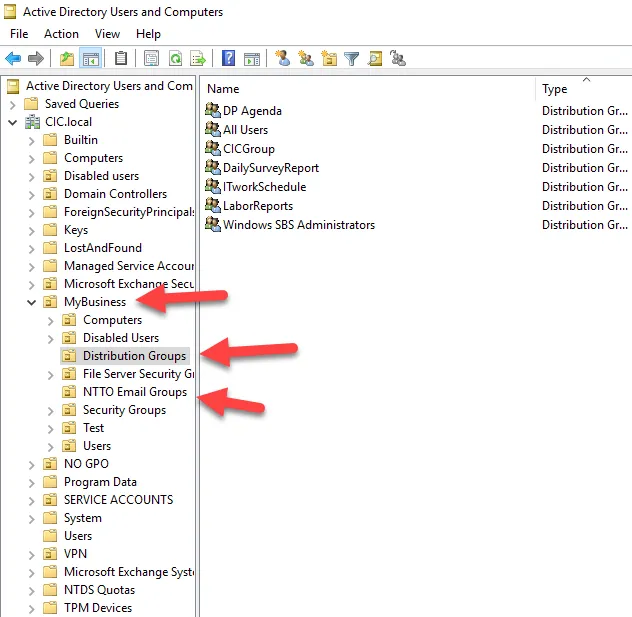
- Proceed to add the user to the checked distribution lists. Here is the location for them.
- For network folder access please contact the vitm as they require approval and will need to update the KB.
Printers
Section titled “Printers”- Load all printers found on \\CIC-FS01 and connect all.
New User Profile Setup
Section titled “New User Profile Setup”-
Setup the user profile
-
Sign in to Outlook, pin it to the taskbar
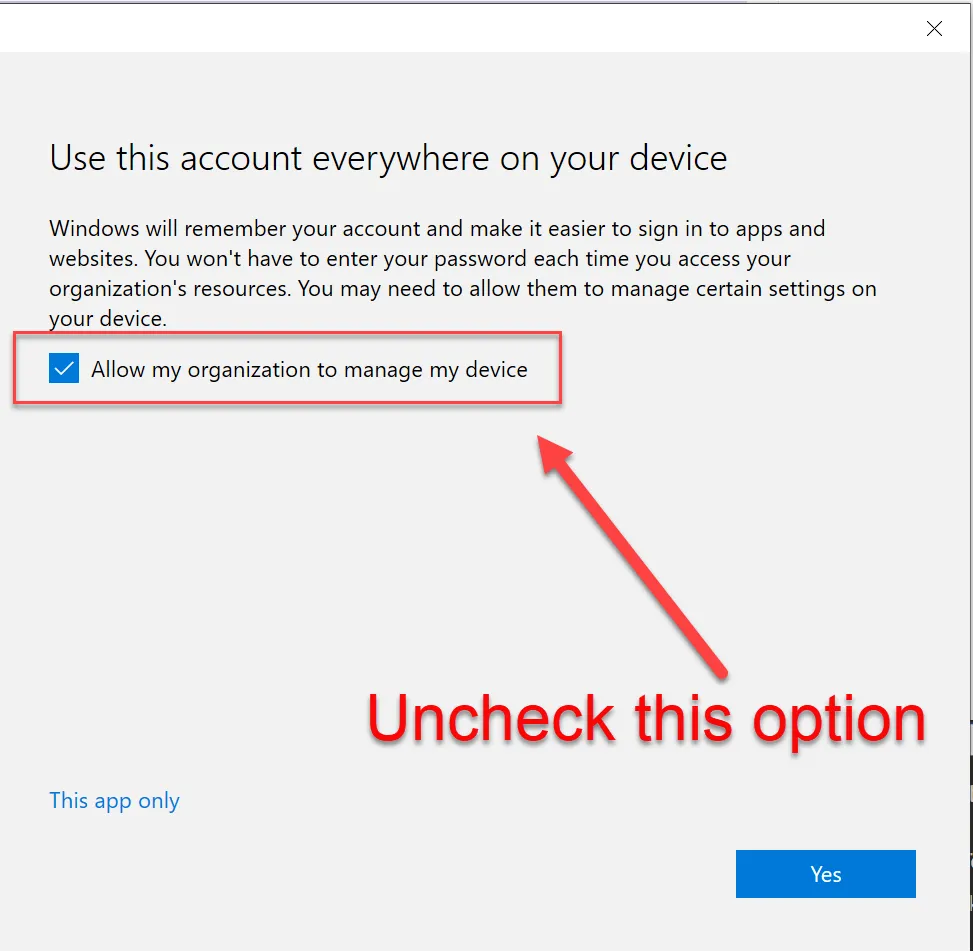
- When presented with this screen, uncheck the box that “Allows this organization to manage my device” as it tends to cause authentication issues with TPM.
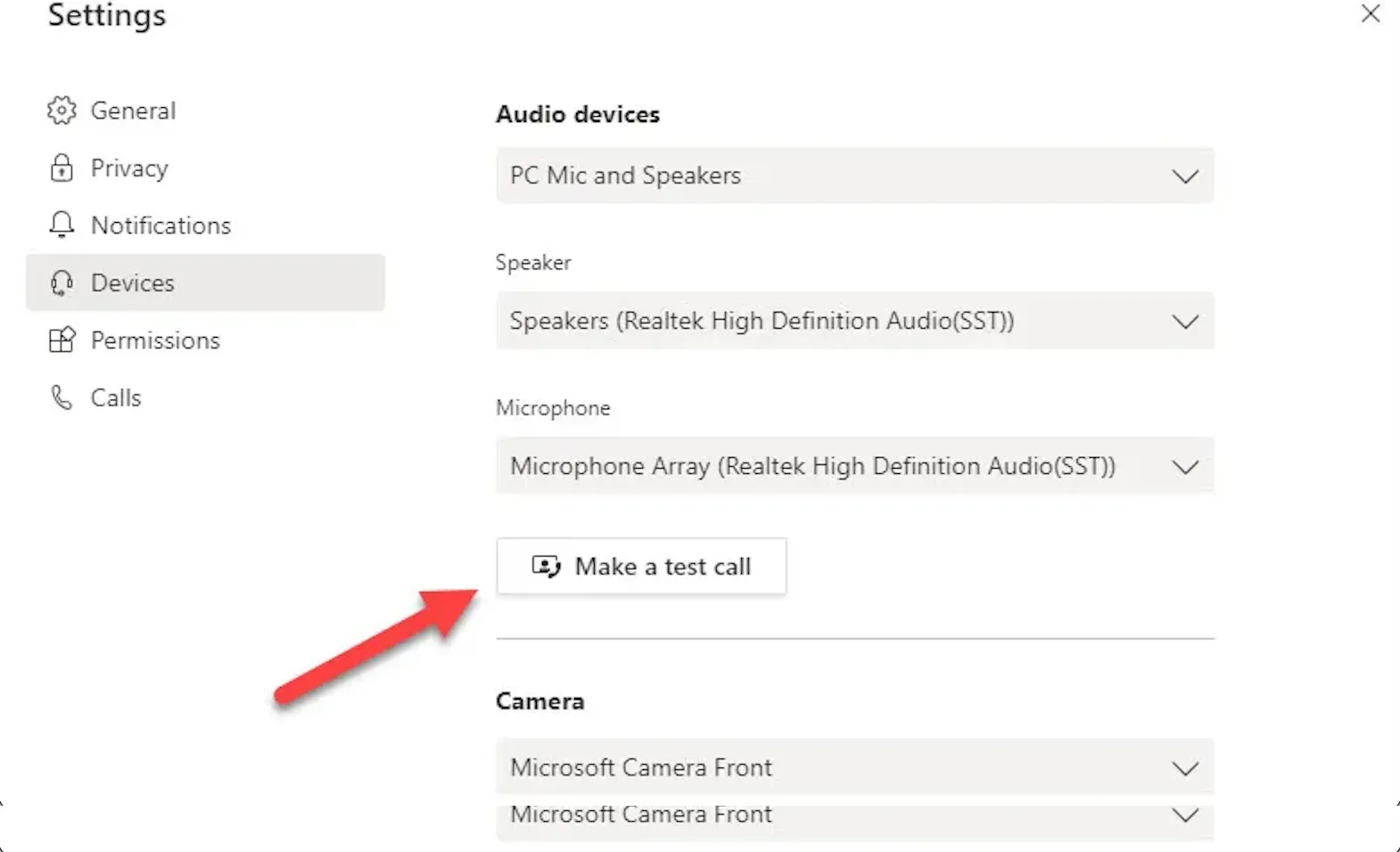
- Set up Teams, and perform a test call to ensure the camera and mic work and that no network authentication message pops up during the user’s first meeting.
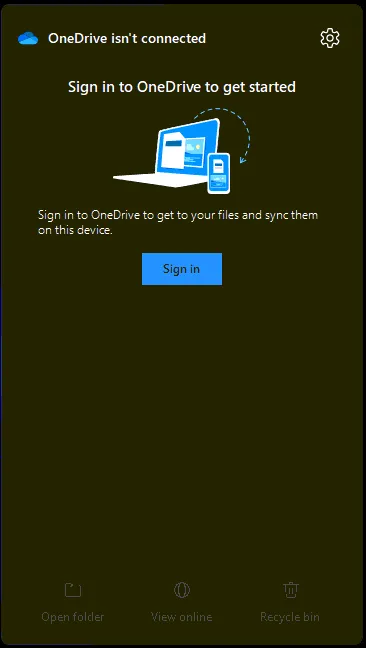
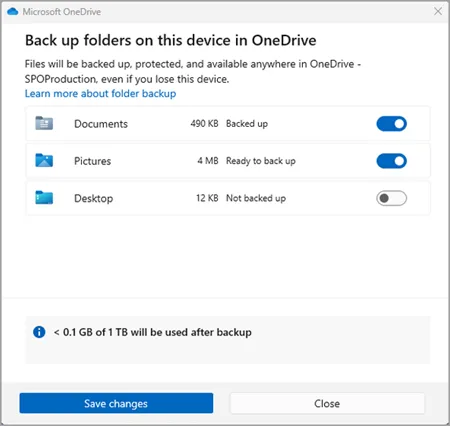
- Setup OneDrive from the taskbar shortcut
-
Set App defaults with Settings
-
Set system sleep times 15-30-30-1Hr.
-
Clean up the taskbar and Start menu bloat if needed.