Purpose:
Section titled “Purpose:”This work instruction applies to centrexIT virtual Chief Information Officer (vCIO), who is responsible for managing and maintaining meeting cadence with centrexIT’s clients. These meeting cadences ensure the vCIO is keeping a proper pulse on the relationship along with ensuring strategic conversations are taking place.
Scope:
Section titled “Scope:”vCIO Team
Responsibility:
Section titled “Responsibility:”vCIOs are responsible for ensuring the QBR (Quarterly Business Review Meeting) is scheduled with each client and the correct POCs. (Point of Contact)
Completion Criteria:
Section titled “Completion Criteria:”A scheduled QBR with each Client.
Records:
Section titled “Records:”A scheduled QBR with each Client each quarter.
Steps:
Section titled “Steps:”- Confirm Quarterly Business Meetings attendees.
- Ensure attendees are decision makers.
- Schedule first QBR by reaching out to stakeholders via email.
- Ensure meeting is at least 3-4 weeks out to allow for the completion of technical assessments and budgetary estimates for initiatives are created and ready for the QBR meeting.
- Once a meeting time and date are confirmed, create and send a calendar invite through Microsoft Outlook.
-
If unable to secure a meeting time due to lack of response, and unable to verify another person to work with to schedule the meeting, escalate to the Leadership Team to identify next steps with the Client.
-
Reasonable follow up includes attempting to reach POC through other C-levels, phone calls, or text messages, if appropriate.
- Once the meeting is scheduled in Outlook, proceed to schedule the IT Review within vCIO Toolbox. (https://cloud.vciotoolbox.xom/)
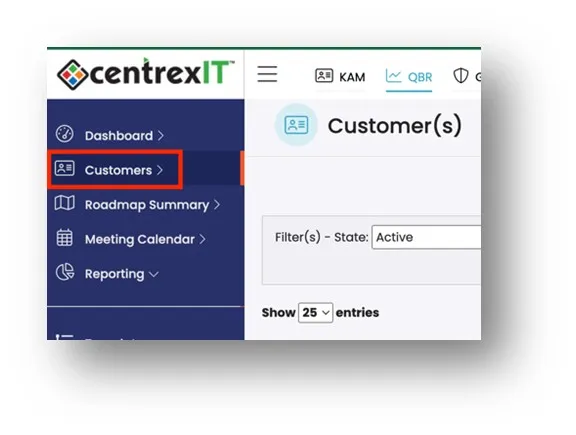
- Login vCIO Toolbox and click on “Customers”
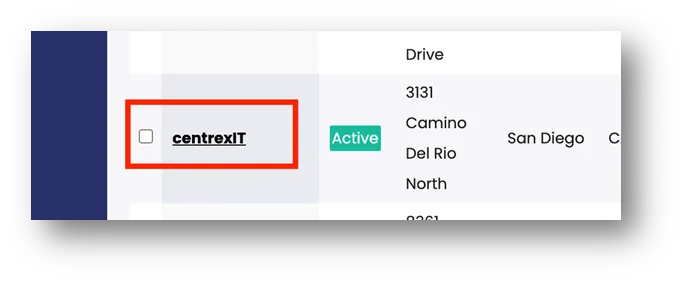
- Choose the Client to schedule a QBR Meeting and click.
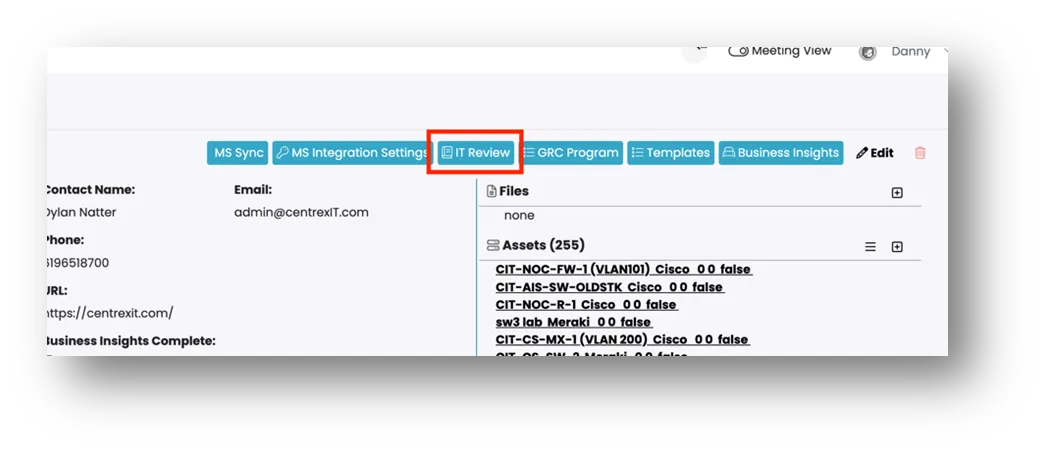
- Go to “IT Review” and click.
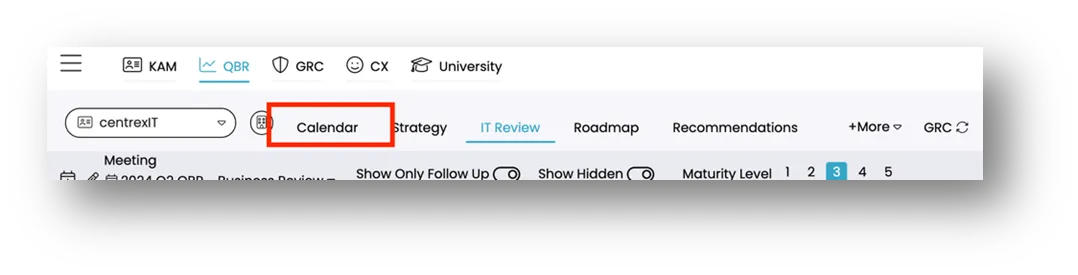
- Go to “Calendar: and click.
- Click on “New Meeting”.
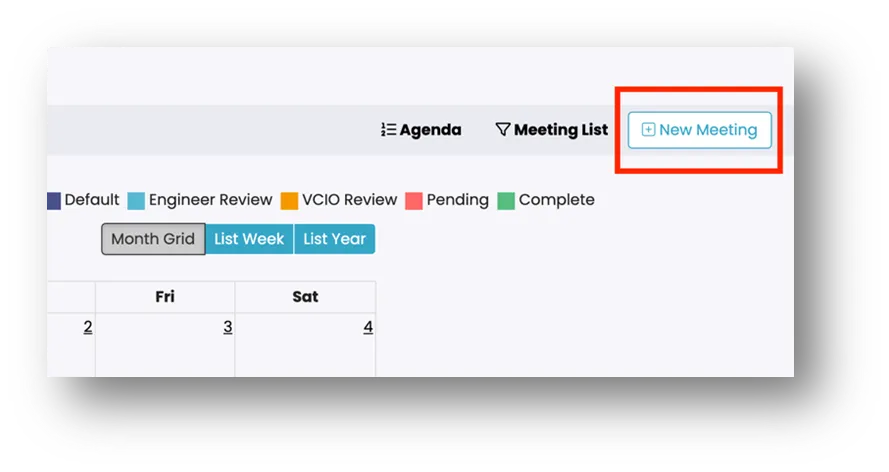
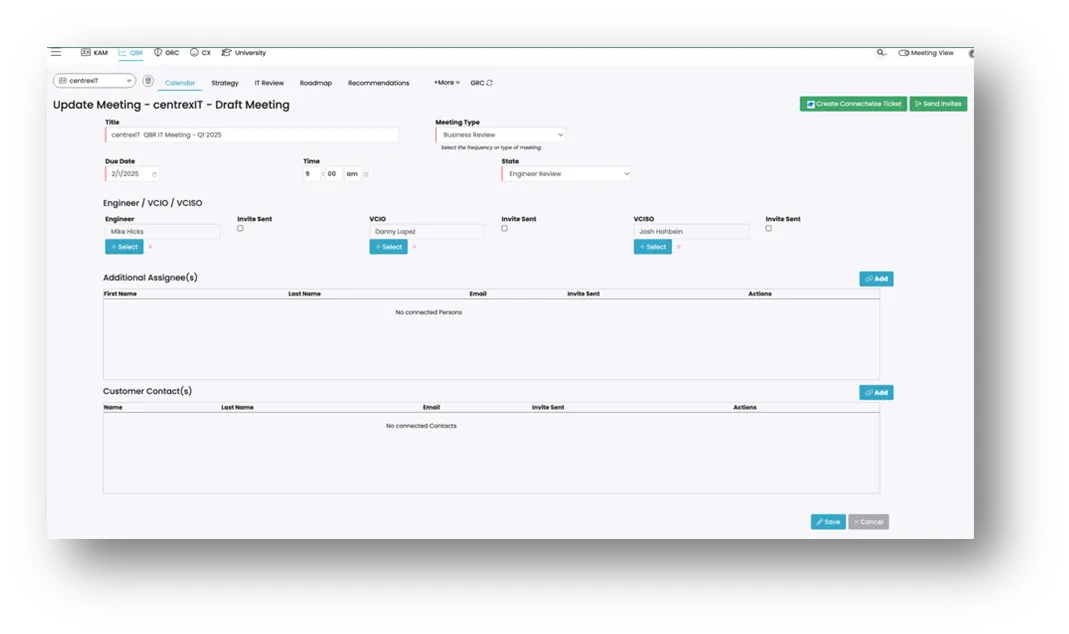
- Title the meeting with the following sequence:
-
“centrexIT QBR IT Meeting - Q1 2025”. Use the correct quarter and year.
-
Add due date, time, state/status
-
ensure the “State” of the meeting is set to “Engineer Review”
-
Failure to complete this step will result in vITM not seeing the meeting in their list of assessments in their vCIO Toolbox dashboard.
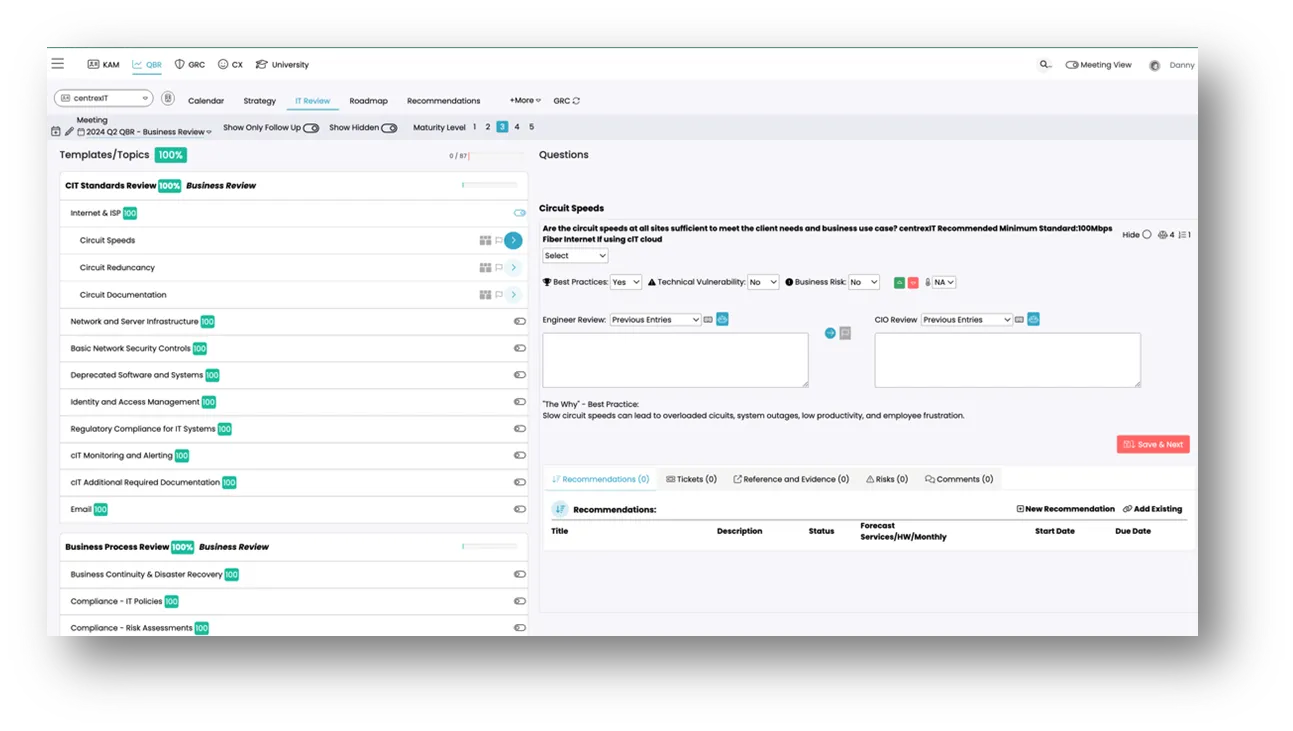
 11. After the meeting is created. “IT Review” section will be made available for the vITM and vCIO Assessment questions.
Process References:
Section titled “Process References:”- Create a relationship back to related process. Note: Please add KB relationships to core process, process, SOPs or other WIs on the right.
Purpose
Section titled “Purpose”Describe what this work instruction covers and when to use it.
- First step
- Second step
- Third step