Purpose:
Section titled “Purpose:”Instructions to accept an invitation to create a new account in Align for general users.
Scope:
Section titled “Scope:”All centrexIT team members are affected by this WI.
Responsibility:
Section titled “Responsibility:”All centrexIT team members without an Align account.
Completion Criteria:
Section titled “Completion Criteria:”The team member successfully created a user account in Align by logging in and viewing the company dashboard.
Records:
Section titled “Records:”N/A
Steps:
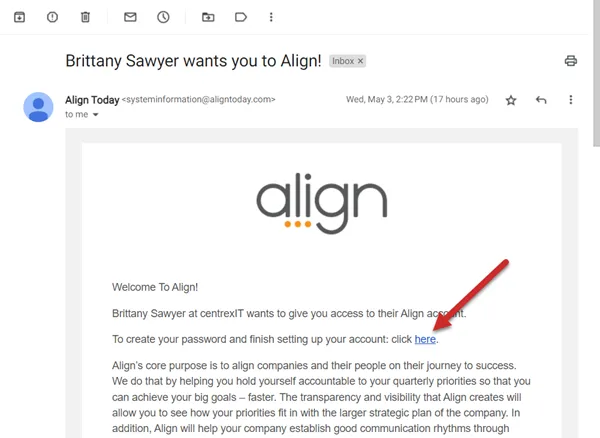
Section titled “Steps:”- Check for an email invitation from Align to create a password and set up a new account.
- Click the link in the email invitation to open a new window.
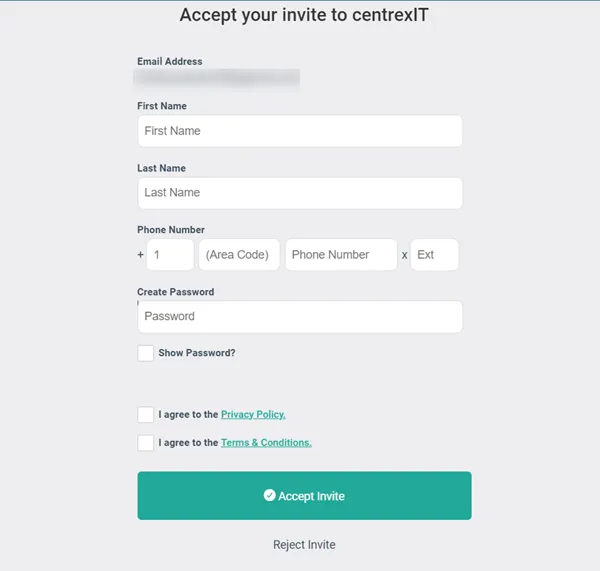
- Fill in the short signup form and click “Accept Invite.”
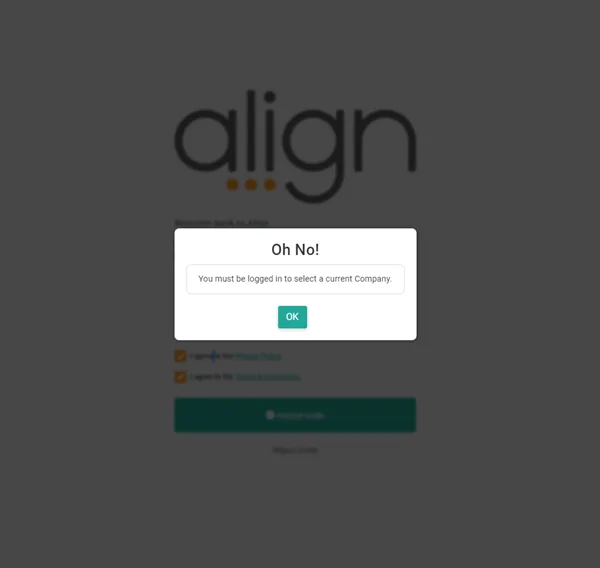
- A window pops up displaying “Oh No!” Click the OK button to be re-directed to a login page.
- Enter the email address and password. Click “Login.”
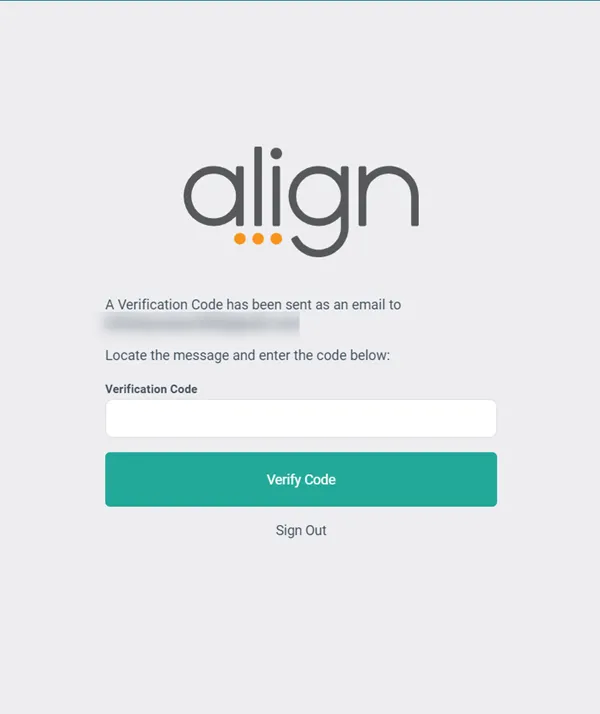
- Check for a verification code in email inbox.
- Enter verification code. Click “Verify Code.”
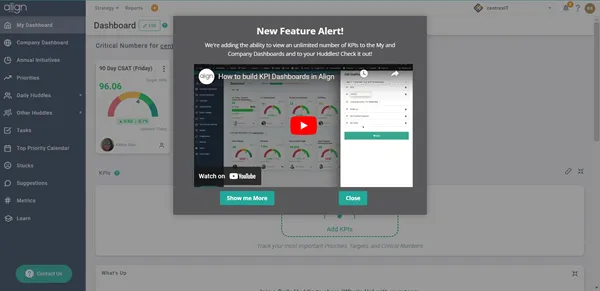
- After authentication, users land on My Dashboard.
Figures:
Section titled “Figures:”Step 2
Step 3
Step 4
Step 7
Step 8
Process References:
Section titled “Process References:”-
See Relationships on the right.
-
Login to Align here: https://application.aligntoday.com/