Purpose:
Section titled “Purpose:”A CIS control was implemented that requires all removable media to be encrypted when used on corporate devices.
Scope:
Section titled “Scope:”Windows 10/11 Devices
Responsibility:
Section titled “Responsibility:”Completion Criteria:
Section titled “Completion Criteria:”The WI is complete when the drive is encrypted and you can write data to it. The policy is setup for removable media to be read only if it is not encrypted.
Records:
Section titled “Records:”N/A
Steps:
Section titled “Steps:”- When you insert a removable drive you will see this message pop up -
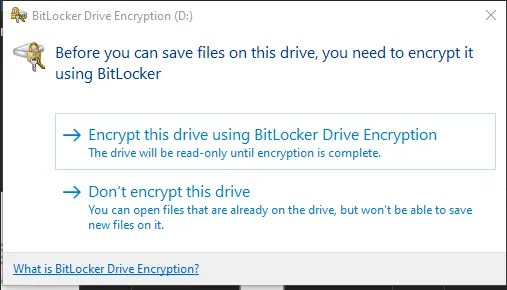
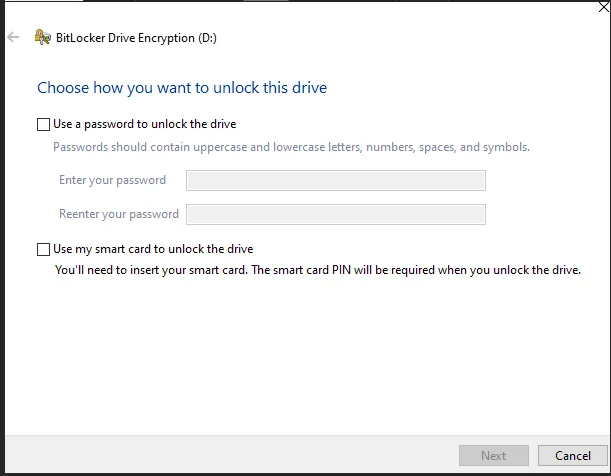
- Choose Encrypt this drive to get to the next screen and choose use a password to unlock the drive -
Process References:
Section titled “Process References:”- Create a relationship back to related process. Note: Please add KB relationships to core process, process, SOPs or other WIs on the right.