Purpose:
Section titled “Purpose:”Every new member to a space will need to add re-occuring meetings from spaces into their calendar.
Scope:
Section titled “Scope:”Everyone
Responsibility:
Section titled “Responsibility:”ALL
Completion Criteria:
Section titled “Completion Criteria:”If followed correctly the user will have the Microsoft Teams space re-occuring meeting added to their outlook calendar.
Records:
Section titled “Records:”n/a
Steps:
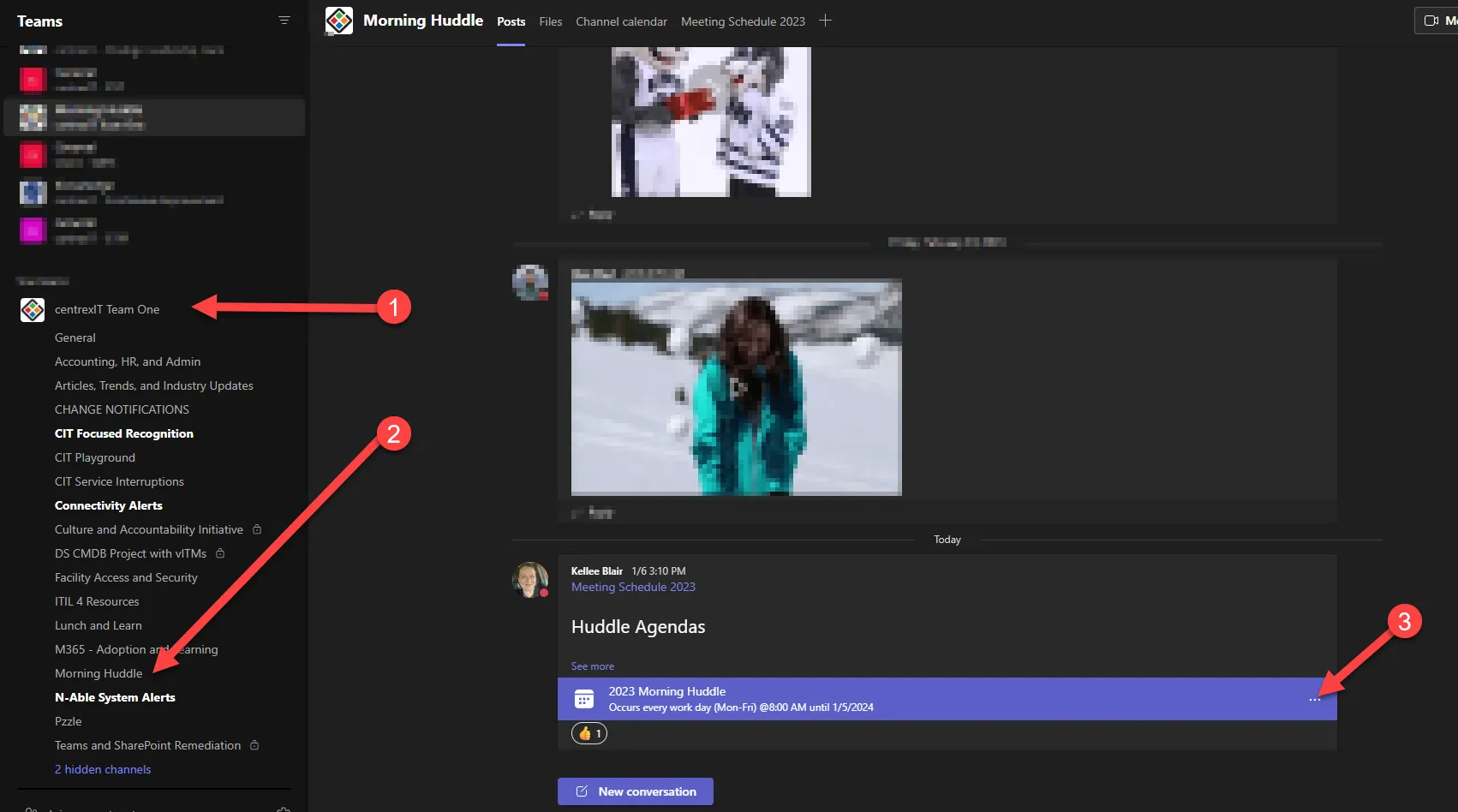
Section titled “Steps:”- Open teams and locate the Team where the meeting is held. For this example we will use the 2023 Morning Huddle hosted in the Team “centrexIT - Team One” morning huddle sub space.
- Locate the subspace
- find the meeting notice and click the three dots on the right of the meeting notice to see meeting detials
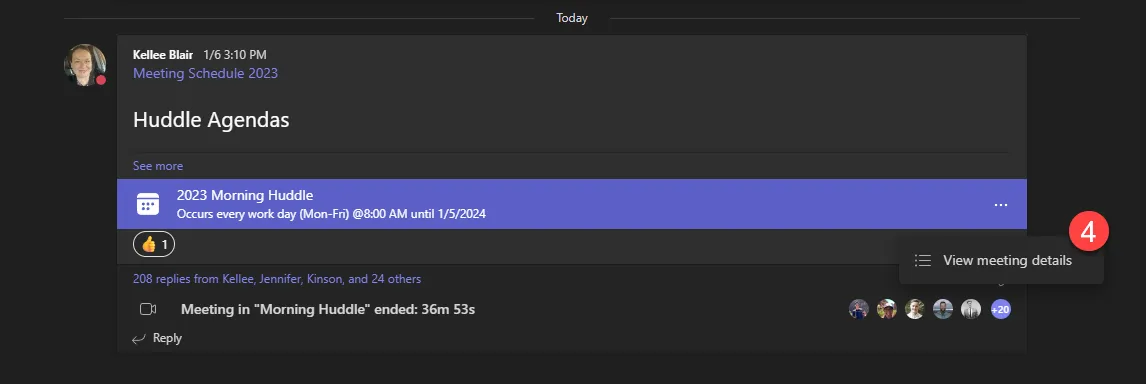
- open the meeting details
- click ”+ add to calendar”
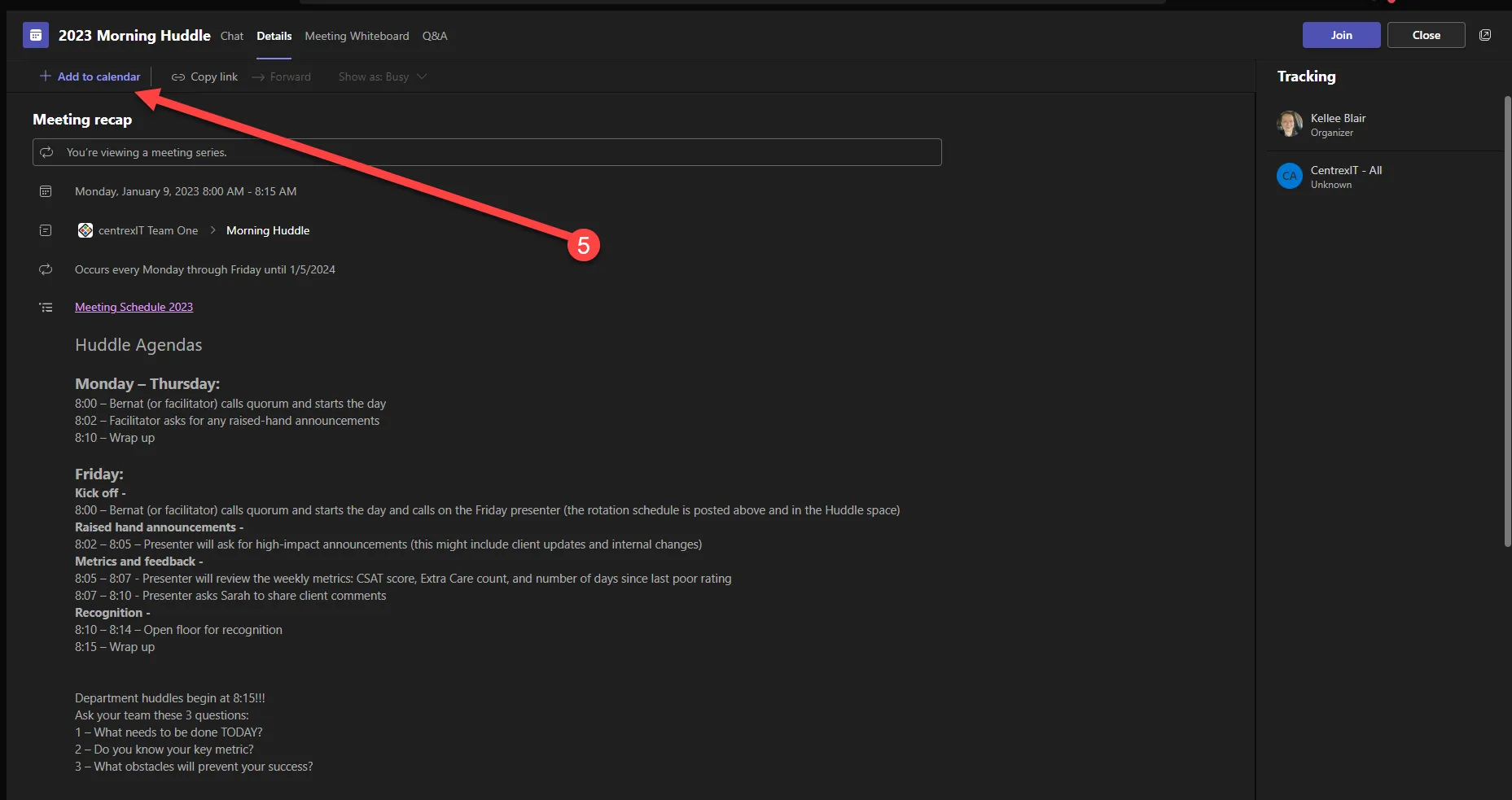
- Once added the meeting should show up on the users outlook calendar.
- Repeat steps 1-6 for each meeting the user needs added to their calendar.
Process References:
Section titled “Process References:”- Create a relationship back to related process. Note: Please add KB relationships to core process, process, SOPs or other WIs on the right.