-
Log into LinkedIn recruiter
-
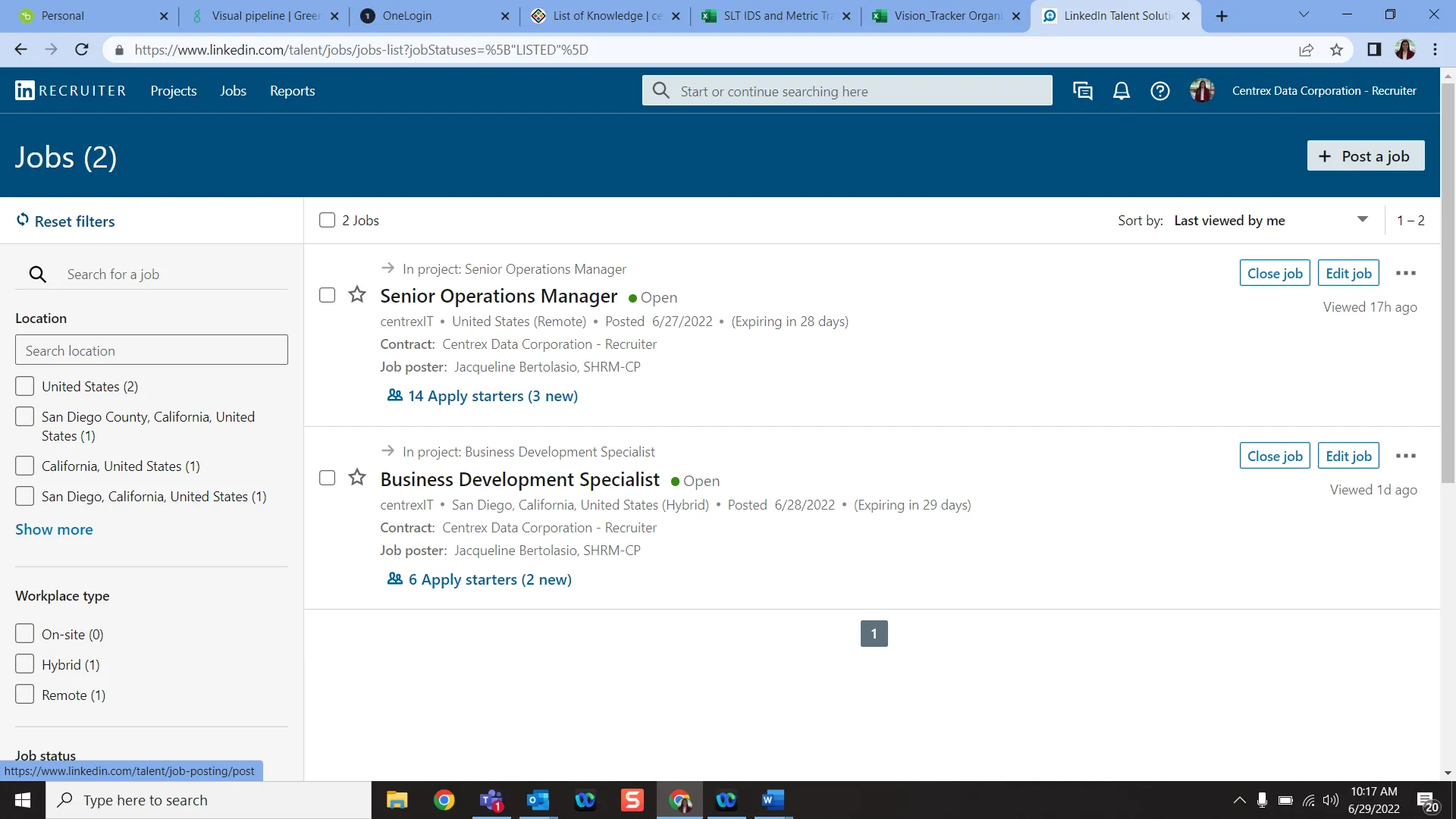
Go to the “Jobs” section on the top left of your browser
-
Find the “Post a Job” button on the top right of your browser and click on it
-
The next page will be titled “Step 1: What job to you want to post?
-
Company: centrexIT
-
Job title: -Insert job title here-
-
Workplace type: -Will this be on site, remote, or hybrid?
-
Job location: -San Diego, California, United States
-
Job function: -Choose 2-3 job functions that directly correlate to the main responsibilities of the job
-
Employment type: -Will this be a full-time, part-time, contract, etc. role?
-
Company industry: -Information Technology and Services
-
Seniority level: -What will the seniority level of this job be?
-
Job description: -This is where you copy/paste the final job description. Make sure the body includes an Objective, Position Summary, Roles and Responsibilities, Standards for Success, Qualifications and Requirements, Education and Experience, Benefits and Perks, and the Reasonable Accommodations Statement (in that order)
-
At the bottom of this page you will see the “Add Skills” area. You can select up to 10 skills that an individual may need to have in order to adequately fill this role. Select a minimum of 5, this will notify individuals who share all/some of these skills that a job was posted that may be of interest to them.
-
“How would you like to receive your applicants?”
-
If you have already posted the job in Greenhouse and it is synced to the website, you will check “Direct applicants to an external site to apply” and you will copy/paste the job URL from the website in the space below.
-
If you have already posted the job in Greenhouse and it is NOT synced to the website, you can choose “Let candidates apply with their LinkedIn profile and attach their resume. You get notified by email. You will need to insert your email below - but be aware that by choosing this you will have to manually input every candidate into the Greenhouse system.
-
Add to a project
-
Create a ne project if this is a new job, add to existing if this is a renewal for an existing job
-
Click continue.
-
On the next page, scroll down to “Select provided benefits” and select “Medical Insurance”, “Vision Insurance”, “Dental Insurance”, “401(k)”
-
Click Finish
You have successfully posted a job on LinkedIn!