- Client must be setup in screenconnect and Halo prior to starting these steps
- Open screen connect, find client in list and select to get list of servers
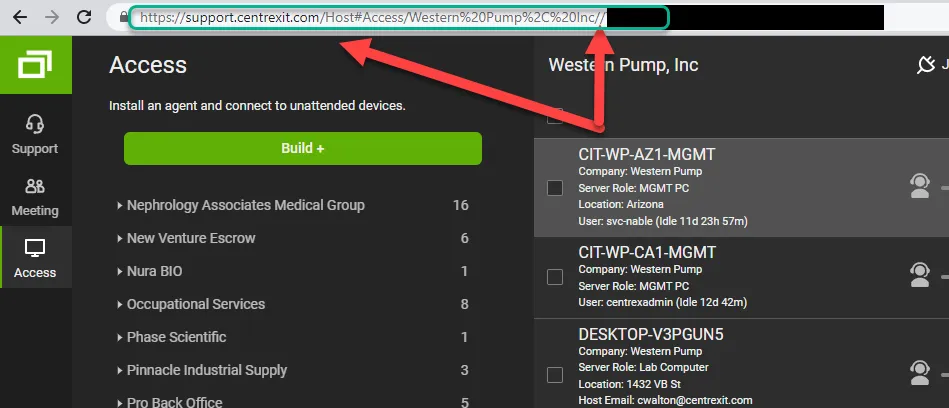
- copy the link prior to the // do not copy the // or the code to the right. In this case for Wester Pump it is: “https://support.centrexit.com/Host#Access/Western%20Pump%2C%20Inc”
- Open Halo
- go to the company page
- add a schema and select screen connect
- add the link from step 4 to the Screenconnect URL line
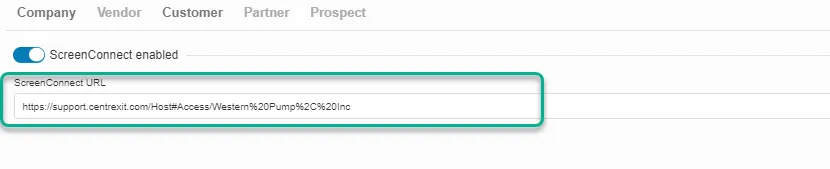
- Save and close
CentrexIT — Halo & ScreenConnect Integration Schema Setup
KB00003032Published