PROCEDURE: The purpose of this document is to show the end user how to access CSAT scores and comments.
REQUIREMENTS:
No requirements. All cIT users have the permissions necessary to access the comments.
STEPS:
1. Open Halo
2. From the left navigation area, click on the Customer Success Team icon
3. Click to open CSAT home
4. Use column filters to sort – just as with other Halo pages. Users can view details by:
-
Ticket number
-
By overall score
-
Assignment user
-
Company
-
User (requested by/for)
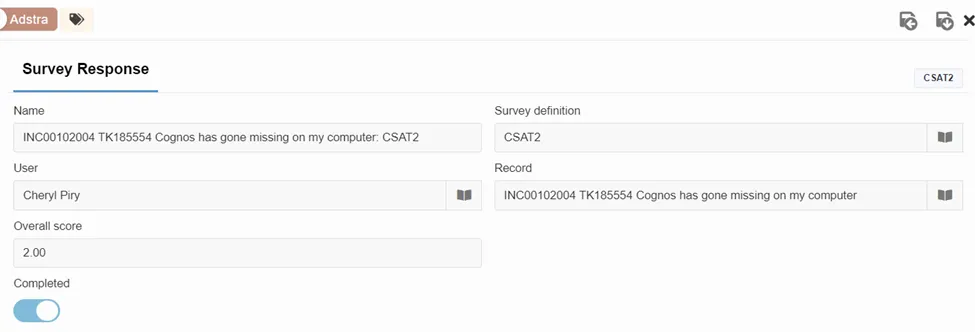
5. Click on ticket number to open CSAT information
6. CSAT surveys that are returned with a “1” or “2” score will be tagged and reviewed by leadership
-
A score of 2 is acceptable
-
A score of 1 is poor
EXAMPLES:
Overall View:

To Filter the View:

Ticket/CSAT survey header details and score:
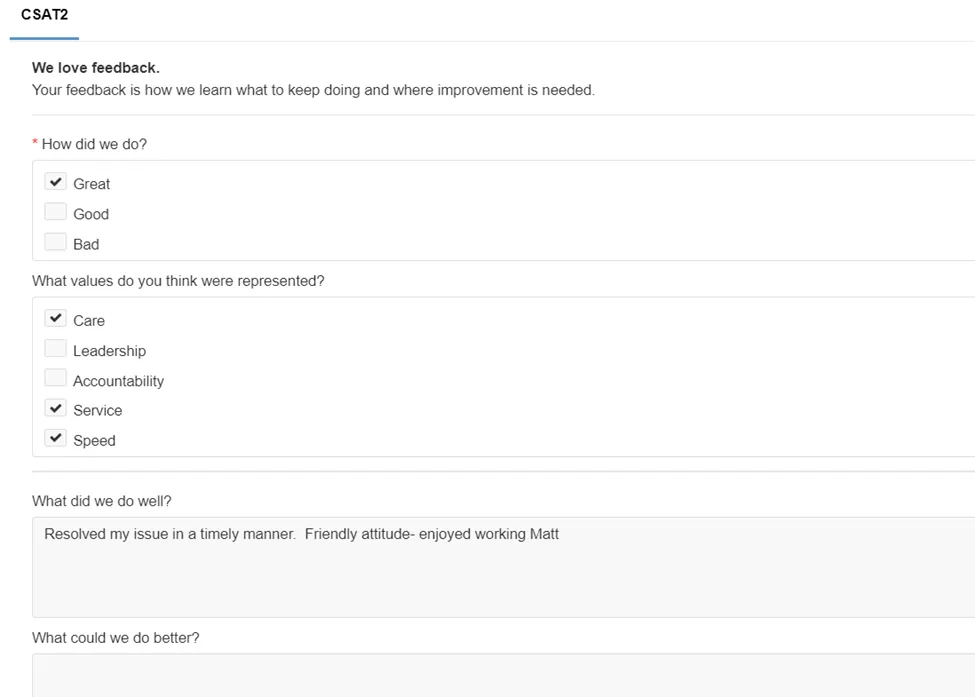
Client comments:
Reviewed by tag:

REFERENCES
NA