https://docs.microsoft.com/en-us/mem/intune/user-help/enroll-your-device-in-intune-macos-cp
This documentation uses KPE as an example environment.
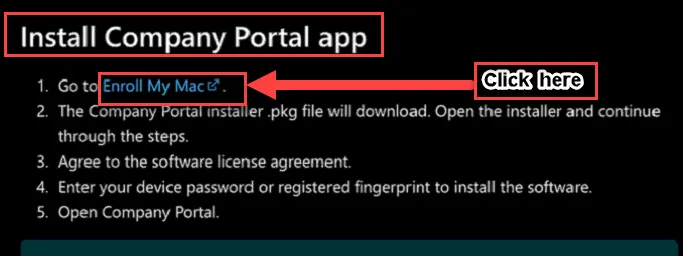
Scroll down and click on “Enroll My Mac”.
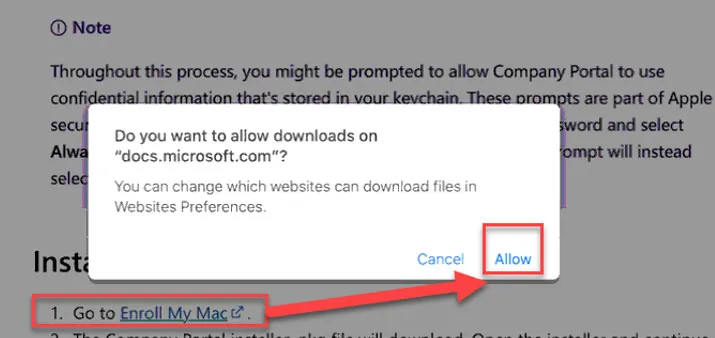
Click on Allow.
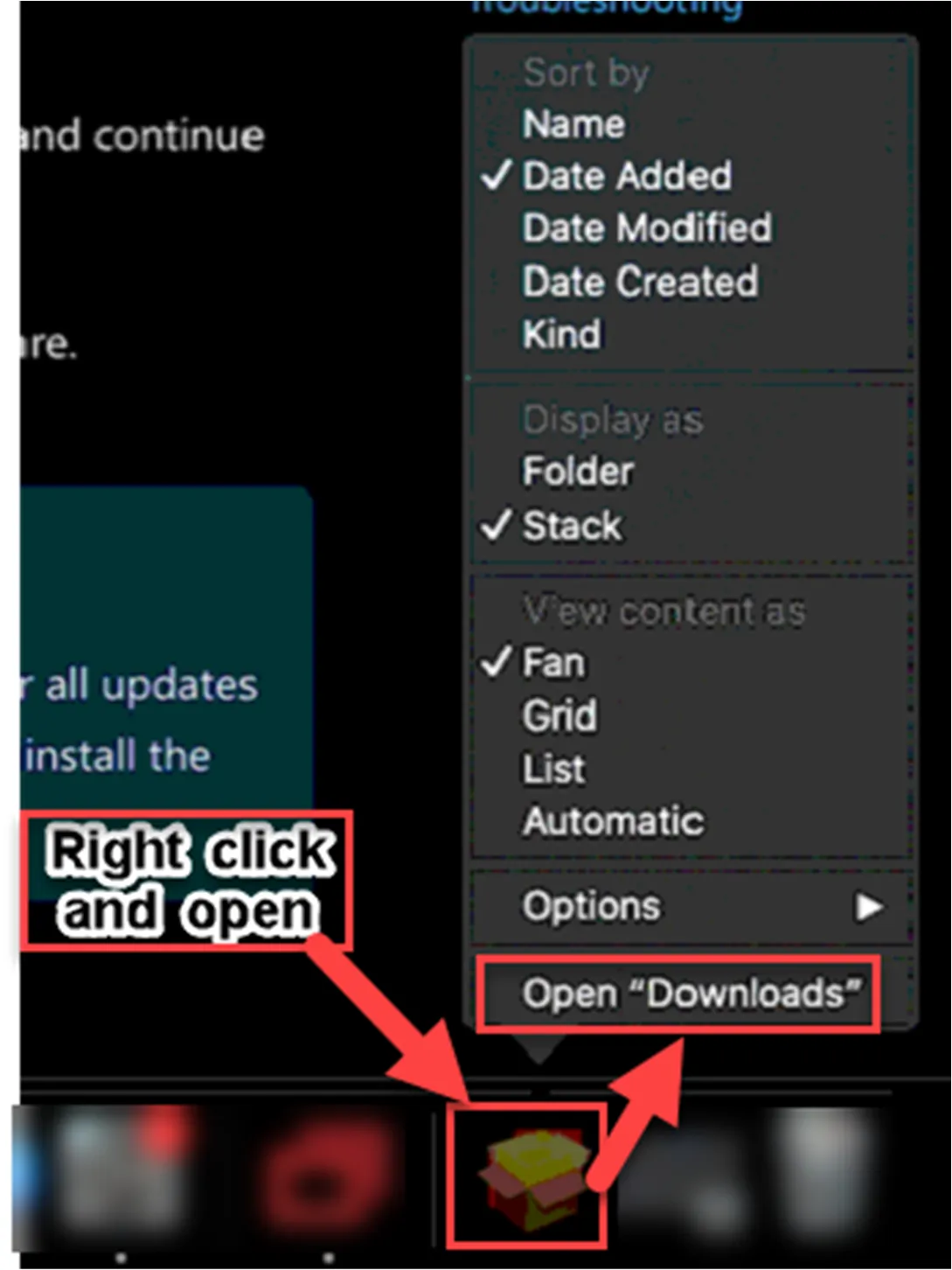
Open the Downloads folder and follow the below installation steps.
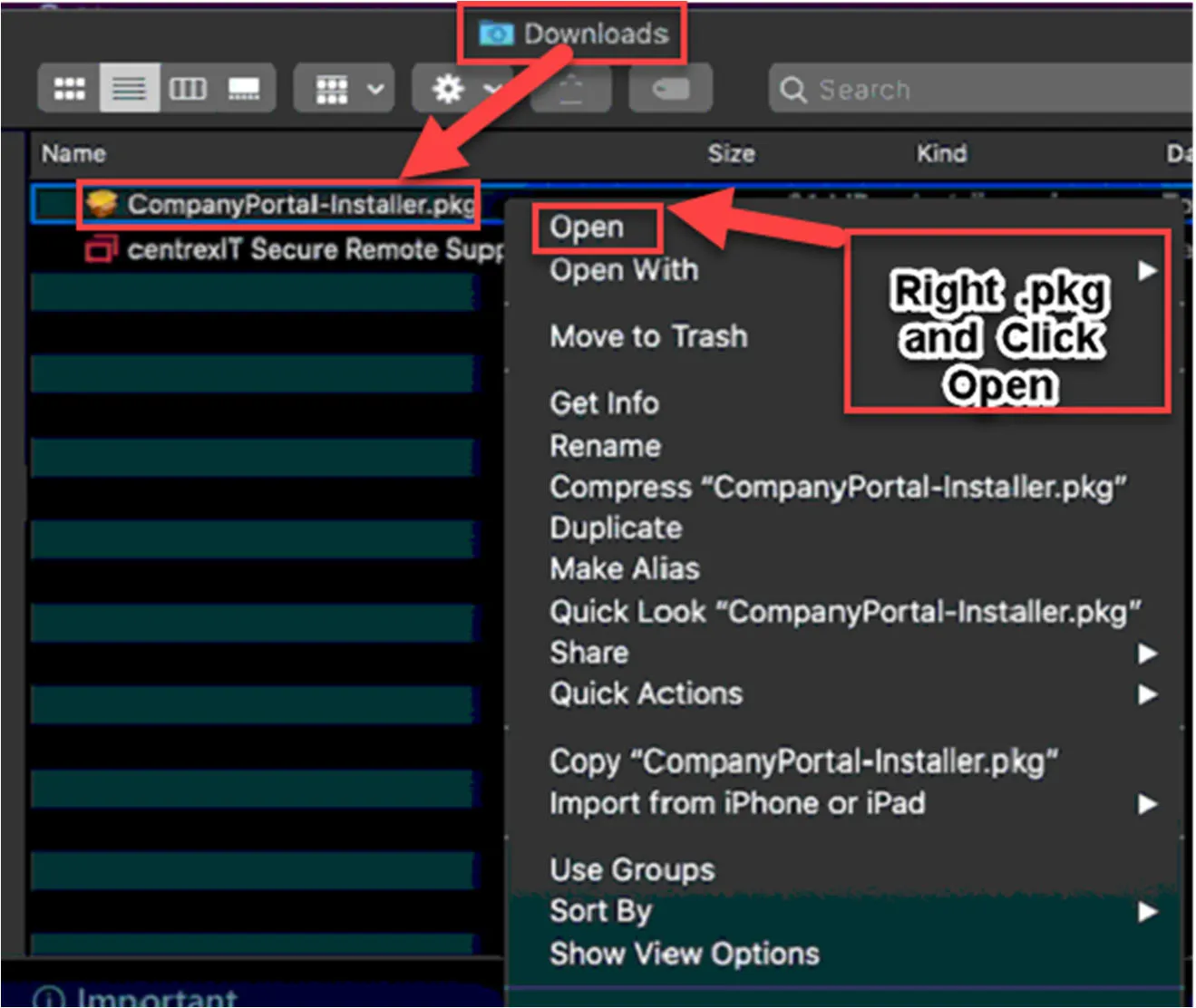
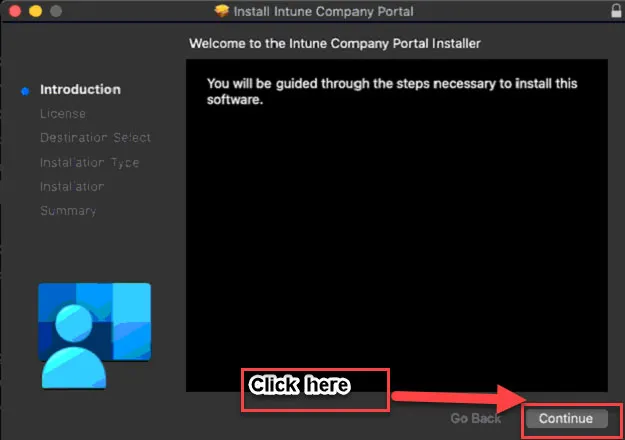
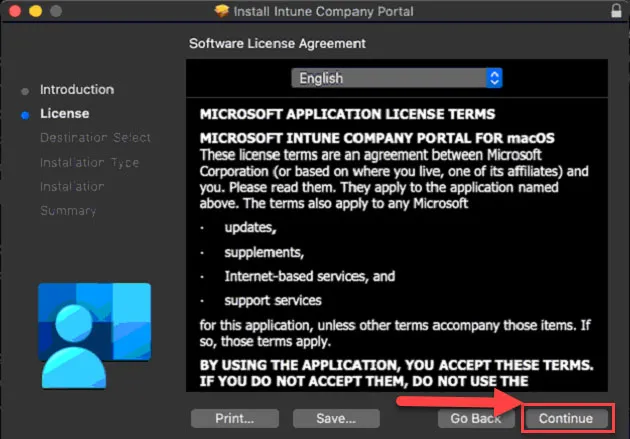
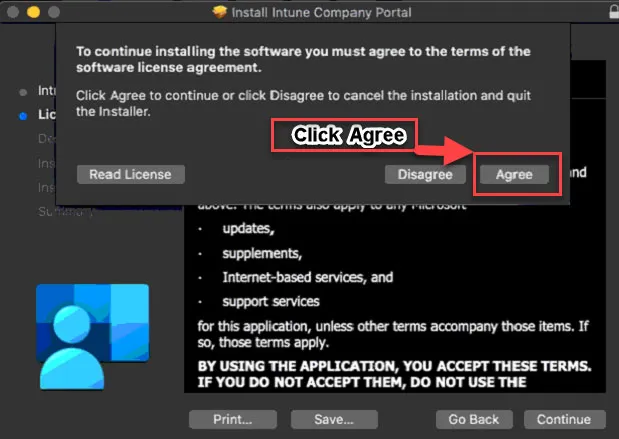
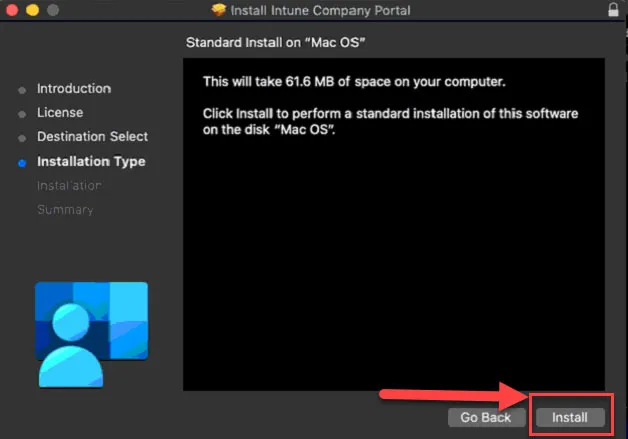
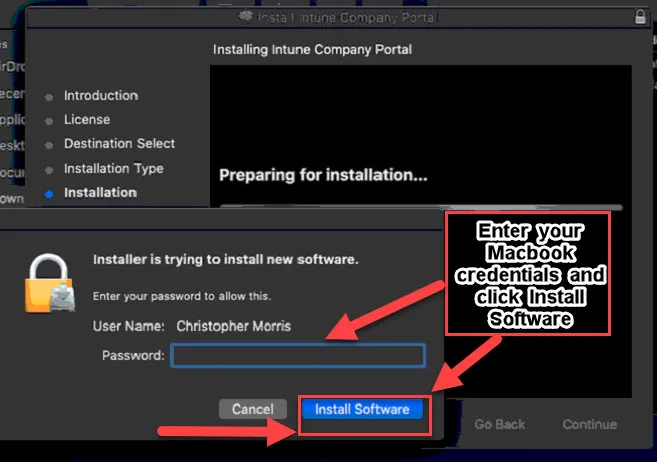
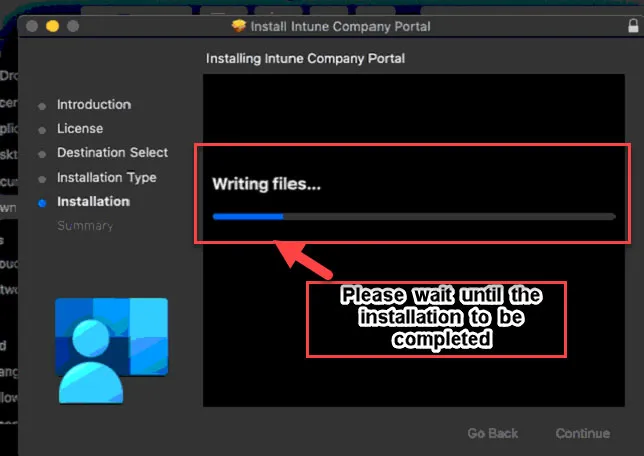
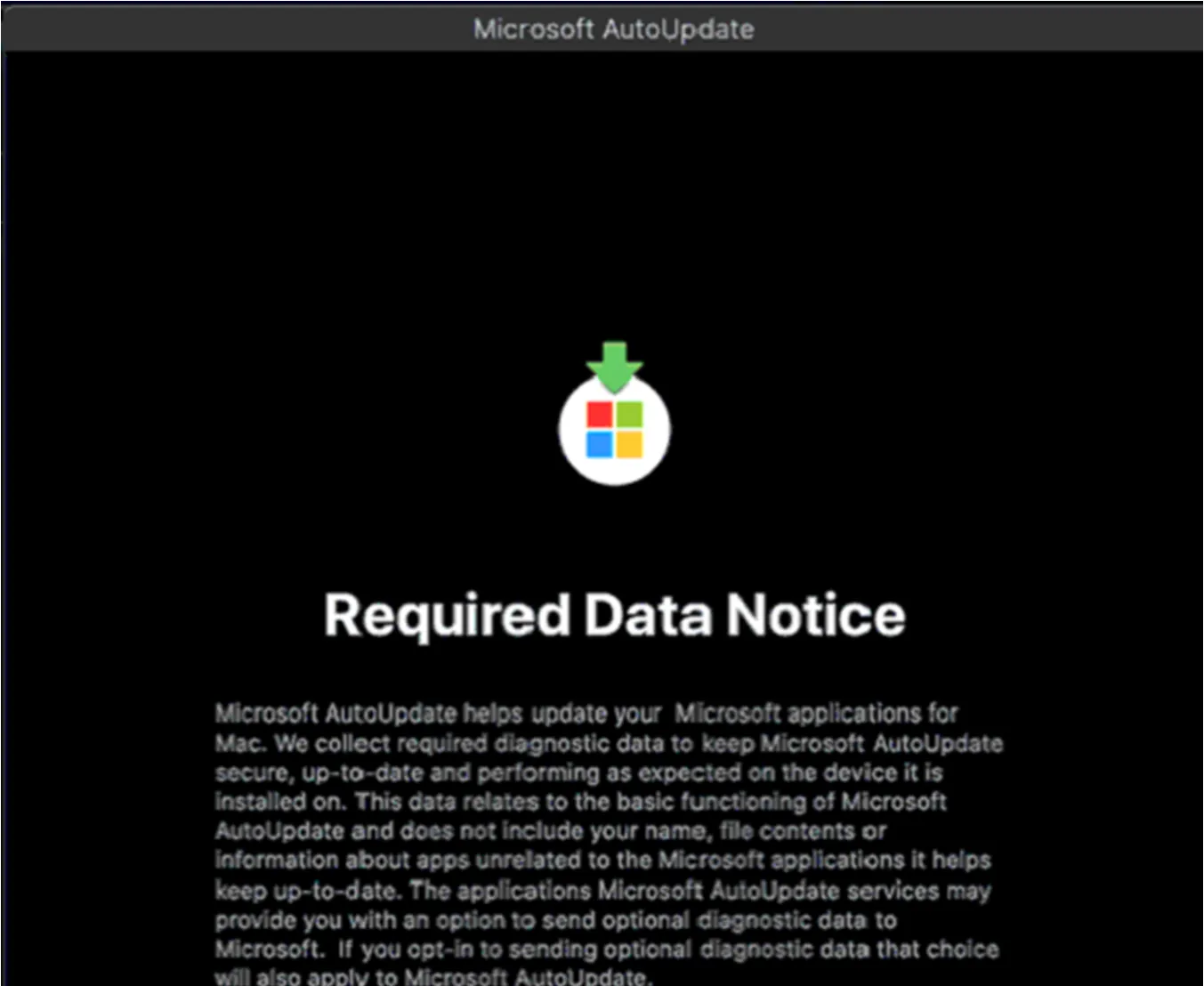

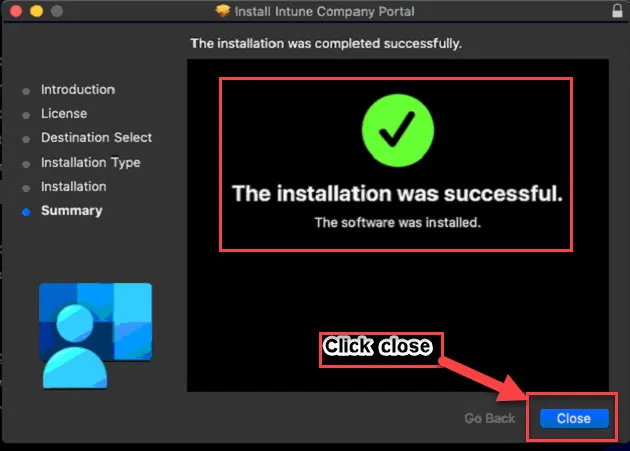
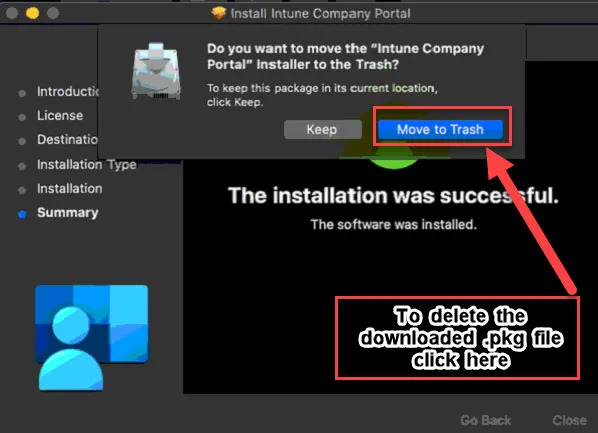
This is the completion of the Company Portal App installation.
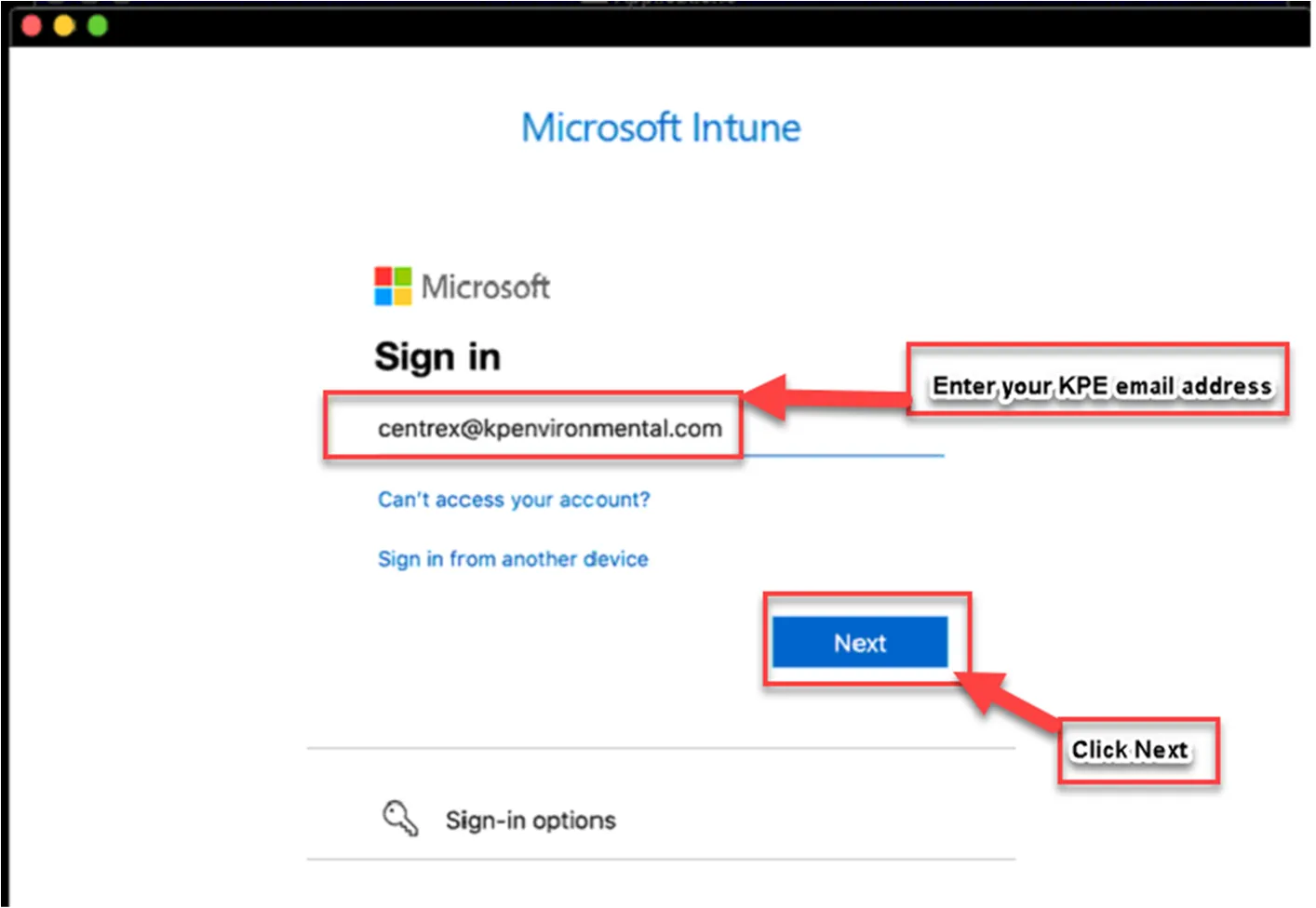
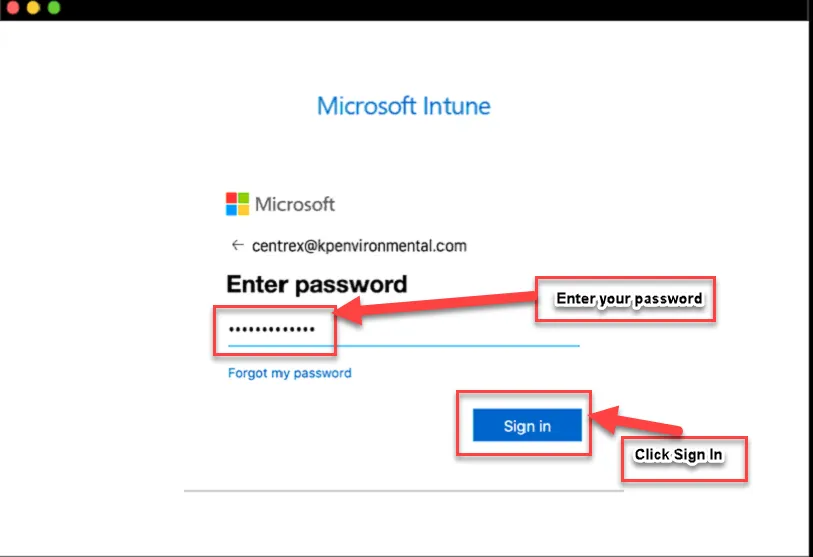
Enroll your MacBook to Microsoft Intune via Company Portal App.
Please follow the steps below.
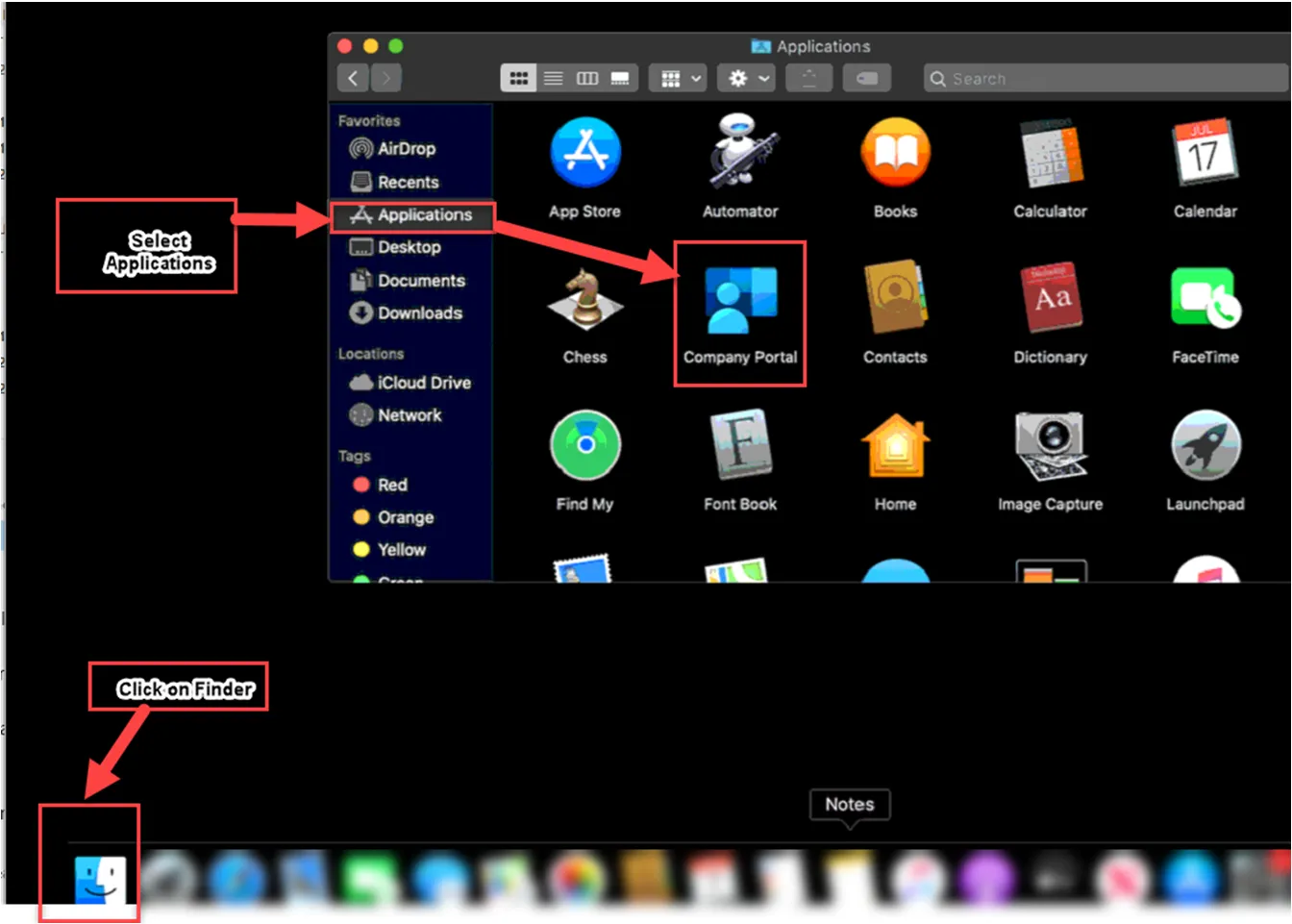
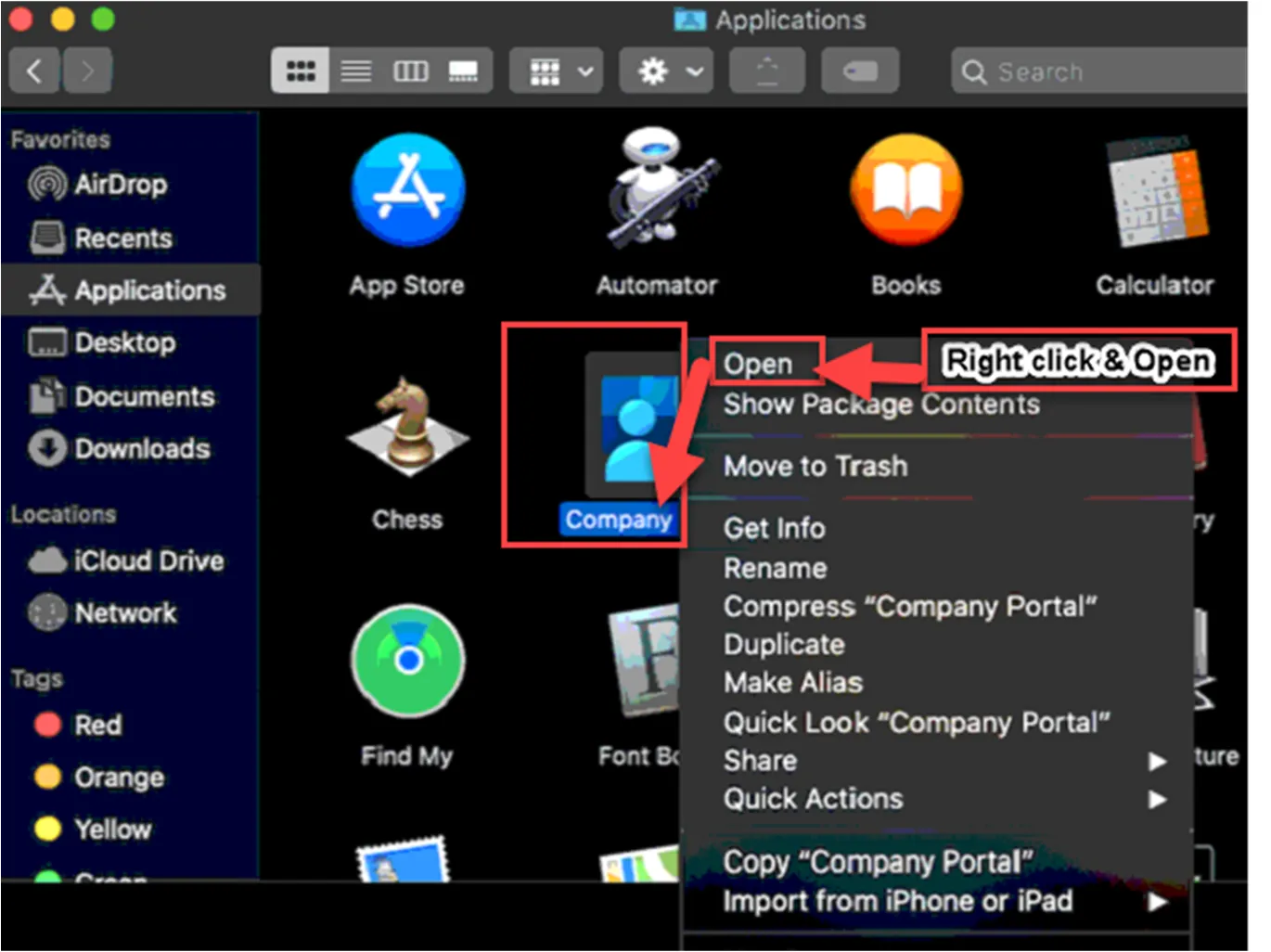
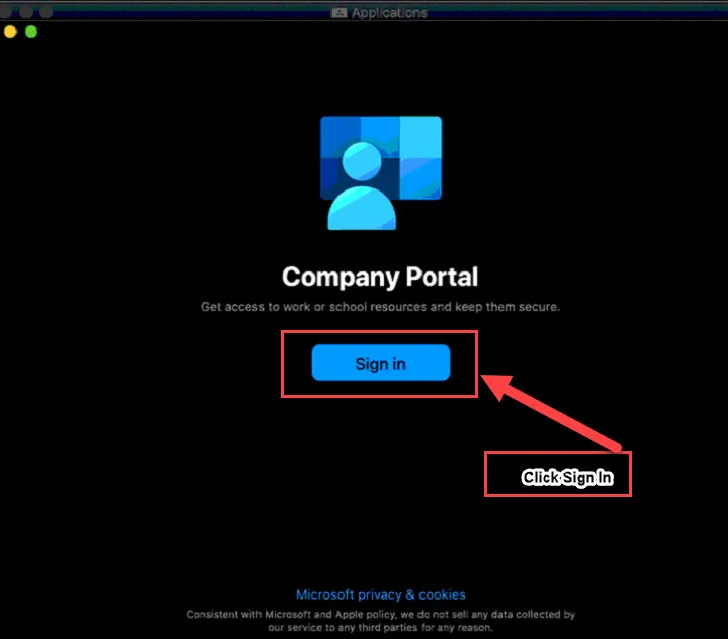
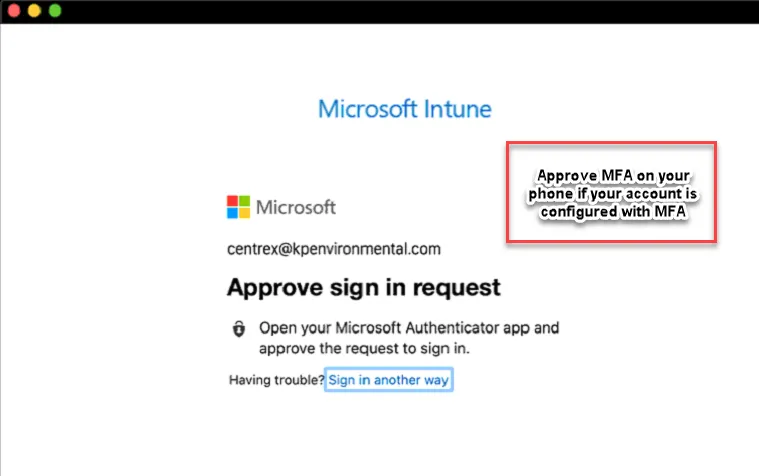
Once MFA approved, you will get the below screen. If no MFA, the sign in page will bring the below screen.
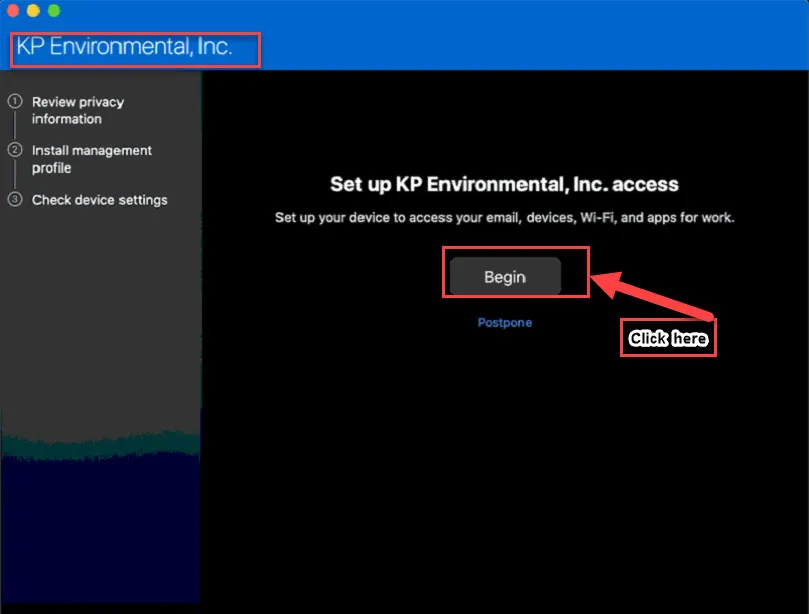
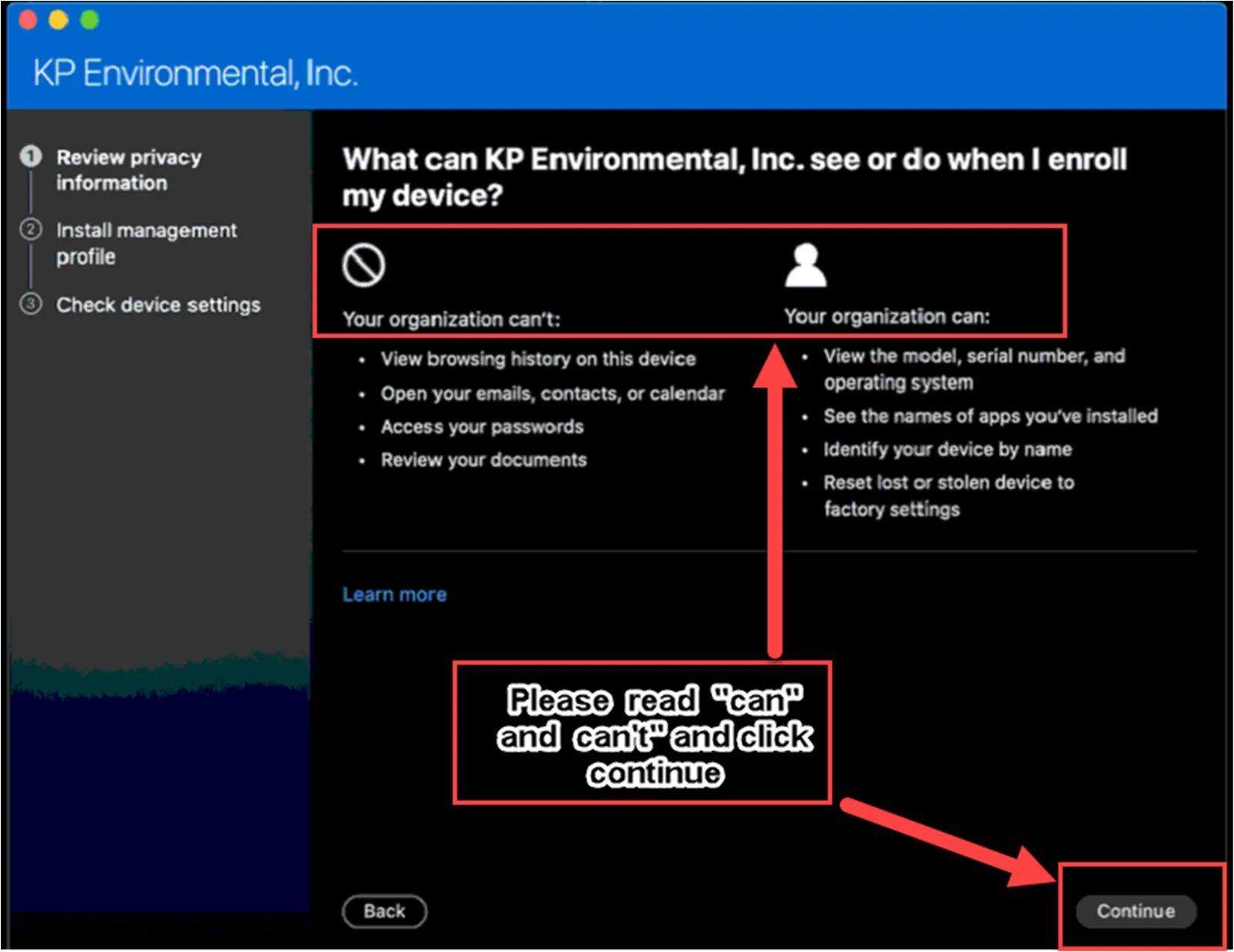
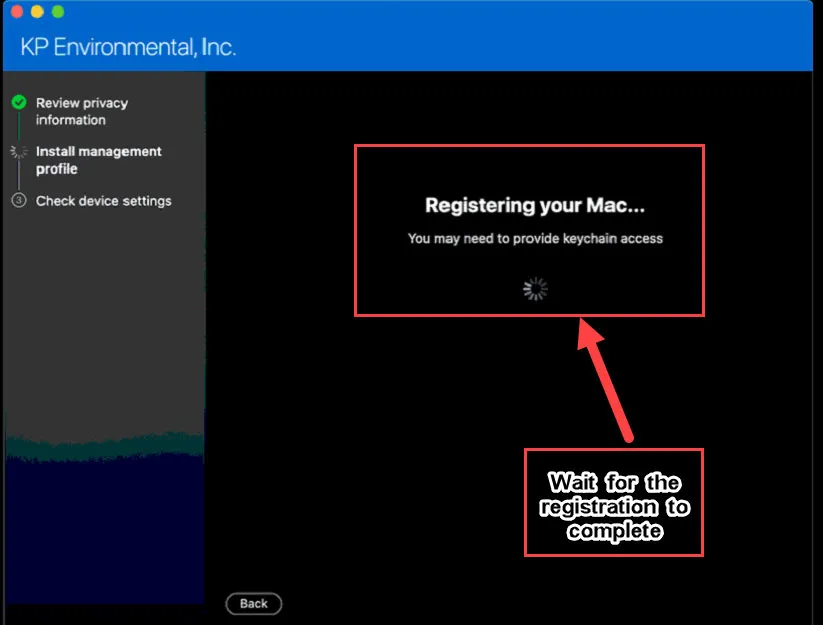
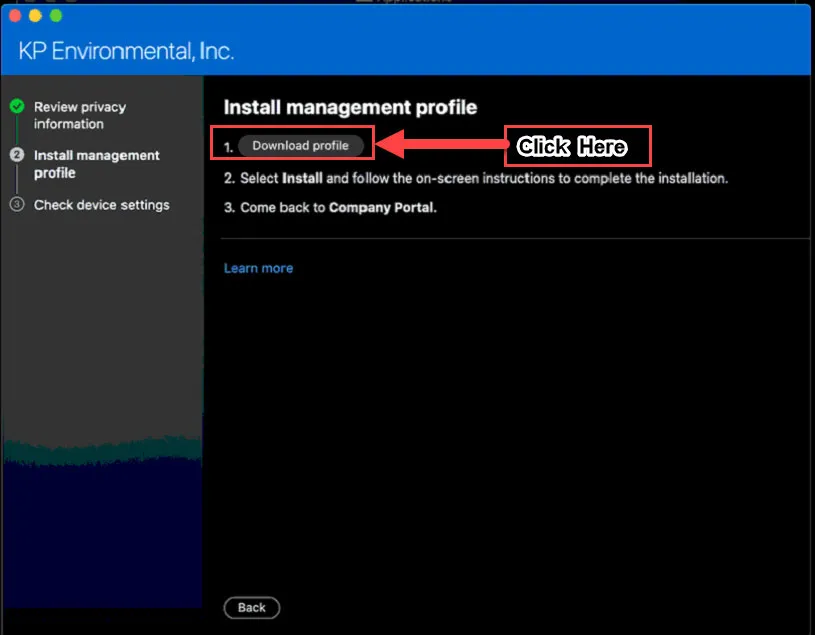
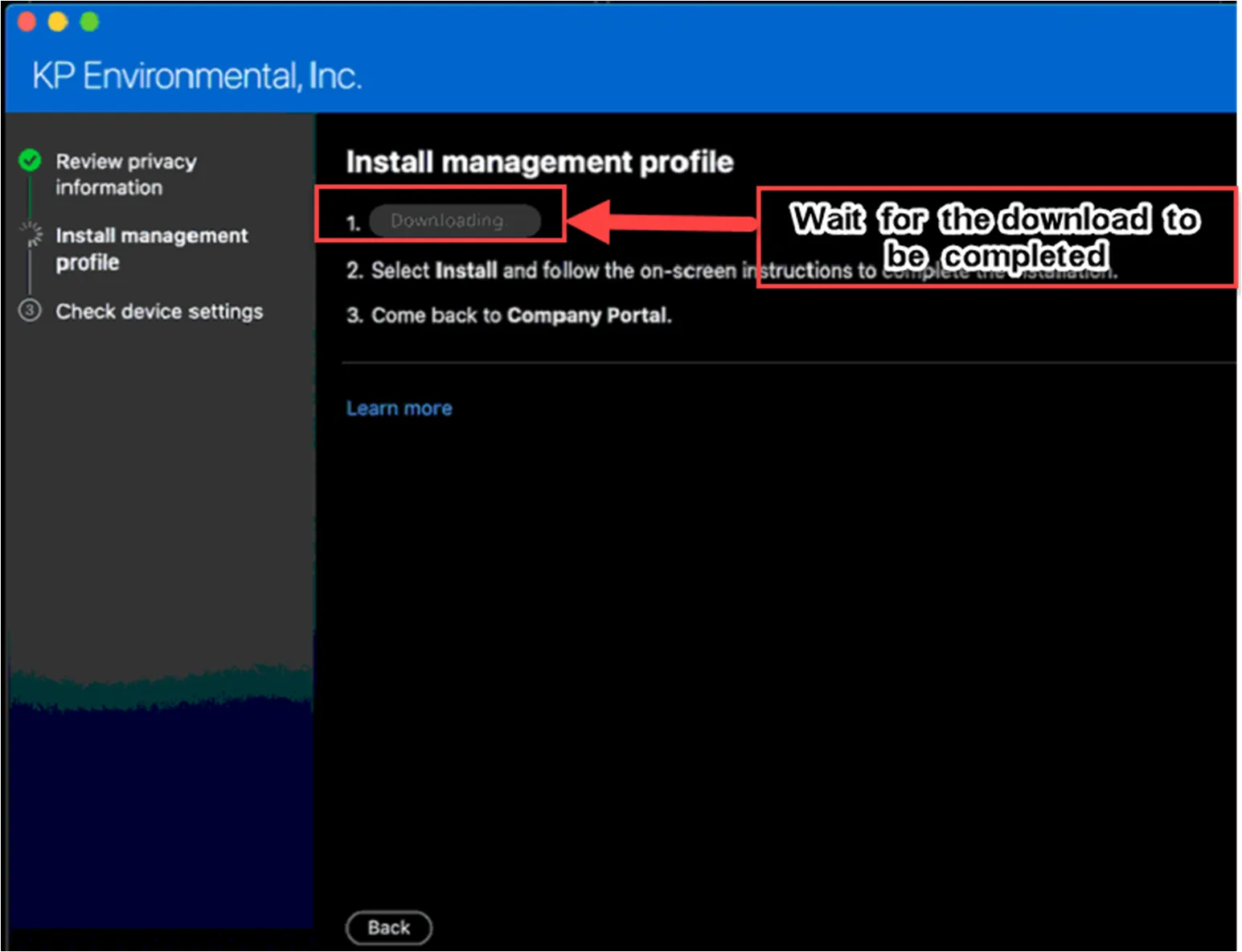
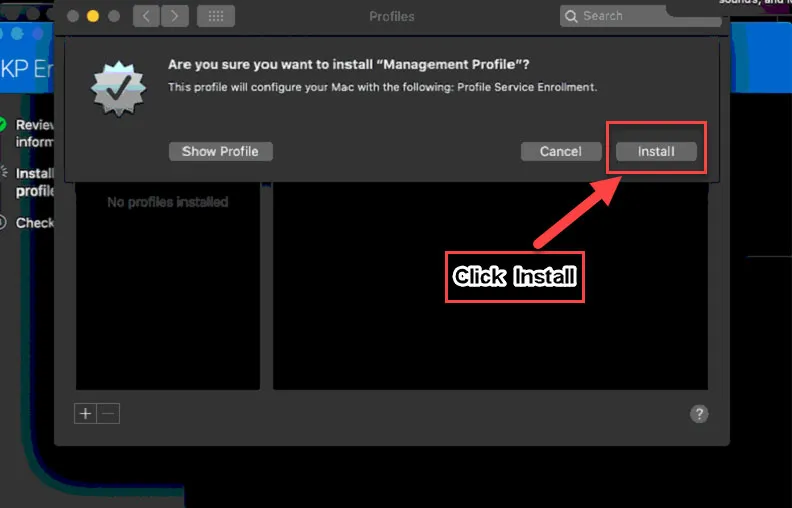
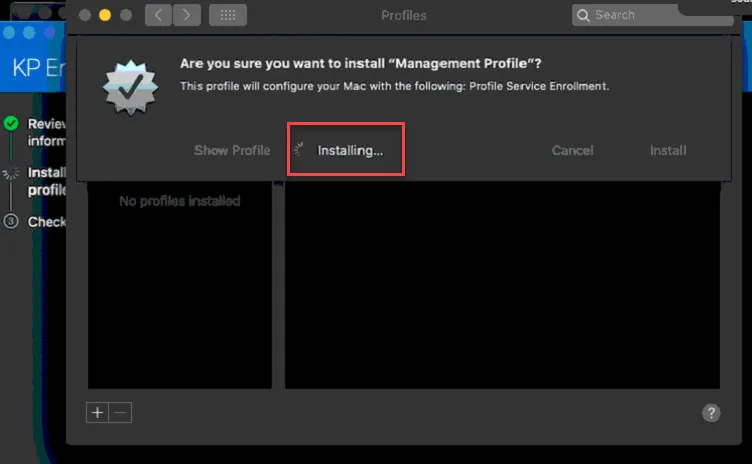
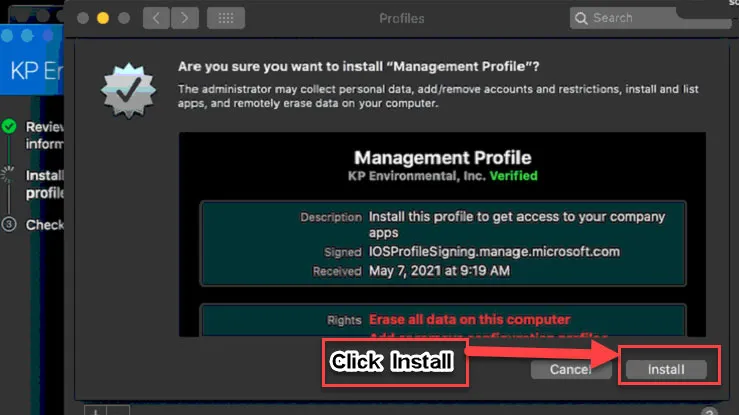
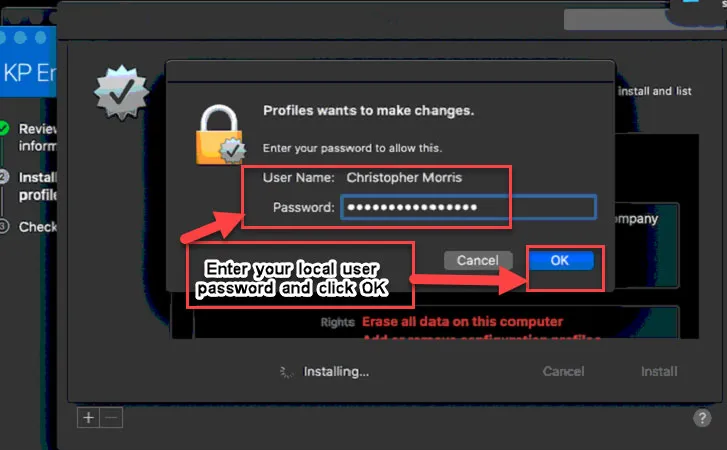
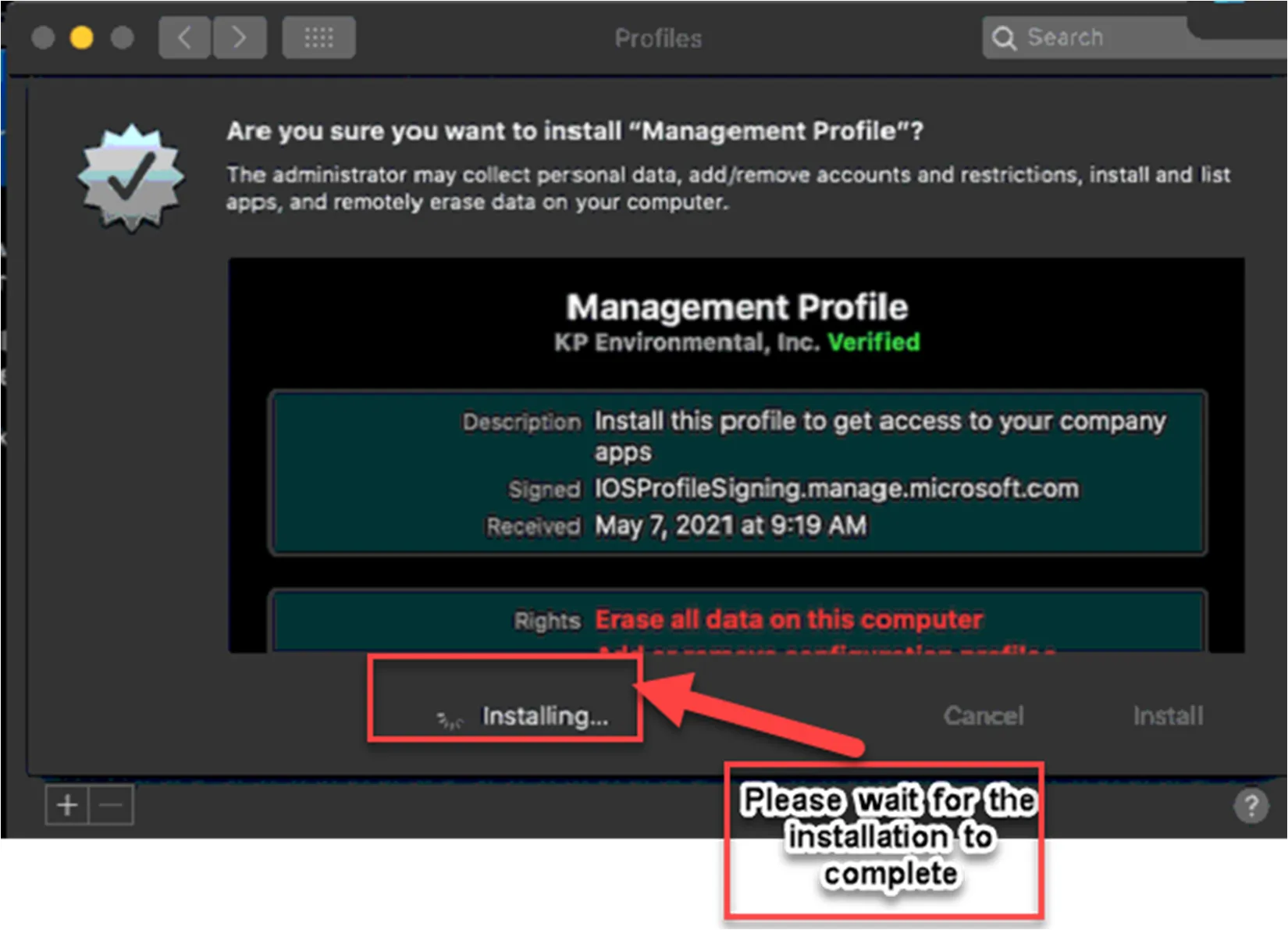
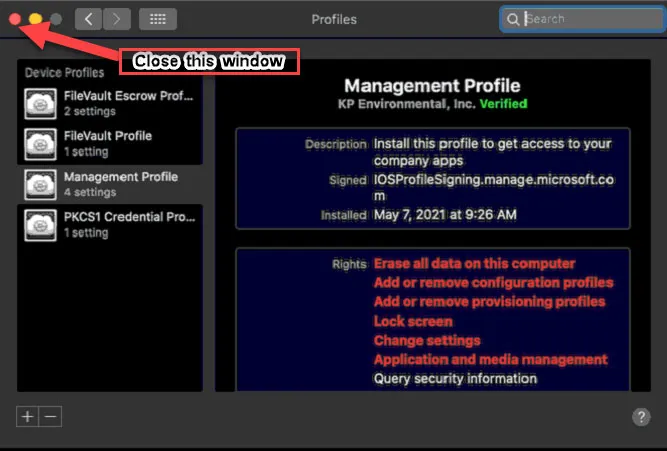
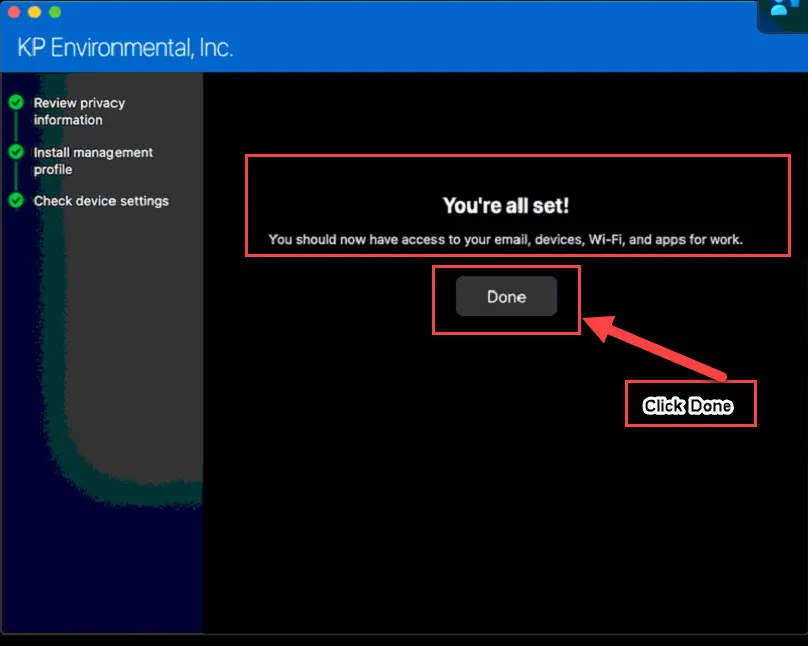
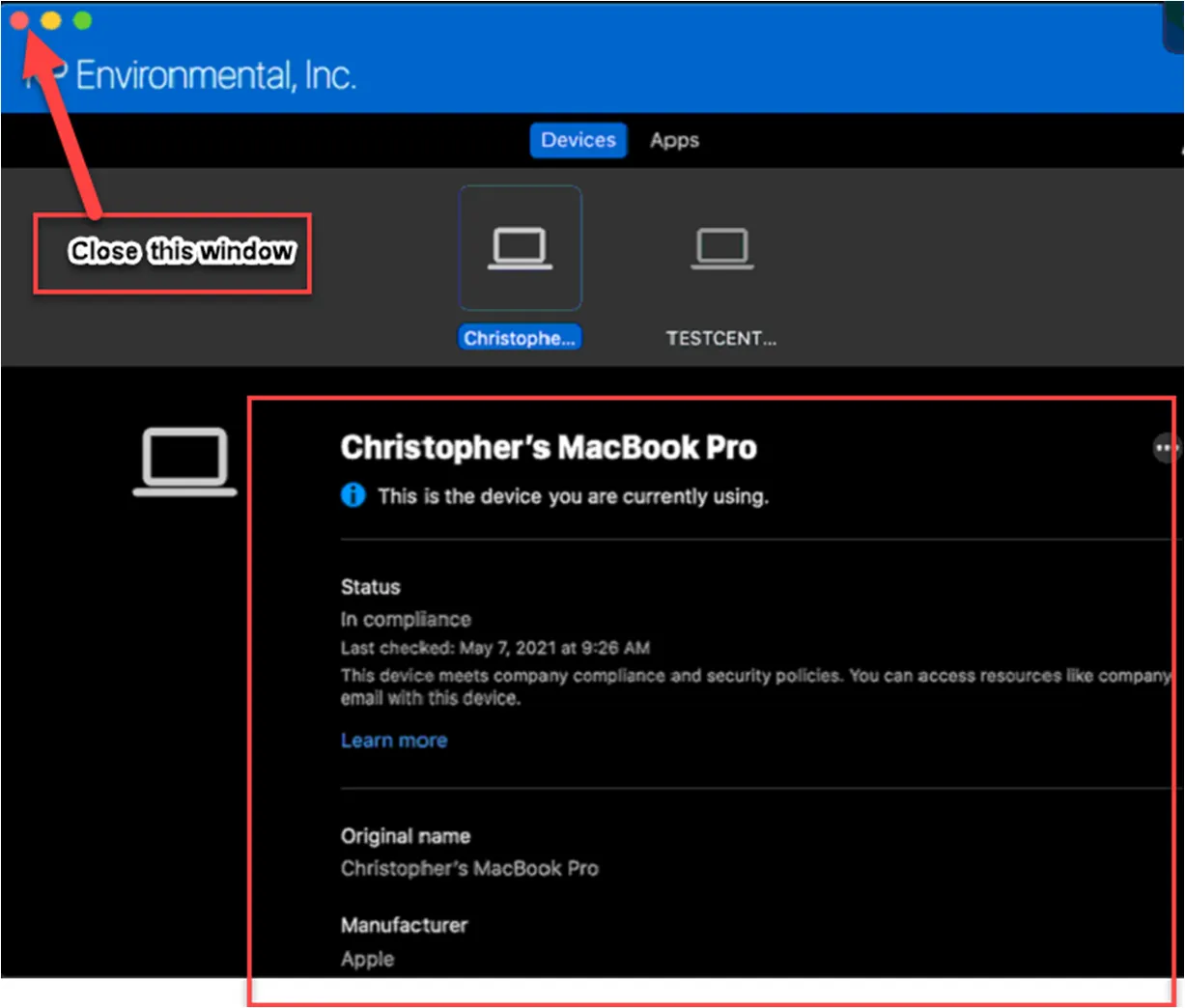
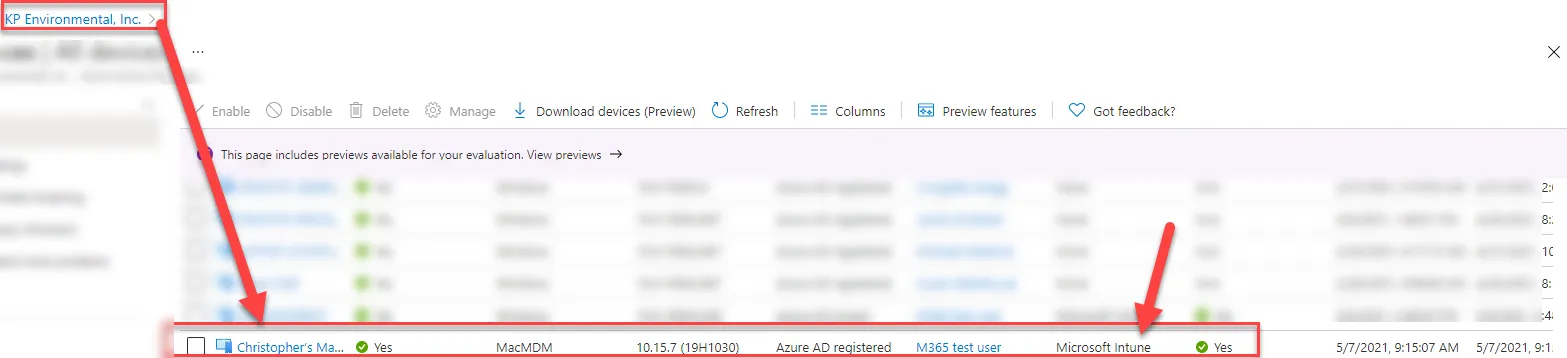
Microsoft Intune enrollment for your MacBook has now completed successfully.