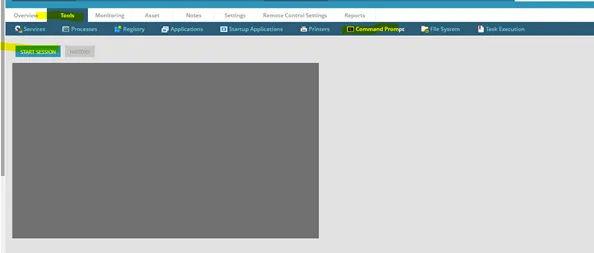
Open the command prompt as admin or launch in the nCentral backend for the device and go to Tools>Command Prompt>Start Session.
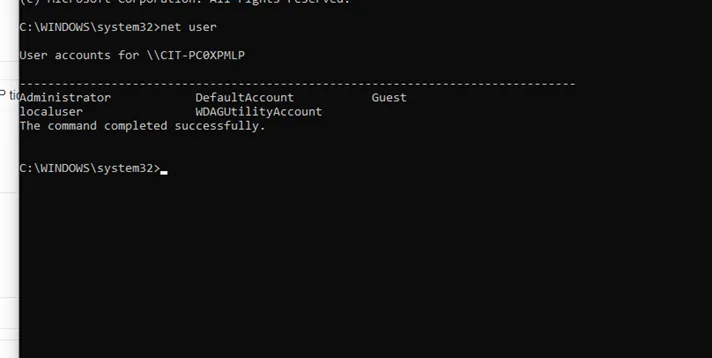
In the command prompt, enter “net user”; this will show you local accounts on the machine. If the device does not have a localuser account, you can add one by following this work instruction.
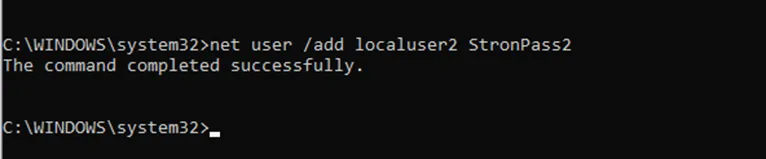
I will make localuser2 for the purpose of this work instruction.
Enter “net user /add username password
To add to a local admin group, enter “net localgroup administrators

To set the password to never expire, enter “WMIC USERACCOUNT WHERE Name='

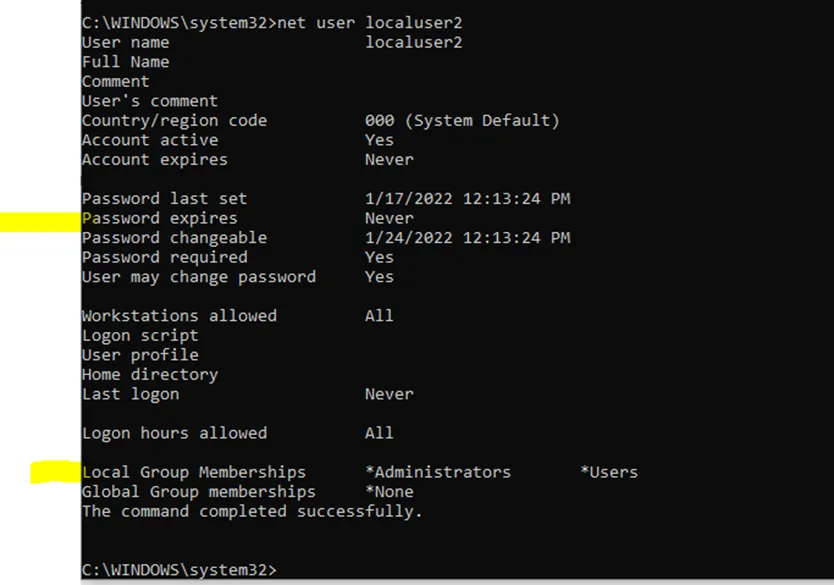
Verify by entering net user
You should see that the account is now part of the admin group and the password is set to never expire.