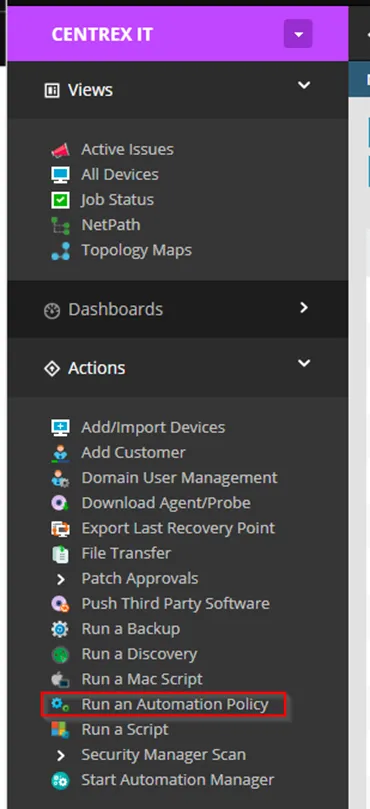
1. After logging into N-Central, look for a link that says “Run an Automation Policy” under actions.
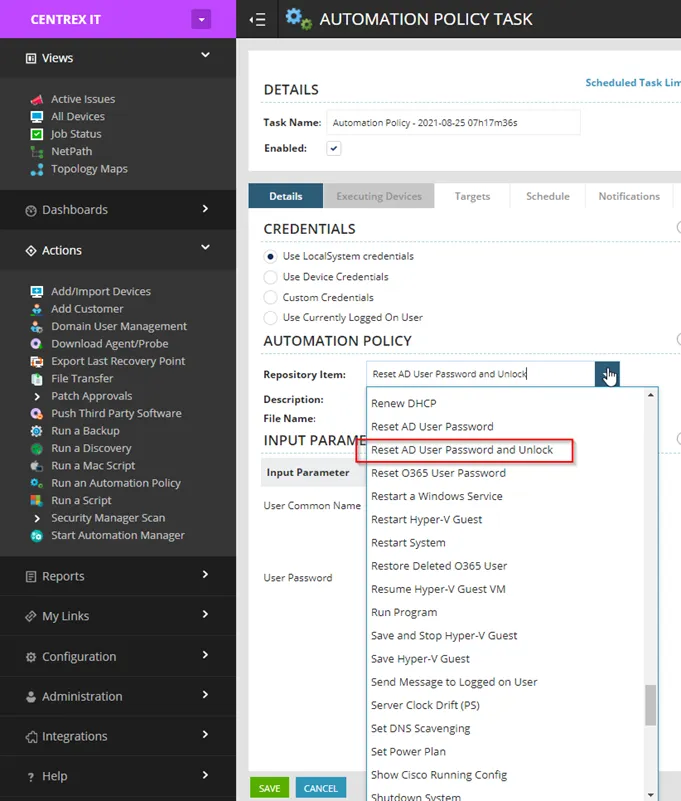
2. On the task page, select repository item “Reset AD User password and unlock”.
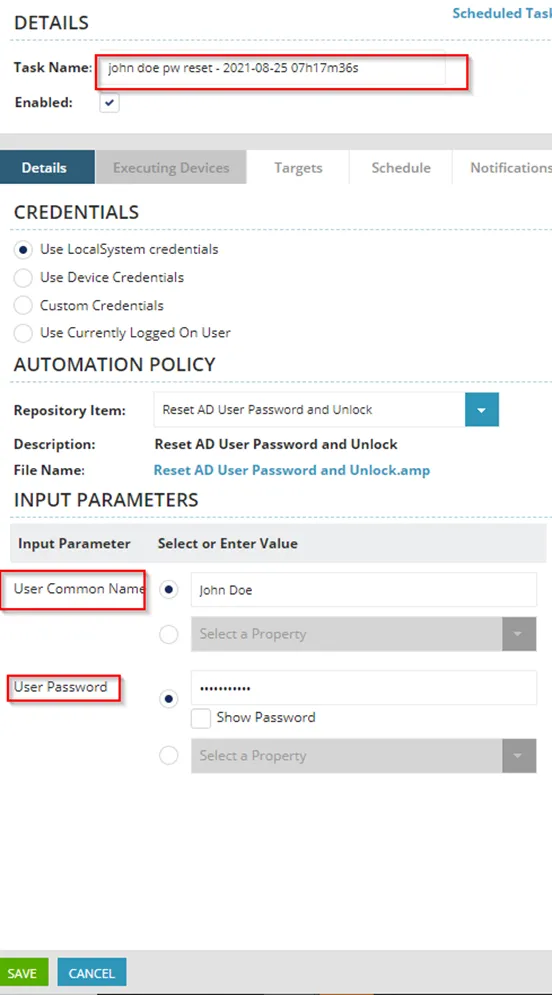
3. Name your task. The common name is the display name in Active Directory, which is usually in format “First Name Last Name”. If the user’s machine is locked, it may show the display name on the unlock screen.
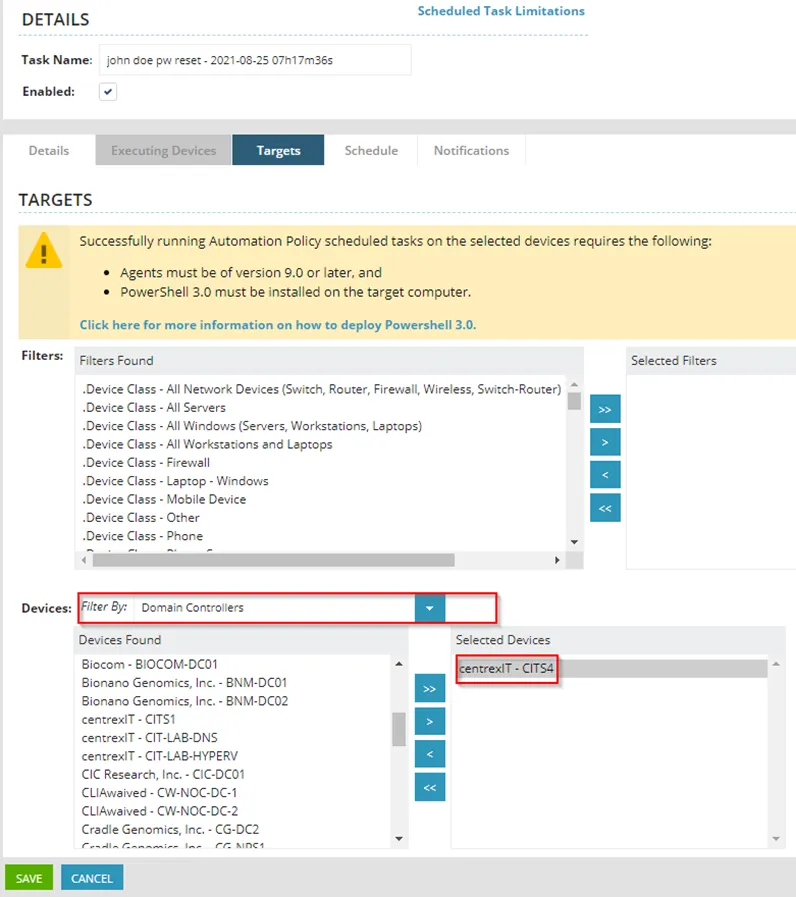
4. Click on the “Targets” tab. Under devices, select the filter “Domain Controllers”. Find the DC that belongs to the customer and click >. The schedule should default to run now. So from here you can select save, or if you would like a notification on success/failure, add your email on the notifications tab.