PROCEDURE
Review steps in the attached work instruction.
REQUIREMENTS
Review steps in the attached work instruction.
STEPS
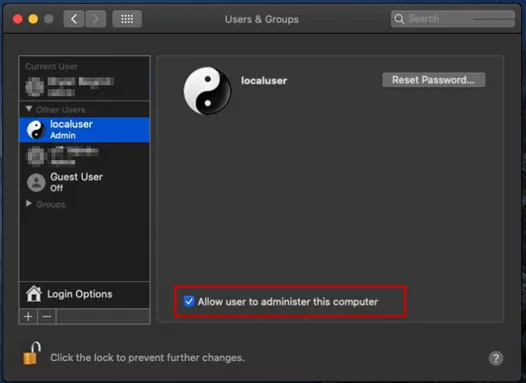
- Create Local Administrator Account
- Localuser \ password
- Enable “Allow user to administer this computer”
- Navigate to System Preferences > Sharing > Remote Log on > Enable > Add user Localuser and Administrators Group
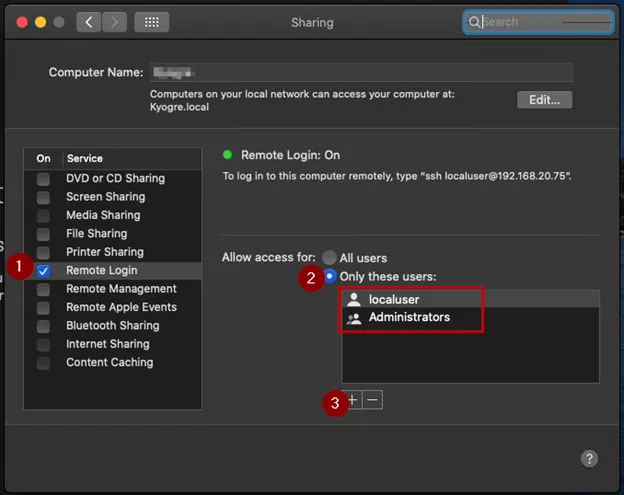
- **NOTE: This is required so that N-Central can SSH in, silently install the N-Central Agent, and execute bash scripts.**
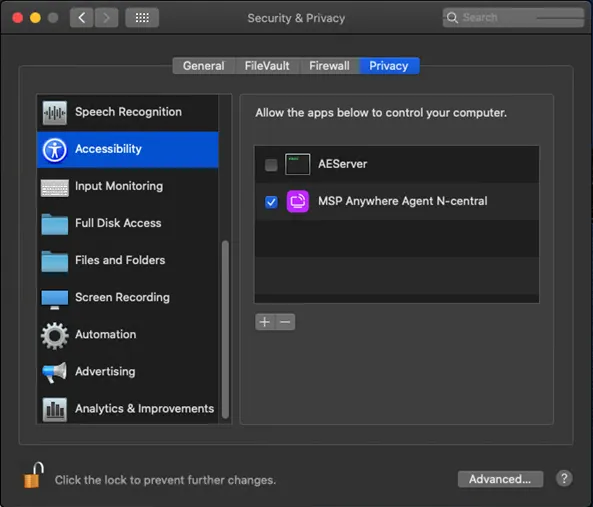
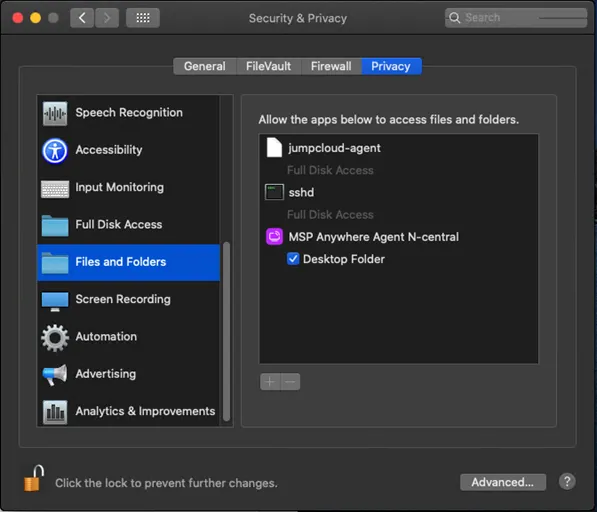
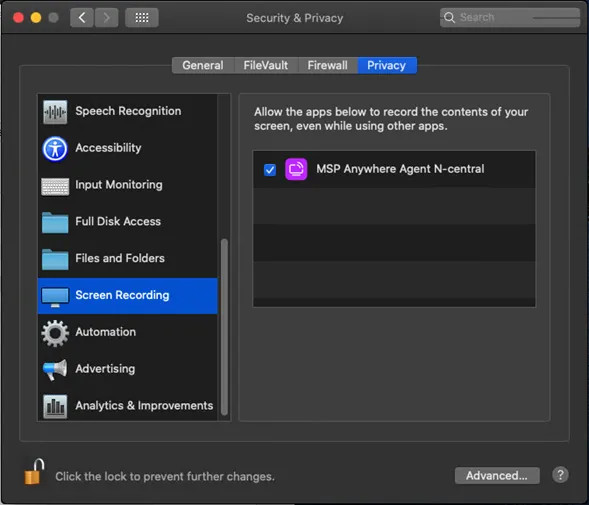
- After the N-Central MAC agent has been installed, please verify the following security permissions are set:
- Accessibility
- Files and Folders
- Screen Recording
REFERENCES