Welcome to Microsoft Bookings! You can access Microsoft Bookings at https://outlook.office.com/bookings/calendar
Once you are signed in, you will be able to see the landing page for Bookings:
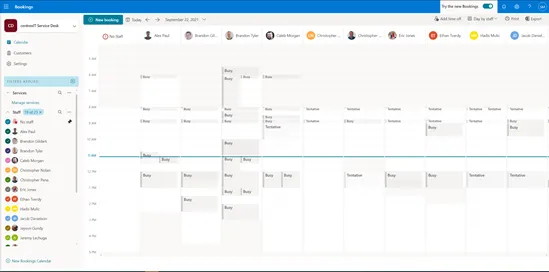
From this page you will be able to see all Service Desk team members and their availability. In Microsoft bookings, you can schedule appointments with clients and even internal resources.
Microsoft Bookings syncs with your Outlook calendar. So, anything that is already on your calendar will automatically sync with the Bookings Calendar.
Above, you will see you can add in any PTO to correctly reflect your availability.
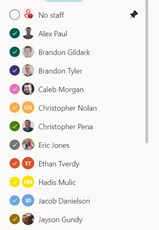
On the left-hand side, you will see a list of centrexIT employees and can select whose availability you would like to see.
From the main page you will have the option to Create “+ New Booking”
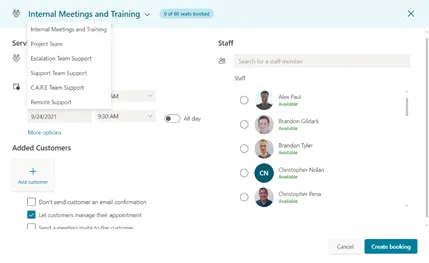
Once you have selected “+ New booking” you can select which type of service you would like to book and who you would like to book it with.