Purpose: The purpose of this is to show you how to submit a monthly VCP report to VMware. This is intended for the Cloud department to submit the monthly VPC points usage for the VMware licensing in our private cloud.
- Log into https://vcp.vmware.com/home
- Note: If you do not have an account, request access from Andy Albrecht.
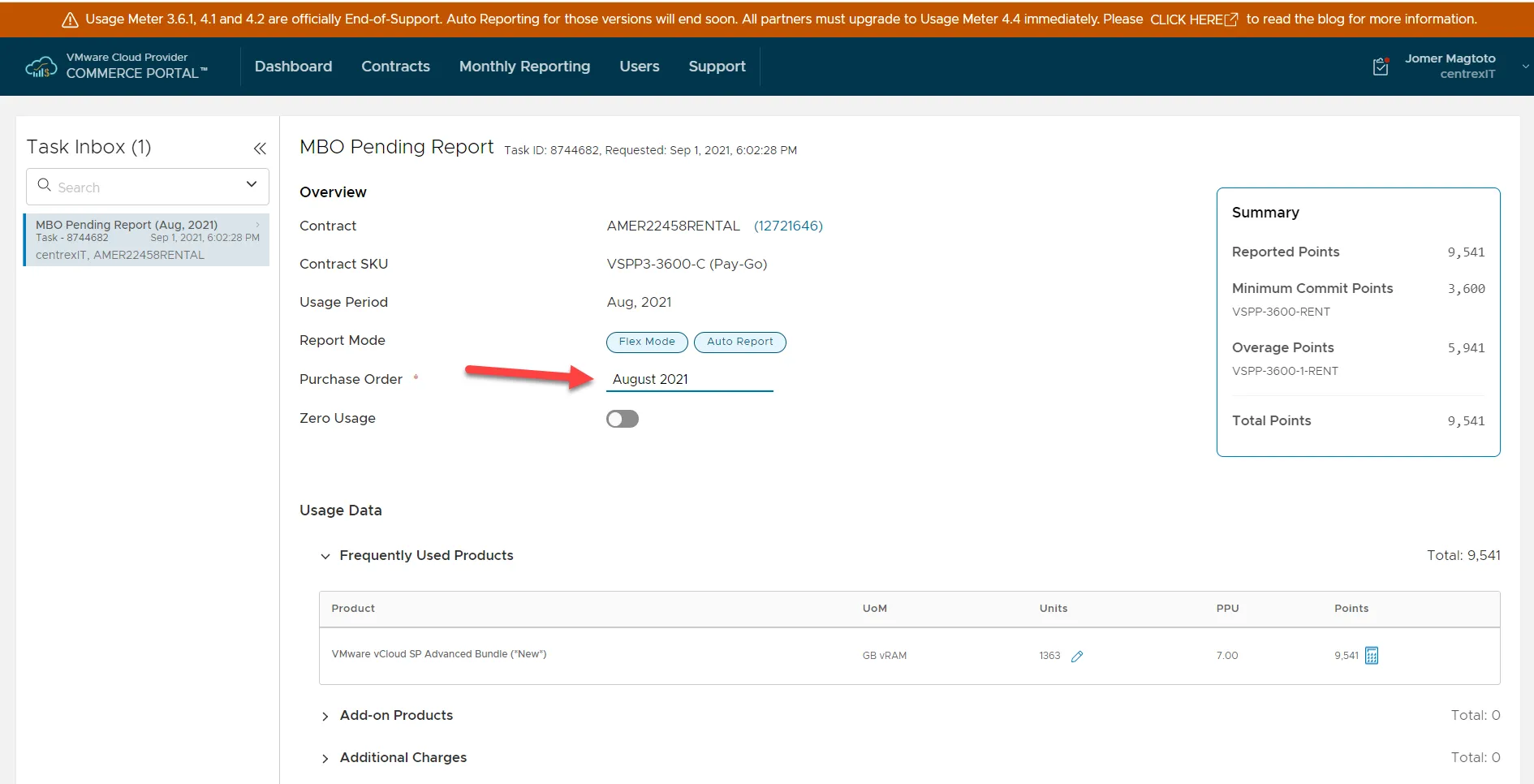
- Once logged in, click you should see 1 MBO related task. Click on that box.
- You’ll see a pending report. Under Purchase Order, type in usage Month and Year. Example: August 2021.
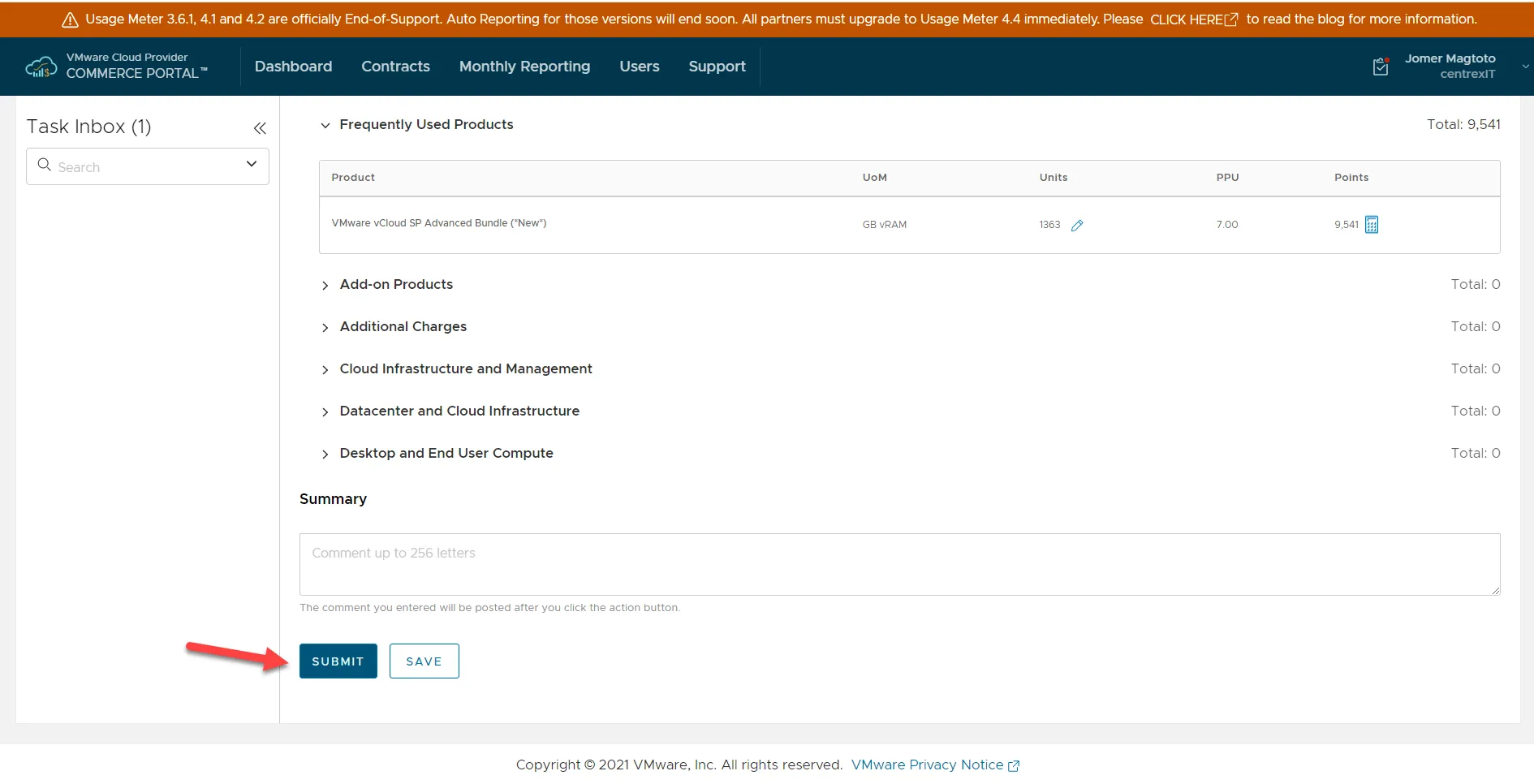
- Scroll to the bottom of the page, and click Submit.
These reports should be submitted on the 1st of every month.