PROCEDURE
Section titled “PROCEDURE”The following work instruction is on how to install patches to a vCenter Server Appliance..
REQUIREMENTS
Section titled “REQUIREMENTS”• File a Standard RFC to perform the update
• Establish a Maintenance Window
• At the time of installation, verify the monitored vCenter Device in NCentral is set for Downtime and that Veeam backups are NOT running
1. In a Web browser, go to the vCenter Server Appliance Management Interface, https://appliance-IP-address-or-FQDN:5480
2. Log in as Root
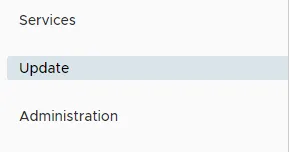
3. Click Update
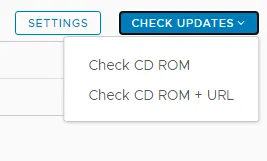
4. Click Check Updates and select source URL
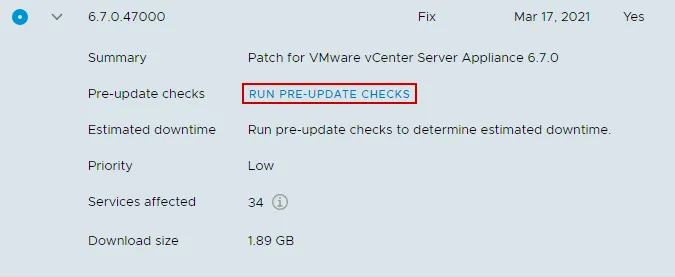
5. Select the most recent update and click RUN PRE-UPDATE CHECKS to verify that it is compatible with your current deployment.
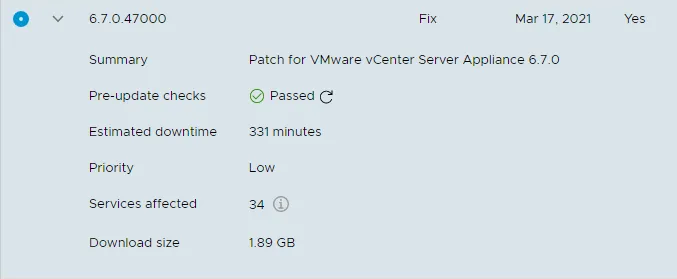
6. Click on Stage Only to pre-download the patches for the appliance and install at a later time. If you are already working during an approved maintenance window, proceed with Stage and Install.
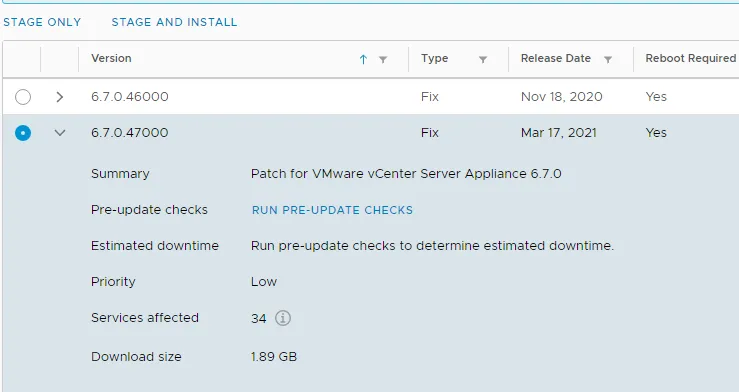
7. Skip this step if you selected Stage and Install. Select the patch version you chose the Stage, and then click the option to Install during the approved maintenance window.
REFERENCES