1. Browse to \\rcp-fs\RCPDATA\Install\OnBase\OnBase Client and run setup.exe to install the OnBase application.
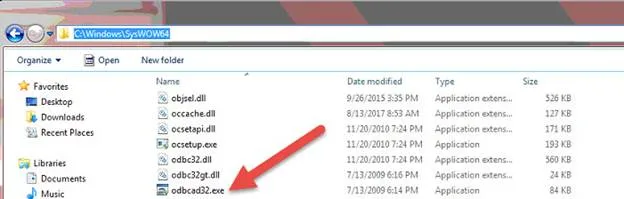
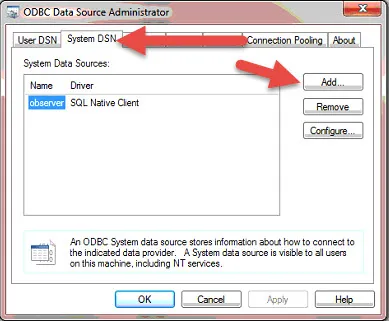
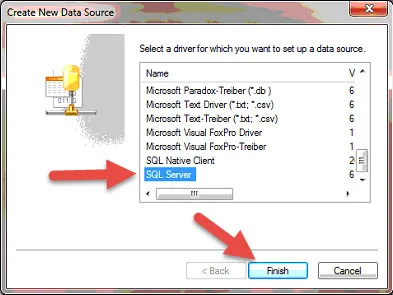
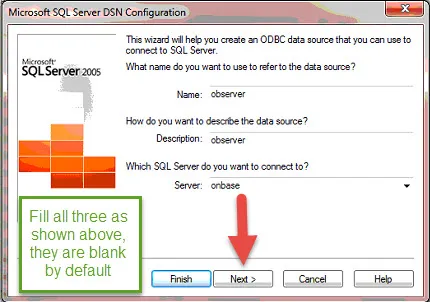
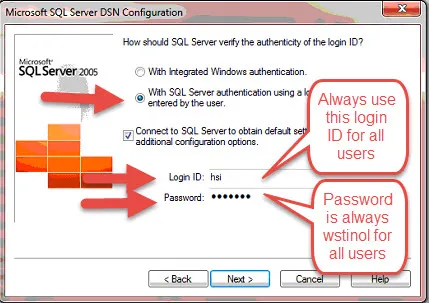
2. After installation, browse to C:\Windows\SysWOW64 and run odbcad32.exe and follow the screen shots below to setup the ODBC connection.
3. 
4. 
5. 
6. 
7. 
8. 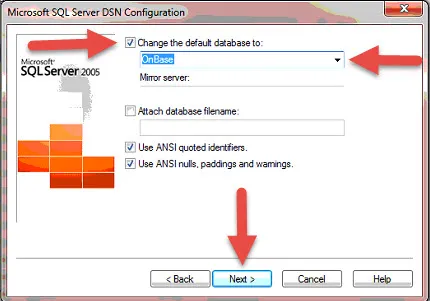
9. After choosing next, choose finish, then test connection.
10. After testing OnBase setup is complete. Proceed to launching the application and sign in.