Configuration Backup
Section titled “Configuration Backup”Always perform a Configuration Backup, before updating QNAP Firmware.
To backup system configurations:
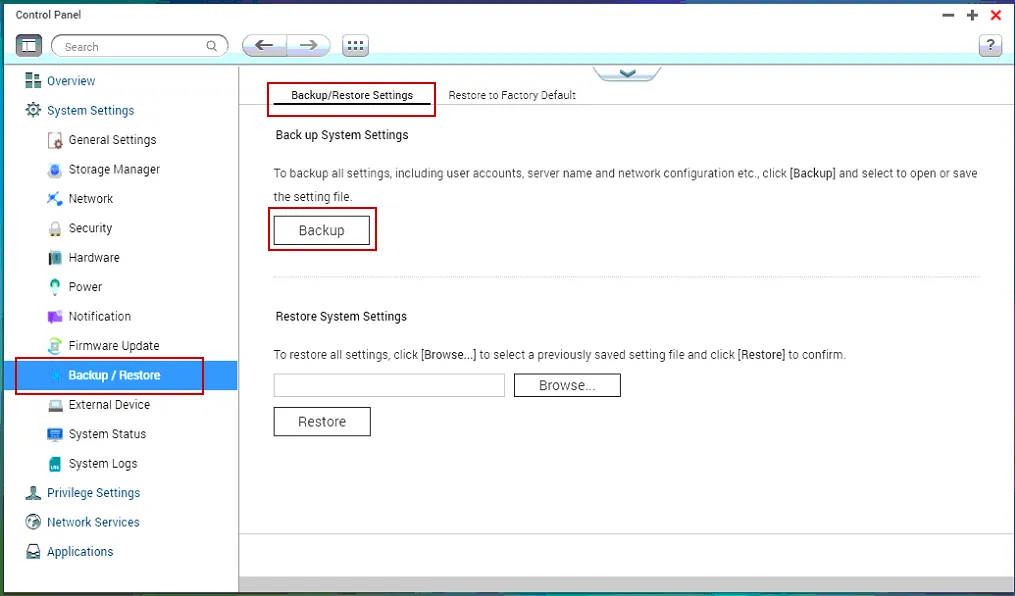
Section titled “To backup system configurations:”- Go to “Control Panel” > “System Settings” > “Backup/Restore” and click on Backup. The backup file will automatically download as a bin file “backupdate_[CurrentDate].bin”.
Manually update Firmware
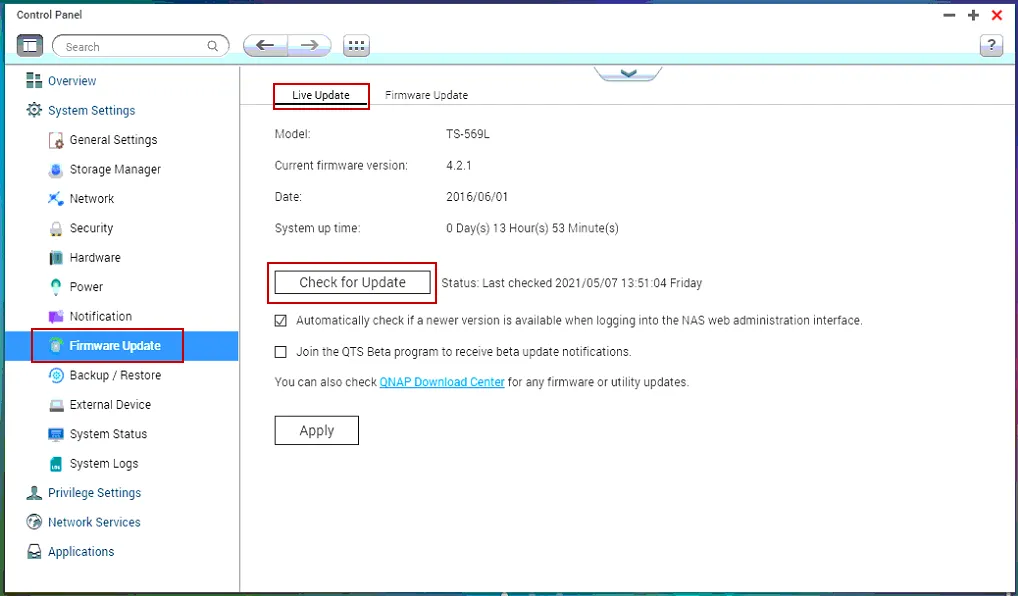
Section titled “Manually update Firmware”- Go to “Control Panel” > “System Settings” > “Firmware Update” and click Check for Update.
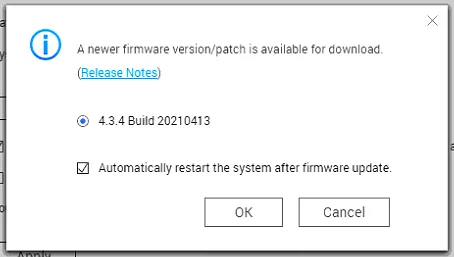
- The system will confirm an update is available, if there is one, and prompt to download, install and reboot. Click ok.
References:
How to manually upgrade / downgrade firmware by QTS web interface | QNAP