Overview of Windows Autopilot
Windows Autopilot is a collection of technologies used to set up and pre-configure new devices, getting them ready for productive use. You can also use Windows Autopilot to reset, repurpose, and recover devices. This solution enables an IT department to achieve the above with little to no infrastructure to manage, with a process that is easy and simple.
Devices must meet these requirements:
· Windows 10, version 1703 or later
· New devices that haven’t been through Windows out-of-box experience
See the following steps to setup Autopilot. After this setup, you may need to troubleshoot depending on the error or issues.
STEP 1
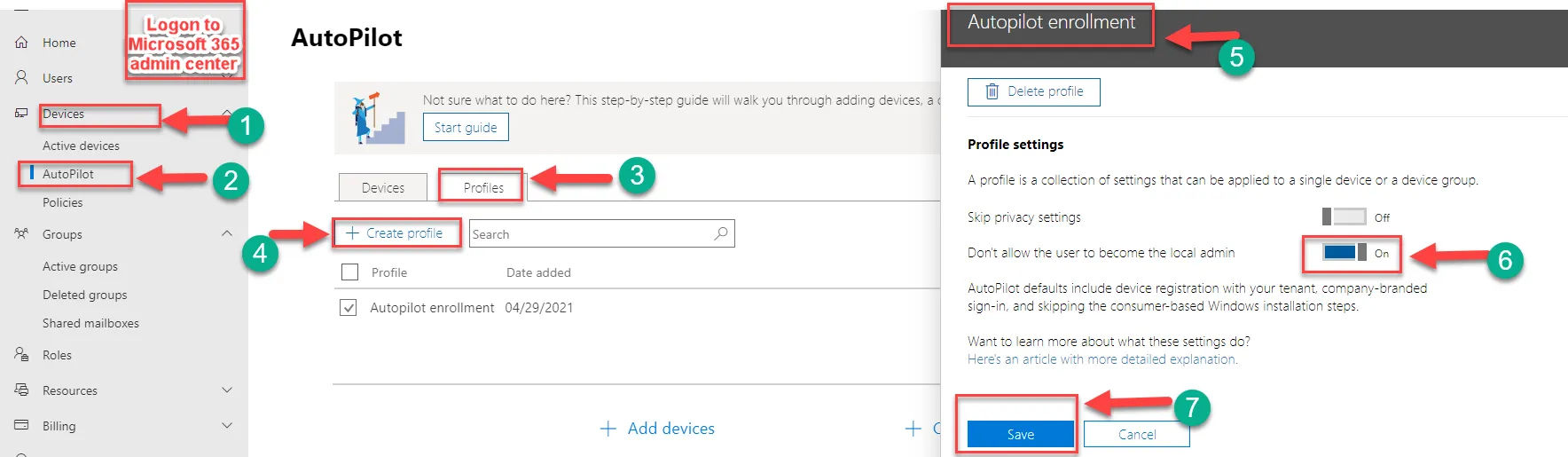
STEP 2
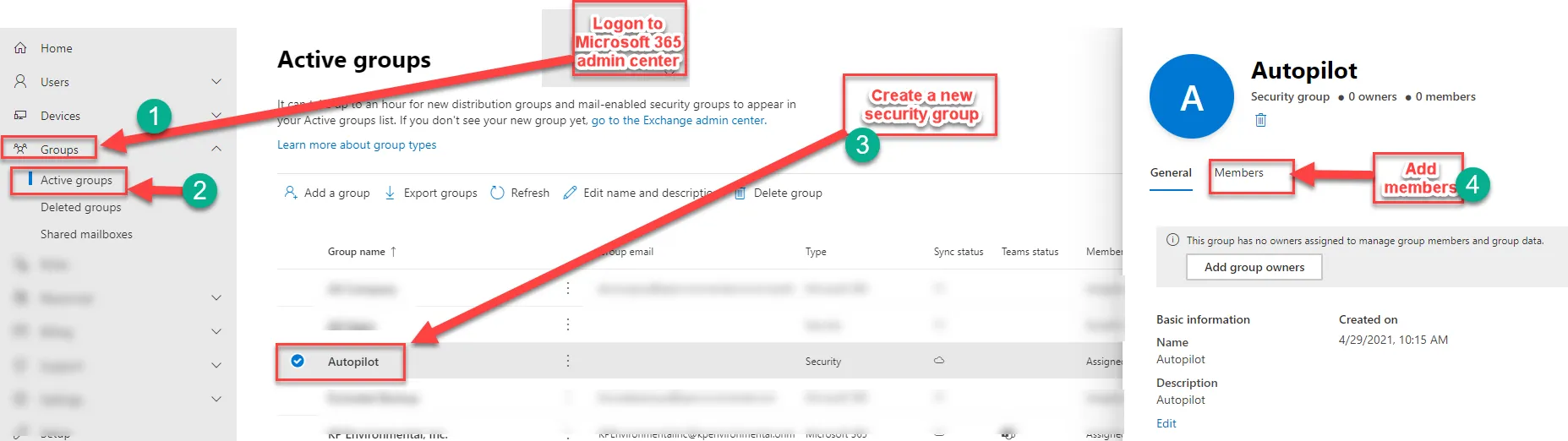
STEP 3
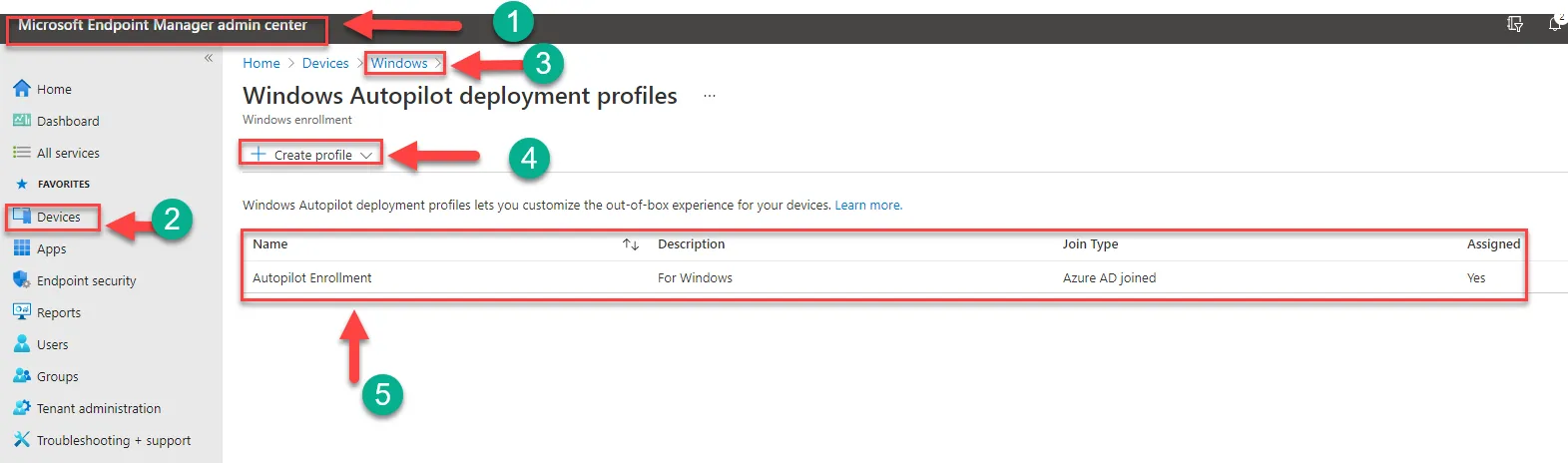
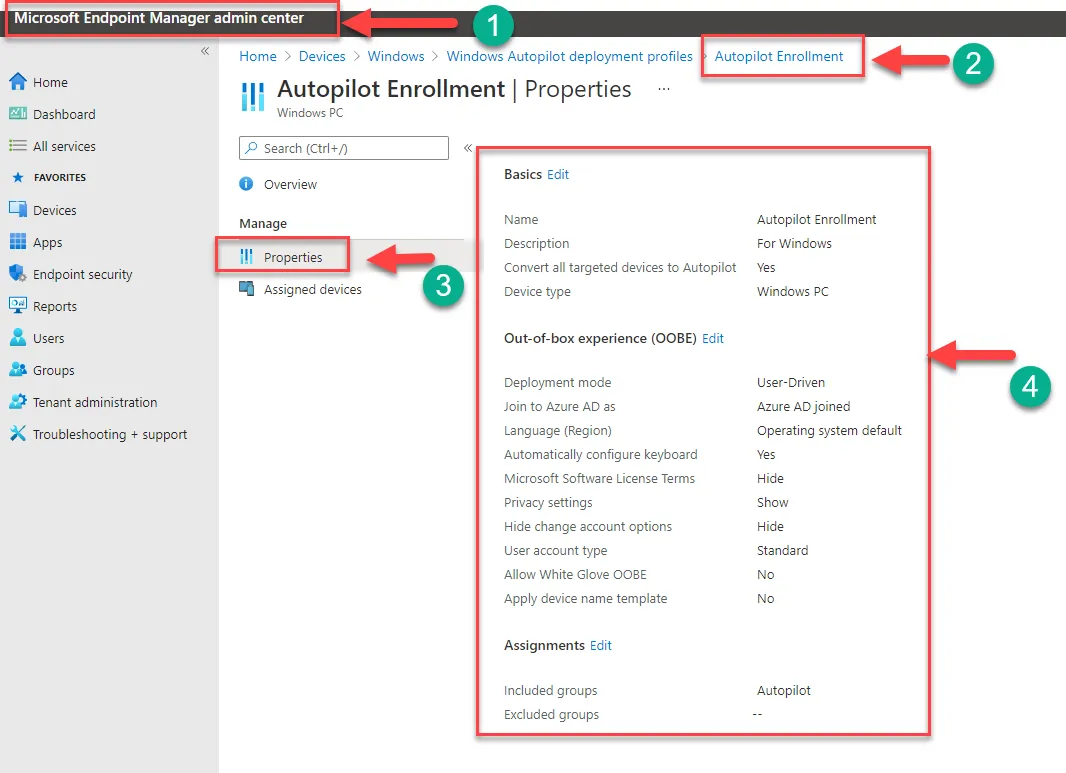
Step 4 verify the Autopilot configuration properties are correctly setup like below
P.S. We started recently configuring Autopilot at M365 and there is a big possibility that we may need to add more steps or correct the existing work instruction.
Any feedback appreciated.
*********************************************************************************************************************************************************************************************************
Windows Autopilot licensing requirements
Windows Autopilot depends on specific capabilities available in Windows 10 and Azure Active Directory. It also requires an MDM service such as Microsoft Intune. These capabilities can be obtained through various editions and subscription programs:
To provide needed Azure Active Directory (automatic MDM enrollment and company branding features) and MDM functionality, one of the following subscriptions is required:
· Microsoft 365 Business Premium subscription
· Microsoft 365 F1 or F3 subscription
· Microsoft 365 Academic A1, A3, or A5 subscription
· Microsoft 365 Enterprise E3 or E5 subscription, which include all Windows 10, Microsoft 365, and EM+S features (Azure AD and Intune).
· Enterprise Mobility + Security E3 or E5 subscription, which include all needed Azure AD and Intune features.
· Intune for Education subscription, which include all needed Azure AD and Intune features.
· Azure Active Directory Premium P1 or P2 and Microsoft Intune subscription (or an alternative MDM service).