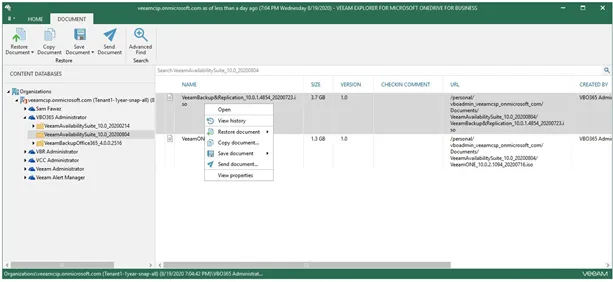
Using ScreenConnect, login to CIT-Azure-VBO.
To recover data from an Office 365 backup, the Veeam Explorers can be utilized.
*Note, when providing tenants with self−service capabilities through Cloud Connect with Veeam Explorer tools, tenant Veeam Explorer versions must be the same as the service provider VBO365 Explorer versions. Additionally, if modern authentication is used, then tenant must authenticate using modern authentication as basic will fail.
Recovering Exchange Items
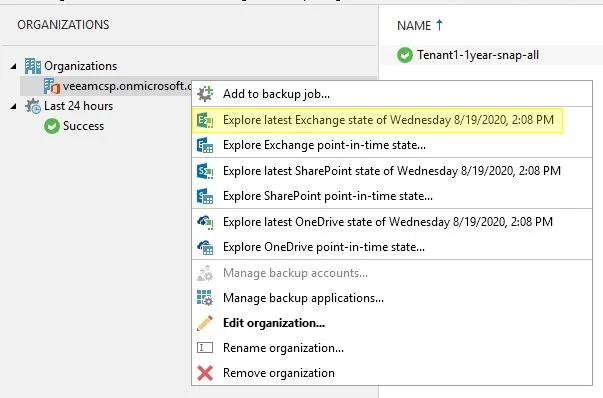
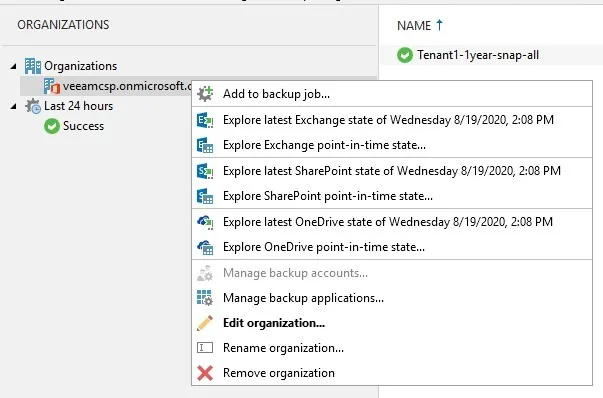
Section titled “Recovering Exchange Items”1. Start by right-clicking on the tenant organization.
2. The following warning may be displayed.
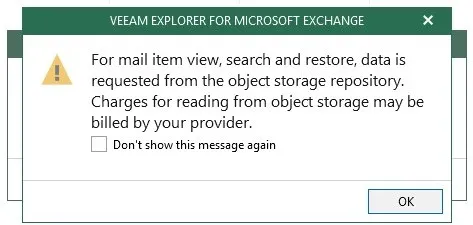
Choose whether to check the box or not. Click Ok.
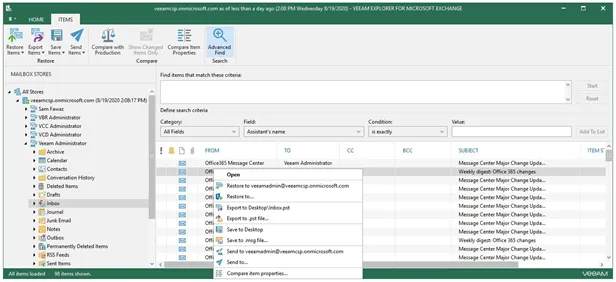
3. Expand the mailbox, expand a user, and click on Inbox. Right click on an email or multiple emails to view the restore options. Clicking the Advanced Find option allows filtering.
Recovering SharePoint Items
Section titled “Recovering SharePoint Items”1. Start by right-clicking on the tenant organization.
2. The following warning may be displayed.
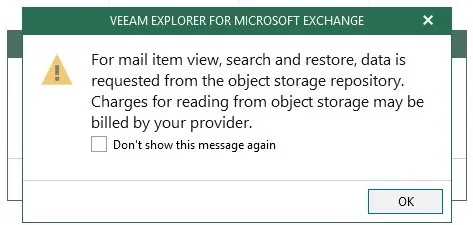
Choose whether to check the box or not. Click Ok.
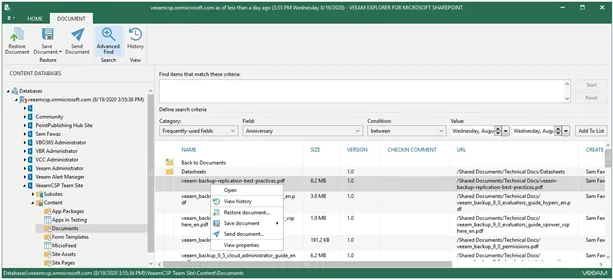
3. Expand the organization, expand a SharePoint site, and click on an object such as Documents. Right-click on a document or multiple documents to view the restore options. Clicking the Advanced Find option allows filtering.
Recovering OneDrive Items
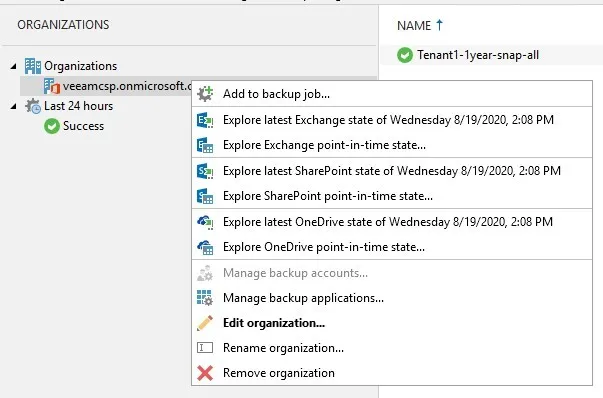
Section titled “Recovering OneDrive Items”1. Start by right-clicking on the tenant organization.
2. The following warning may be displayed.
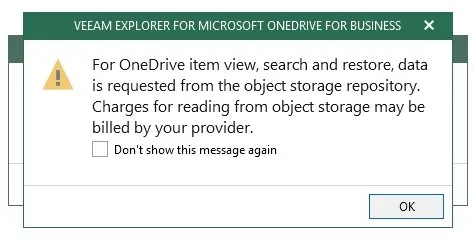
Choose whether to check the box or not. Click OK.
3. Expand the mailbox, expand a user, and click on Inbox. Right-click on an email or multiple emails to view the restore options. Clicking the Advanced Find option allows filtering.