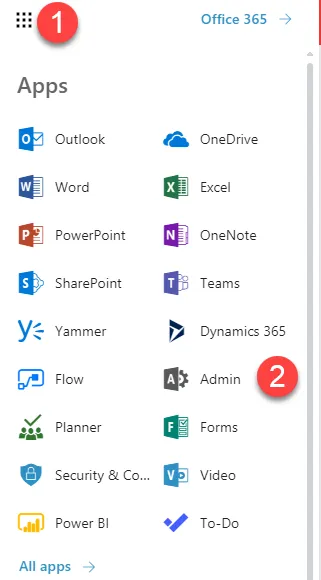
1. Go to the M365 Admin console for the client tenant.
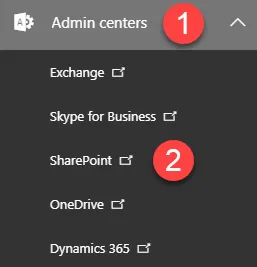
2. Go to Admin Centers > SharePoint.
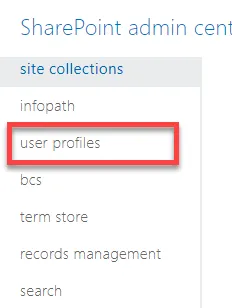
3. Once in the SharePoint Admin Center, click on User Profiles.
4. On the next screen, click Manage User Profiles.

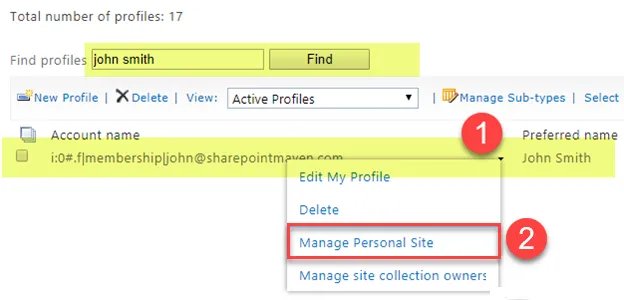
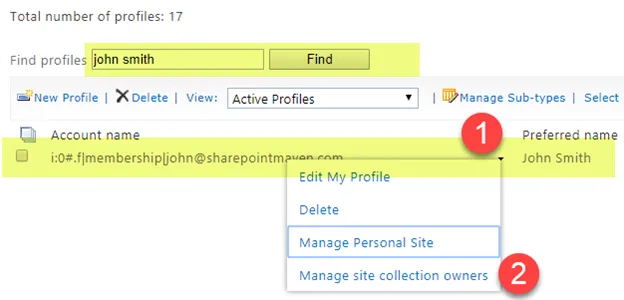
5. Find the user’s profile you want to allow someone else access to, click the drop-down arrow next to the name, and then choose Manage site collection owners.
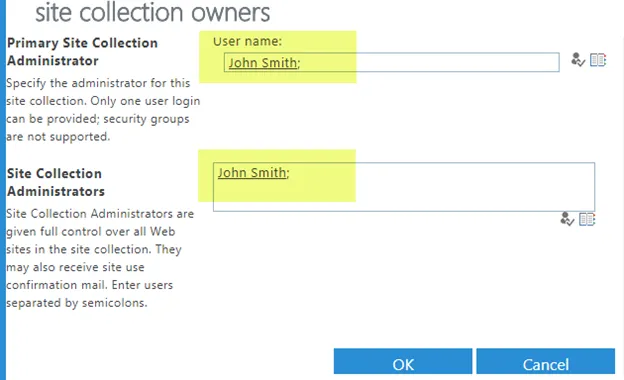
6. You will notice that by default, the OneDrive Site Collection Administrator is the owner of the OneDrive account. This is because the Site Collection is private to the OneDrive owner.
7. Click on the Address Book icon and add the centrexIT admin account that is being used to make these changes and the requested client user(s). Click OK.
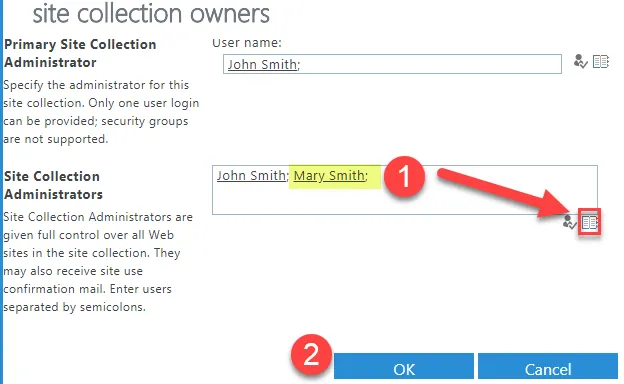
8. Click on the drop down arrow again and select Manage Personal Site. Copy the URL in the address bar and supply it in the closing email for the user off-board.