PROCEDURES
Section titled “PROCEDURES”WI to help with Bitlocker issues and problems.
REFERENCES
Section titled “REFERENCES”1Password > Software/Apps > Bitlocker Default PIN
Default PIN
- Provided in PWS (Review References Section) Recovery Token
- Logged onto a DC for Adstra
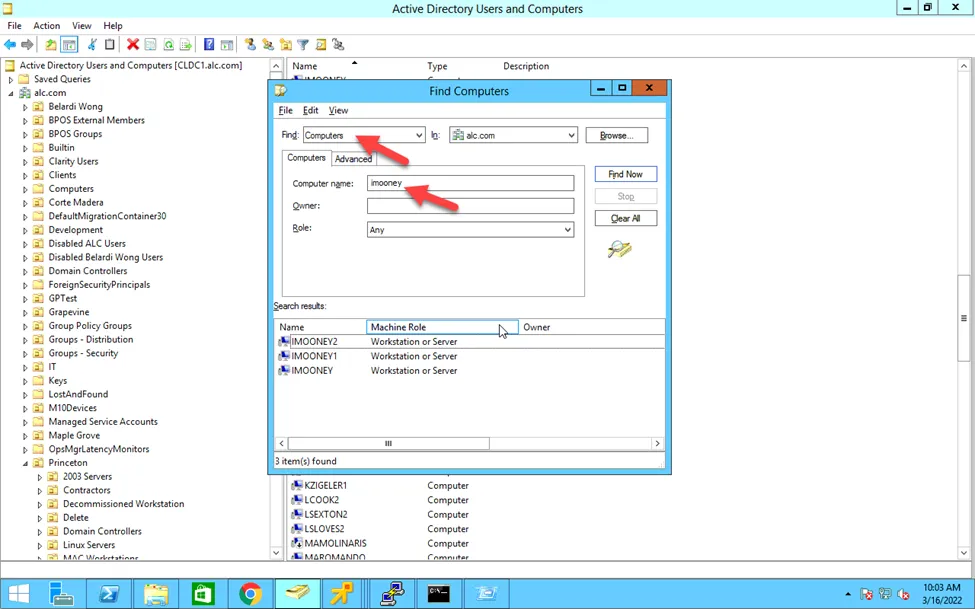
- From ADU&C, find the computer account
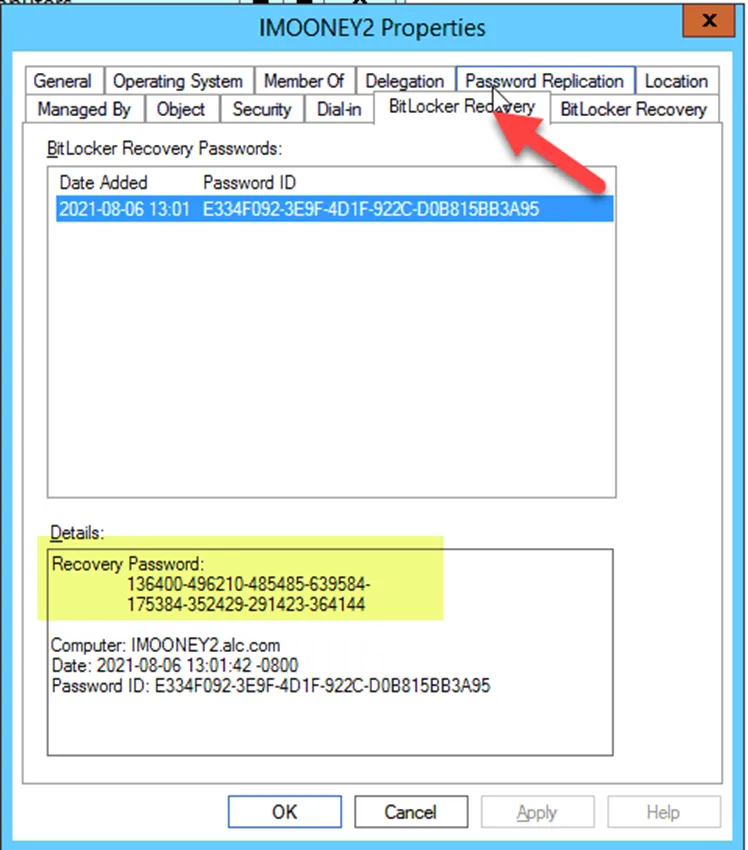
- Once located, please look at the properties of the computer account and should see the BitLocker Recovery tab. Should see the bitlocker recovery password is.