PROCEDURE
Until Adstra goes through an M365 hardening, Macs will require Sophos for AV protection. Please follow this WI to help install the agent on macOS.
REQUIREMENTS
- Passwordstate > Websites > Sophos Console
STEPS
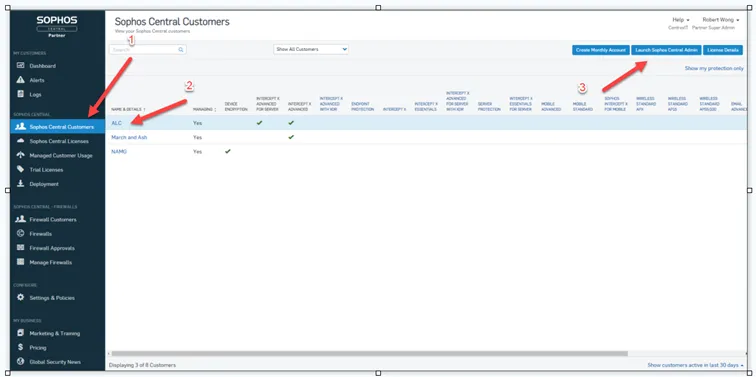
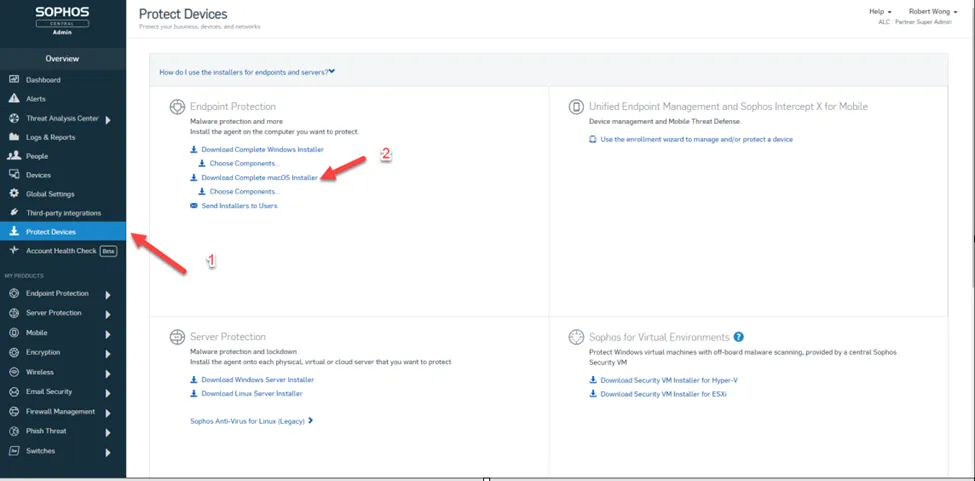
- Obtain the Sophos dmg installer (Review the References Section on how to obtain an installer from the Sophos Console)
- Check Requirements section for authorized cIT personnel to obtain the installer.
- Transfer dmg to target system.
- Open the dmg and run through the installer.
- Accept all Default Settings.
- You will get a pop-up to allow third-party extensions
- Follow the prompt to system preferences to allow the extensions.
SUCCESS:
- Sophos installs without an error
FAILURE/NEXT STEPS:
REFERENCES