Log into the ServU-MFT server. Credentials are in PwdState.
You want to first verify if the Serv-U service is running.
a. Go to the system tray and right-click on the Serv-U icon. This will bring up a list.
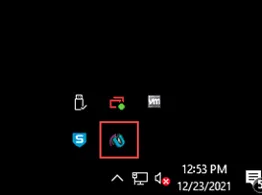
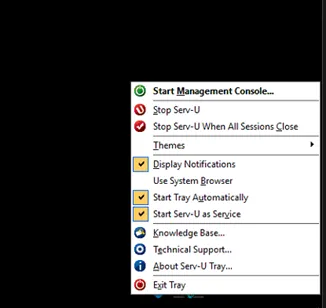
b. If one of the options says “Stop Serv-U”, that means the service is running.
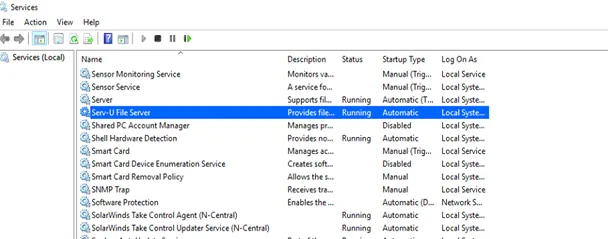
c. Go to Windows Services and verify that the “Serv-U File Server” service is running.
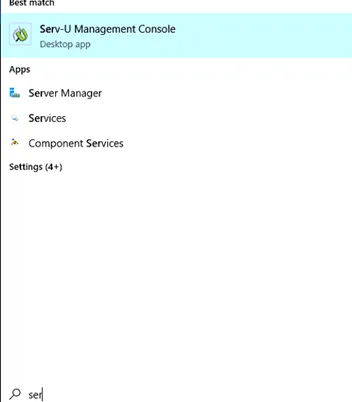
d. Open Serv-U Management Console from the Windows search or system tray.
e. You will first want to check the Global IP access. Go to Server Details > IP access.
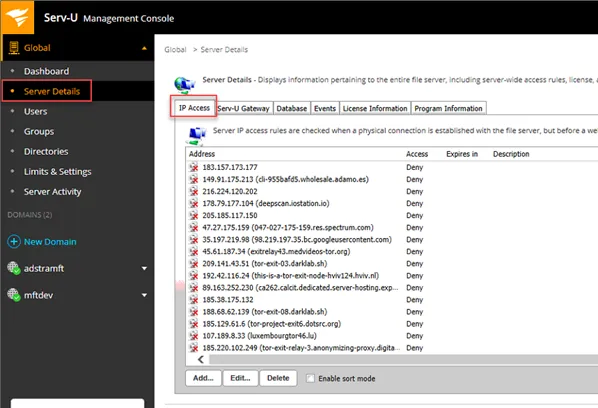
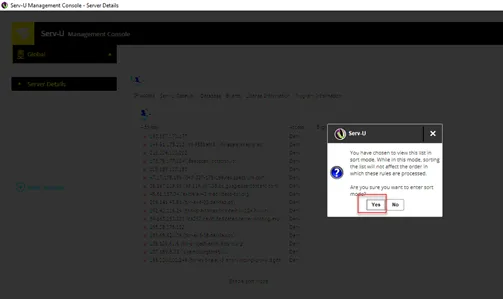
f. Click on the “Enable sort mode” check box and click Yes.
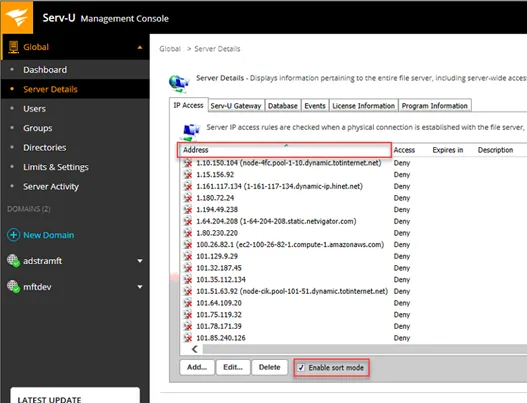
g. Click on the Address column to sort by IP. Look for any local IPs or IP in question. If you see an IP listed that should not be denied, select the IP and “Delete” it. You need to delete it to allow it. If you select “Allow”, it will break the connection for everyone.
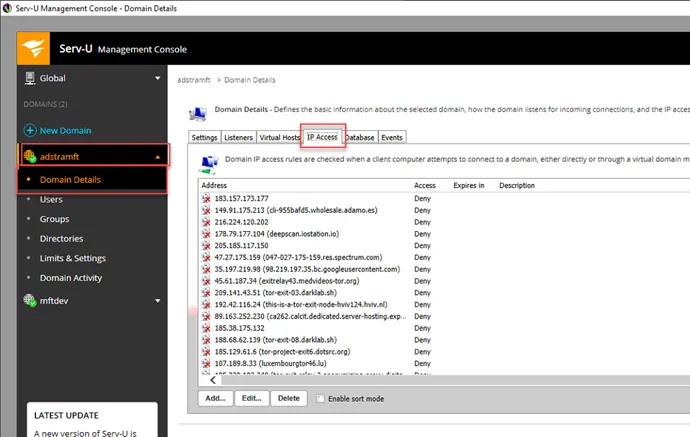
h. Check the adstramft Server IP access. This uses the same steps as in step g. Again, if you see an IP listed that should not be denied, select the IP and “Delete” it. You need to delete it to allow it. If you select “allow” it will break the connection for everyone.
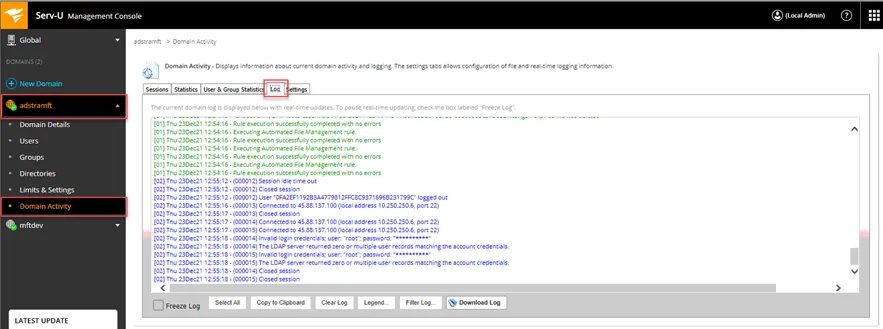
i. You can check the logs to see if any connections are being denied. If the connection is denied, it is a good indicator the IP is being blocked in the IP access list.
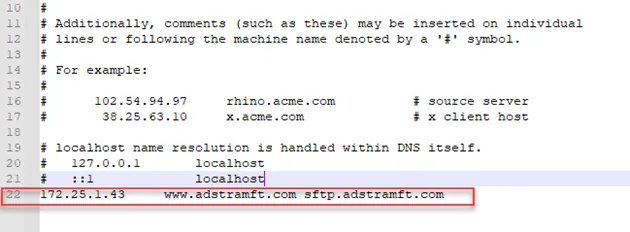
j. If a user is still having connection issues and their device is on the internal network, please add “172.25.1.43 www.adstramft.com sftp.adstramft.com” to the host file of their device since it might be a DNS issue. The path to the host file is C:\Windows\System32\drivers\etc.
k. If everything looks good and people are unable to connect externally, check the servers in vSphere. Go to VMs and Templates at the top and expand Prod Tier 1 folder. Check and make sure both ServU-GW (DMZ MFT server) and the ServU-MFT (Internal MFT server) servers are on.
l. If the issue persists after these steps, please reach out to escalation for assistance. If the issue continues with escalation, please coordinate with Chris Morris.