Click on the Outlook desktop shortcut
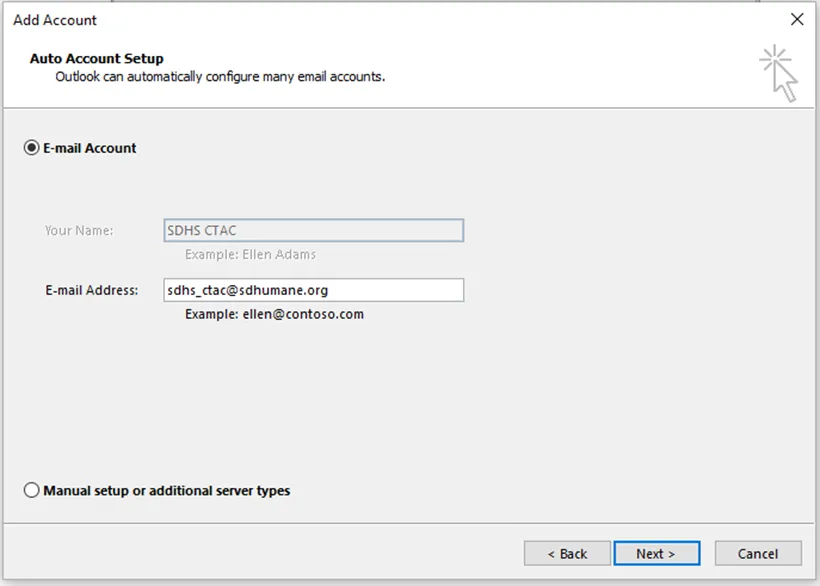
Click Next on the following:
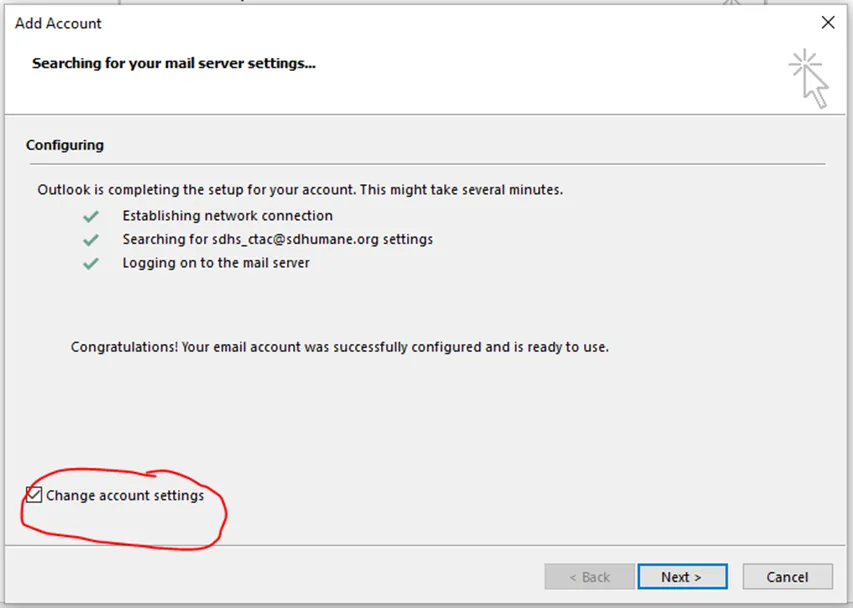
Outlook will auto populate your credentials and email, click Next
Outlook will then resolve your account, click on the box “Change Account Settings”, then click Next
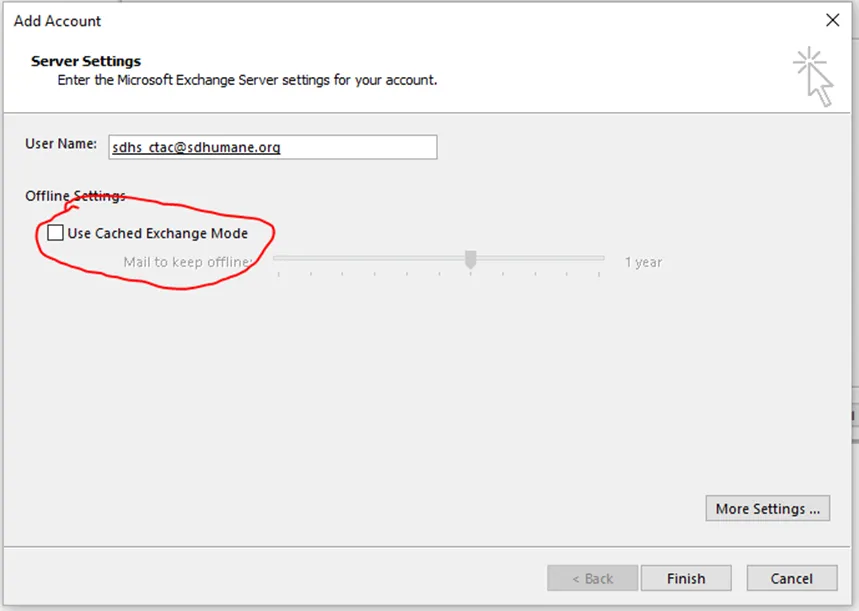
Uncheck “Use Cache Exchange Mode”, then click Finish
After this, Outlook will open. Please note that it may take a little while for all your email to load.