P21 Email Configuration
For P21 to send email to Customers. The following configuration, and permissions need to be setup.
1. Open IIS Manager 6 on RCP-SQL.
2. Right click on the SMTP Directory, and make sure the following setting are confrigured.
a. Verify the IP Address is pointed to the SQL Servers IP.
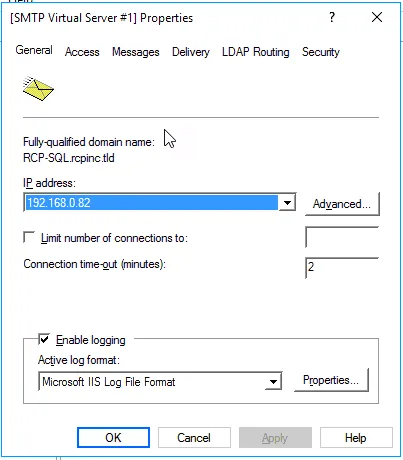
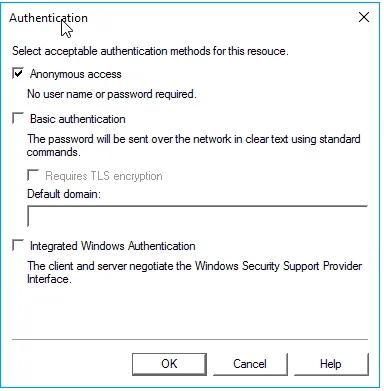
2. On the access Tab click Authentication, and verify the following settings match
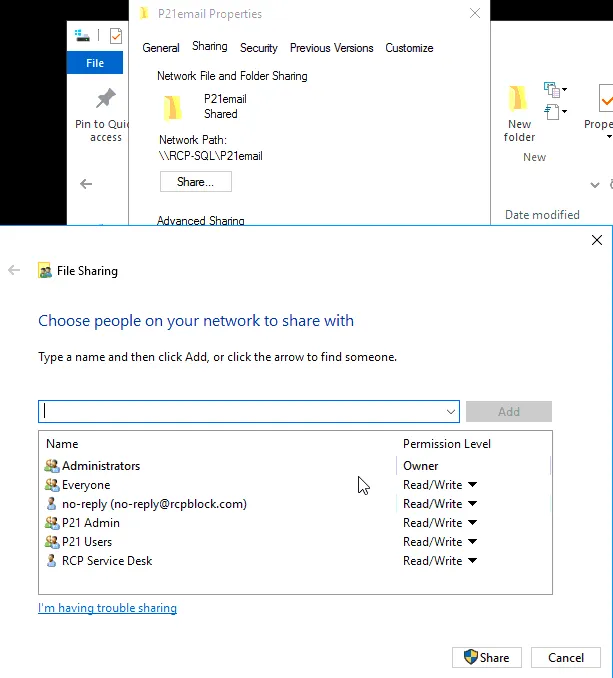
3. Make sure the “P21email” folder (Located on C:\) is configured, and is shared out with the following permissions.
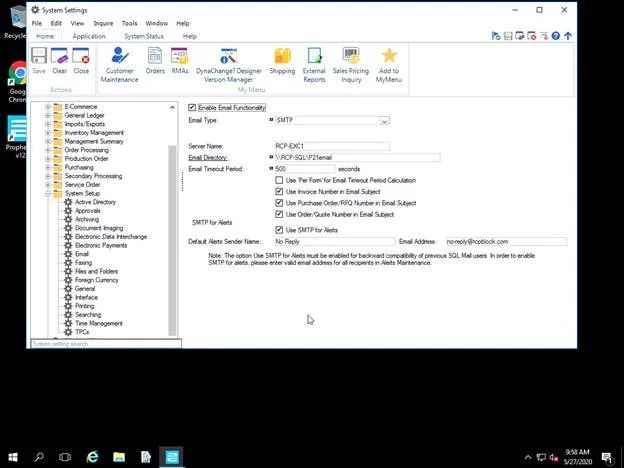
4. Login to P21 using the admin account, and make sure the following settings are configured with in P21
5. Navigate to system settings
a. 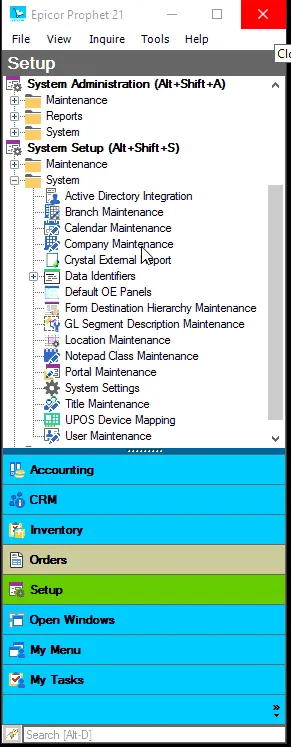
6. Click on system setup, and then click on email and match the setting.
a.